You've Got AI at Work. Now What? Microsoft Copilot for beginners
Microsoft Copilot training for beginners who have been given an AI assistant at work and want to use it for the emails, documents, spreadsheets and meetings they already deal with. Every recipe works in ChatGPT, Gemini or Claude too.
You've Got AI at Work. Now What? is an interactive course of about 2 hours 15 minutes from Capytech for office workers who have been given Microsoft Copilot or another AI assistant. It costs £49 inc VAT, is sold on its own (it is not part of All Access) and ends with a certificate.
For: Office and admin staff, Coordinators and officers, PAs and team leaders, Public sector and business teams
By the end, you will be able to
- Reply to, write and catch up on emails in a few minutes
- Turn meetings and rough notes into actions and clear minutes
- Draft, summarise and check documents in plain English
- Ask questions of a spreadsheet, then check every number
- Make charts, slides, plans and checklists from what you already have
- Know what is safe to put in, and check every answer before you use it
How can a beginner start using Microsoft Copilot at work?
Start with three things: find out which version of Microsoft Copilot you have, give it a clear ask, and check the answer before you use it. Then use it on the jobs you already do, one task at a time.
- Find your version. The included Microsoft Copilot Chat works with the web and with what you paste in, attach or have open. The paid add-on can also reach the emails, files, chats and meetings you already have access to.
- Write a four part ask: who it is for, what you want, the details, and the format you want back.
- Start with email and meetings: reply in the right tone, catch up on a long thread, and turn rough notes into actions with owners and dates.
- Tell people before you record or transcribe a meeting, and follow your organisation's rules.
- Run a quick check on every answer: facts, numbers, names and tone.
- Keep personal and confidential information out of any tool your organisation has not approved.
You've Got AI at Work. Now What? follows Jo, an administration officer at a fictional council, through her first week with AI. It has nine units of about 15 minutes, a recipe to copy for each task in Microsoft Copilot, ChatGPT, Gemini or Claude, and a six question quiz at the end of each unit.
Microsoft Copilot first, and any other AI assistant too
Most workplaces give people Microsoft Copilot, so the course shows it first. Every recipe also tells you how to do the same job in ChatGPT, Gemini or Claude, so you can learn with whichever assistant your organisation has approved.
- 01The ask
The words to type, ready to copy, with square brackets for your own details.
- 02In Microsoft Copilot
Where to use it, whether it needs the paid add-on, and what to do if you do not have the add-on.
- 03In any AI
The same ask in ChatGPT, Gemini or Claude, with the text pasted in or attached.
- 04Check it
Two or three things to look at before you use the answer.
I am [your job] at [your organisation]. I am replying to [who they are]. Their email is below. I want to [confirm / explain / agree / say no to] [the main point]. Include these facts: [the facts]. Tone: [polite and respectful / warm and brisk / formal]. No more than [120] words. UK English, plain words.
Microsoft Copilot comes in two versions. The included Microsoft Copilot Chat works with the web and with whatever you paste in or attach. The paid add-on can also reach your emails, files, chats and meetings. Unit 1 shows you how to tell which one you have, and every recipe that needs the add-on gives you a way round it.
See how the lessons work
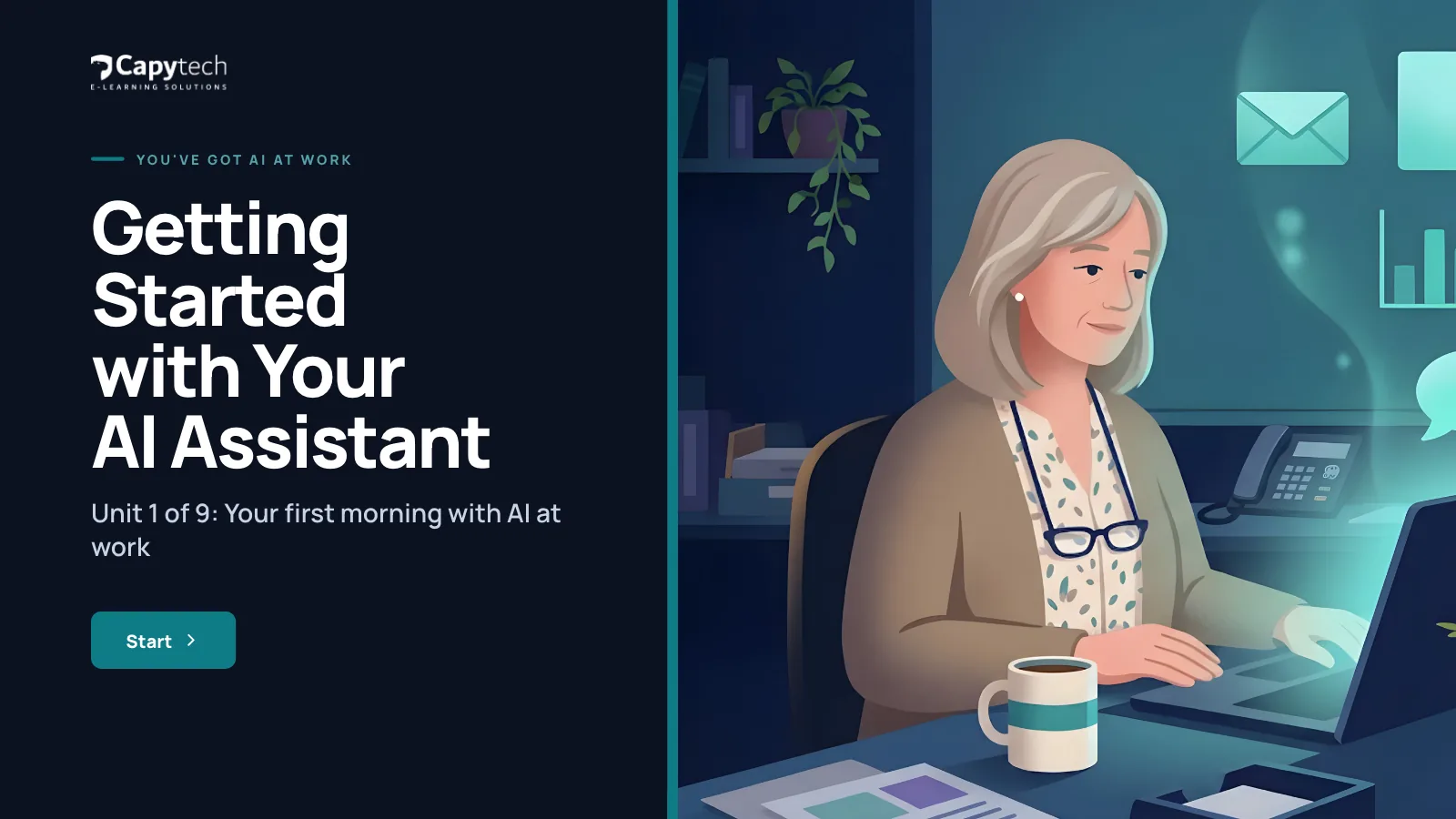
Unit 1 of 9: Jo's first morning with AI at workReal screens from the course
Nine units, one working week
Each unit is one part of a working week, from Monday, 9am to the next Monday.



1Getting Started with Your AI AssistantMonday, 9amMeet your assistant, find out which version you have and write your first good ask.
5 lessons, 15 min
- 1.1
Monday, 9am: meet your assistant
2 min - 1.2
Which version have you got?
1 min - 1.3
What is safe to put in
2 min - 1.4
Your first good ask
2 min - 1.5
It got it wrong, now what?
3 min Unit quizSix questions with feedback, 80% to pass
2Email with AIMonday, 10amReply, catch up and write the tricky ones in minutes.
5 lessons, 15 min
- 2.1
Reply in the right tone
2 min - 2.2
Catch up on a long thread
2 min - 2.3
Write the tricky email
2 min - 2.4
Notes into a clear email
2 min - 2.5
Back from leave: sort the inbox
2 min Unit quizSix questions with feedback, 80% to pass
3Meetings and Notes with AITuesdayAgendas, catch ups, actions and minutes.
5 lessons, 15 min
- 3.1
Prepare an agenda
1 min - 3.2
Catch up on a meeting you missed
2 min - 3.3
Get the actions, owners and dates
3 min - 3.4
Turn rough notes into minutes
2 min - 3.5
Recording and transcription: tell people
2 min Unit quizSix questions with feedback, 80% to pass
4Documents with AIWednesday morningDraft, summarise, simplify, check and reply.
5 lessons, 15 min
- 4.1
A first draft from rough notes
2 min - 4.2
Summarise a long document
2 min - 4.3
Plain English for the public
2 min - 4.4
Proofread and compare
2 min - 4.5
A reply to a complaint
2 min Unit quizSix questions with feedback, 80% to pass
5Spreadsheets and Data with AIWednesday afternoonAsk, clean and summarise your data, then check every number.
5 lessons, 15 min
- 5.1
Ask your spreadsheet a question
2 min - 5.2
Write and explain a formula
2 min - 5.3
Clean up messy data
1 min - 5.4
Summarise, and spot the odd numbers
2 min - 5.5
Check every number
3 min Unit quizSix questions with feedback, 80% to pass
6Charts, Graphics and Presentations with AIThursdayTurn a table into a chart and notes into slides, and make every picture readable.
4 lessons, 15 min
- 6.1
Pick a chart and write its title
3 min - 6.2
From notes to a tidy deck
3 min - 6.3
Simple graphics and AI images
2 min - 6.4
Alt text for charts and images
2 min Unit quizSix questions with feedback, 80% to pass
7Planning and Organising with AIFriday morningTo do lists, plans, checklists, rotas and finding things.
5 lessons, 15 min
- 7.1
A to do list from a messy brain dump
3 min - 7.2
A simple project plan with dates
2 min - 7.3
Checklists and templates you will reuse
2 min - 7.4
Rotas and schedules
2 min - 7.5
Finding things across your emails, files and chats
1 min Unit quizSix questions with feedback, 80% to pass
8Everyday HelpersFriday afternoonTranslate, explain, prepare and draft the little jobs that fill a Friday afternoon.
5 lessons, 15 min
- 8.1
Translate a letter, and know when not to
2 min - 8.2
Explain jargon and acronyms
2 min - 8.3
Prepare for a difficult conversation
2 min - 8.4
Write a job advert or role description
2 min - 8.5
Make a form or survey
2 min Unit quizSix questions with feedback, 80% to pass
9Checking, Staying Safe and Your ToolkitThe next MondayCheck what AI gives you, know what never goes in, and keep your own recipes.
5 lessons, 15 min
- 9.1
Why AI sounds right when it is wrong
2 min - 9.2
The quick check
3 min - 9.3
What never goes in
2 min - 9.4
Your own prompt library
2 min - 9.5
Your toolkit
1 min Unit quizSix questions with feedback, 80% to pass
The AI answers on screen are real answers to the asks in the course, using fictional files from Fenbrook District Council.
Everything in the box
The downloads are yours to keep, and the practice pack lets you try every recipe without using real work information.
- Recipe book (PDF)
All 42 asks from the course in one book, in unit order, ready to copy.
- One page cheat sheet
The four part ask, the quick check, what never goes in and five asks to start with.
- Safe use card
For managers and IT: what the course teaches, what only your organisation can tell its people, and five house rules worth agreeing.
- Practice pack
Fictional files to try the recipes on, from a long email thread to a messy grants tracker as a spreadsheet and a CSV file.
- Something to do on most screens
Sort, choose and spot the mistake, with feedback straight away.
- A quiz in every unit
Six questions with feedback, 80% to pass, and as many tries as you need.
- Certificate of completion
A PDF with your name, the course, the date and a verification code.
- Any device
Phone, tablet or computer. The course remembers where you got to.
Start with Microsoft Copilot in Your Day
Not sure yet? Microsoft Copilot in Your Day is a short course of about 20 minutes for £9 inc VAT, and it comes with All Access. It covers Microsoft Copilot in Word, Outlook, Teams, Excel and PowerPoint: what to ask it and what to check. This course goes further, with a recipe for each everyday task.
AI changes every week. Don't worry, so do we.
A course recorded last year can teach menus that no longer exist. We built this course to keep up with the tools.
- Checked every week against the latest AI tool updates, the law and guidance
- Updated when something changes, usually the same week
- Every update included in your 12 months of access
Up to date: checked 12 November 2026
Made for people at work
Practical AI training for office workers and admin staff who have been given Microsoft Copilot or another AI assistant and have never really used it. You need no technical skills. You follow Jo Hartley, an administration officer at Fenbrook District Council, a fictional council, through her first week with AI. Every task is one you would meet in any office, so the course works just as well in a business.
- Office and admin staff
- Coordinators and officers
- PAs and team leaders
- Public sector and business teams
- Anyone new to AI at work
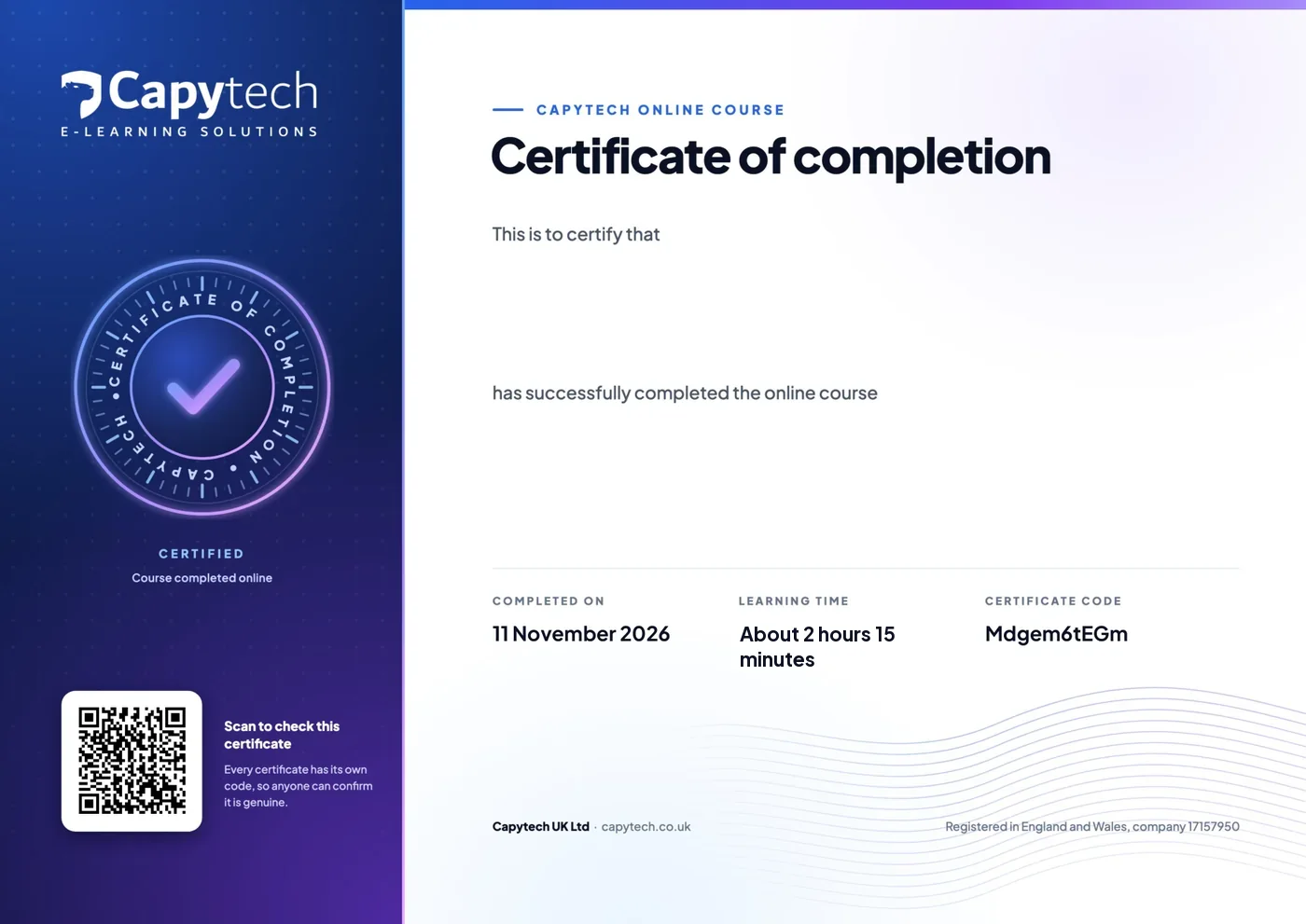
Your certificate of completion
Pass the quiz at the end of each of the nine units at 80%, then download a PDF certificate with your name, the course, the date and a verification code anyone can check.
One skill at a time
Our short AI courses take about 20 minutes each. Start with the free one.
 Free20 minStart here
AI at Work: The Essentials
What AI is, what it gets wrong, safe use at work and your organisation's rules. The free starting point for everyone.
Freewith a free account 20 minStart here
Prompting That Works
Structure, context, examples and iteration: get useful answers from any AI tool, first time.
£9£7.50 ex VAT 20 minStart here
Writing with AI
Emails, reports, proposals and summaries with AI, in your voice and checked before they leave.
£9£7.50 ex VAT 20 minAI skills
AI for Spreadsheets and Data
Formulas, cleaning, analysis and charts with AI help, in Excel and Google Sheets.
£9£7.50 ex VAT
Questions, answered
We answer every message ourselves, usually the same working day.
Which AI assistant do I need?
Any of the common ones. The course shows Microsoft Copilot first, because it is what most workplaces give people, and every recipe also shows you how to do the same job in ChatGPT, Gemini or Claude. Use the assistant your organisation has approved, signed in with your work account.
Do I need the paid Microsoft Copilot add-on?
No. The included Microsoft Copilot Chat works with the web and with whatever you paste in or attach. The paid add-on can also reach your emails, files, chats and meetings. Every recipe says which version it needs, and where it needs the add-on it shows you how to do the same job without it, for example by pasting in the email thread.
Is this a video course?
No. It is an interactive course: short lessons with something to do on most screens, a recipe to copy in almost every lesson and a quiz at the end of each unit. It runs in your web browser and remembers where you got to.
How long does it take?
About 2 hours 15 minutes in all, in nine units of about 15 minutes each. Each unit is one part of Jo's working week, so many people take one unit a day. Stop and start whenever you like.
How is it different from Microsoft Copilot in Your Day?
Microsoft Copilot in Your Day is one of our short courses, about 20 minutes long, and a good taster. This course goes much further: nine units, a recipe for each everyday task in Microsoft Copilot or any other AI assistant, and the recipe book, practice pack and cheat sheet to keep.
Which Microsoft Copilot course should I take?
We have three. Microsoft Copilot in Your Day is a 20 minute interactive taster for £9 inc VAT, and it is in All Access. This course is our in-depth interactive course for beginners: nine units with a recipe for each everyday task, which also work in ChatGPT, Gemini or Claude. Microsoft Copilot at Work is our video course: 32 short lectures, about 83 minutes, on the real screens in Outlook, Teams, Word, Excel and PowerPoint, with practice files, for £49 inc VAT. Choose this course to learn by doing, step by step, and the video course to watch each feature in action.
Is this course part of All Access?
No. You've Got AI at Work. Now What? is a separate course at £49 inc VAT. All Access covers our short AI courses, which take about 20 minutes each.
Is it only for the public sector?
No. Jo works at a fictional district council, but every task is one you would meet in any office, from a long email thread to a messy spreadsheet. The recipes work the same way in a business.
Is it safe to use AI with work information?
The course shows you what is safe to put in and what never goes in, and asks you to follow your organisation's own rules. The practice pack is all fictional, so you can try every recipe without using real information. The safe use card helps managers and IT agree the house rules.
Do I get a certificate?
Yes. Pass the six question quiz at the end of each unit, with 80% to pass and as many tries as you need. When all nine units are done, download your certificate of completion as a PDF with a verification code anyone can check.
Can I get a refund?
Yes, if you have not started the course: ask within 14 days of buying and we will refund you in full. Once you start the course the sale is final. Your statutory rights are not affected.
How long do I have access?
12 months from the day you buy, including the downloads and any updates we make in that time. The downloads are yours to keep.




Get comfortable with AI this week
£49 inc VAT (£40.83 ex VAT), with nine units, every download and 12 months access.
Want it for your team? Talk to us.