Capytech UK

Virtual environments

Virtual Training Environments.
One space, a different job every day.

Capytech builds branded virtual training environments that are ready in weeks, not months. Run your training academy on Monday, a product demonstration on Tuesday and a keynote to 400 people on Wednesday, all in the same space, all in your brand.

Browser based. No headset, no download, no per-user licence.

Browser-based. No downloads.

The premise

Most organisations cannot justify a custom virtual build. So we stopped asking them to.

A bespoke 3D environment is a serious project. Months of design, a six-figure budget, and a space that does one job for one department. For most organisations that maths has never worked, which is why virtual training stayed something other people did.

We build the space once, then brand it and fill it for you. The architecture is already there, so you are not paying to invent a room. You are paying for your logo, your content, your people and your purpose inside it. That takes weeks and a fraction of the cost.

The part that surprises people is what happens next. The space is not fixed. Everything inside it is content we can change: the screens, the videos, the signage, the booths, the layout, the branding. A space that ran an induction academy this month can run a supplier conference next month. Same space, different world, changed in days.

  • Virtual training classroom 01

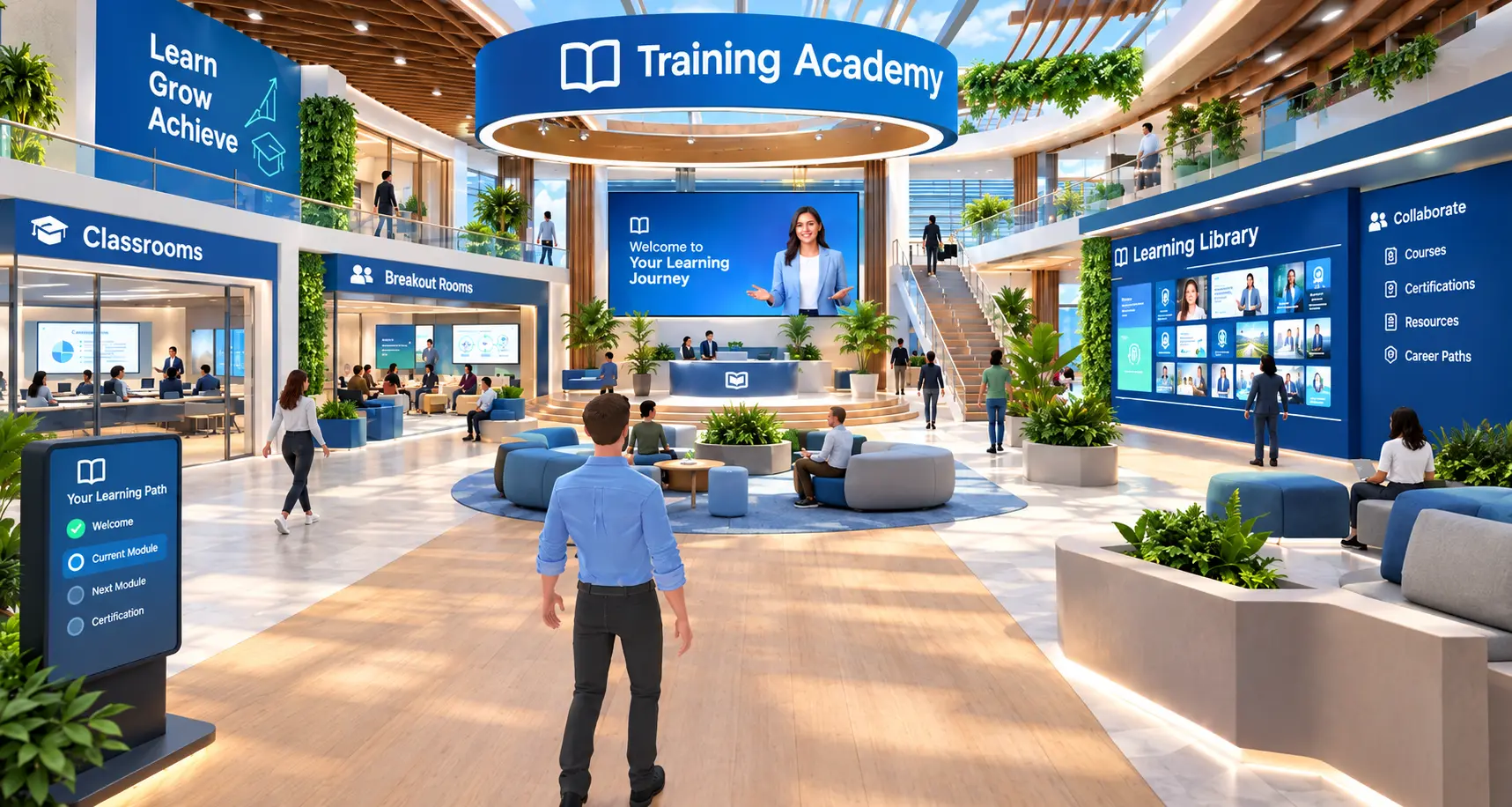
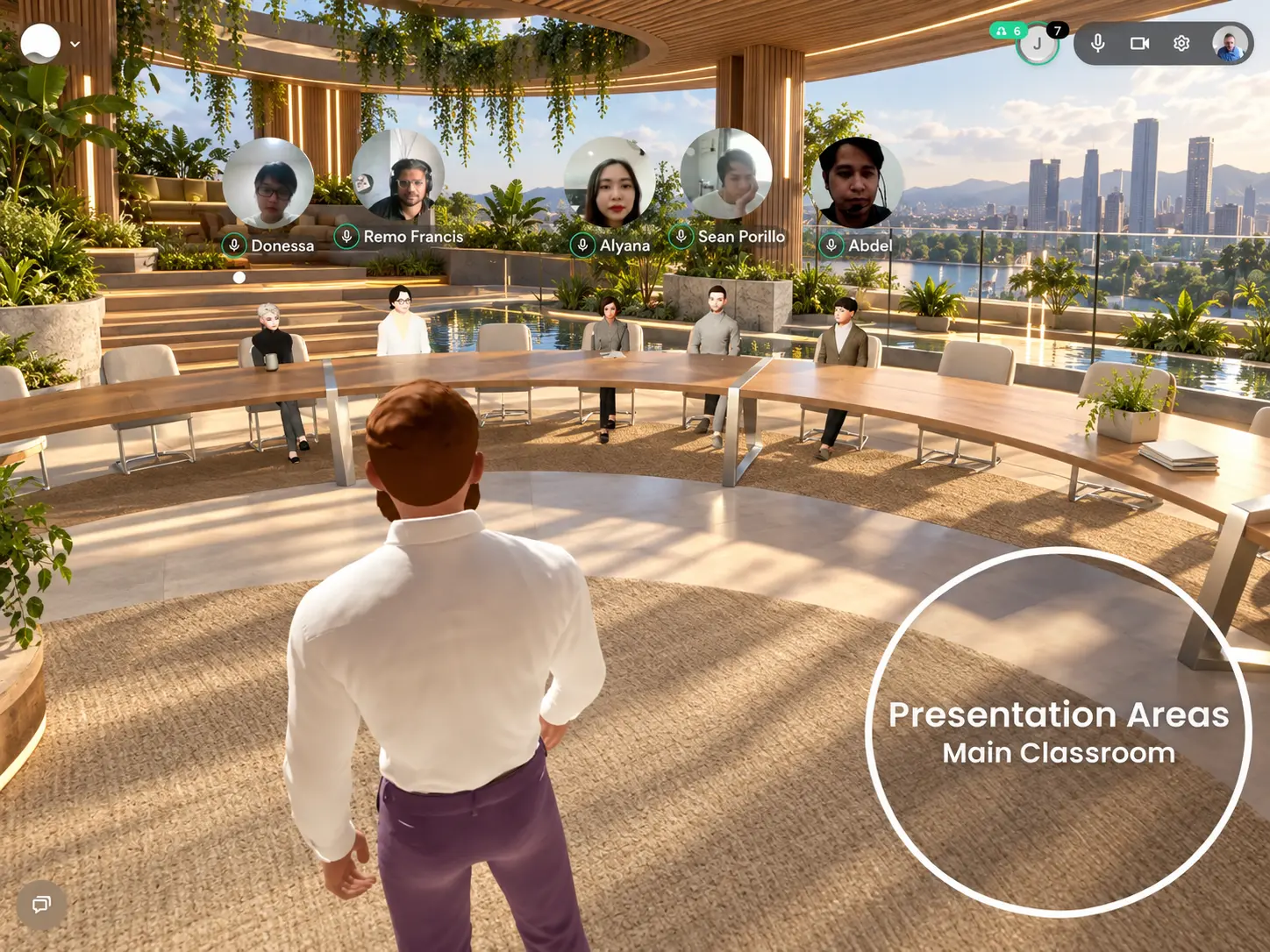
    Monday. Your training academy.

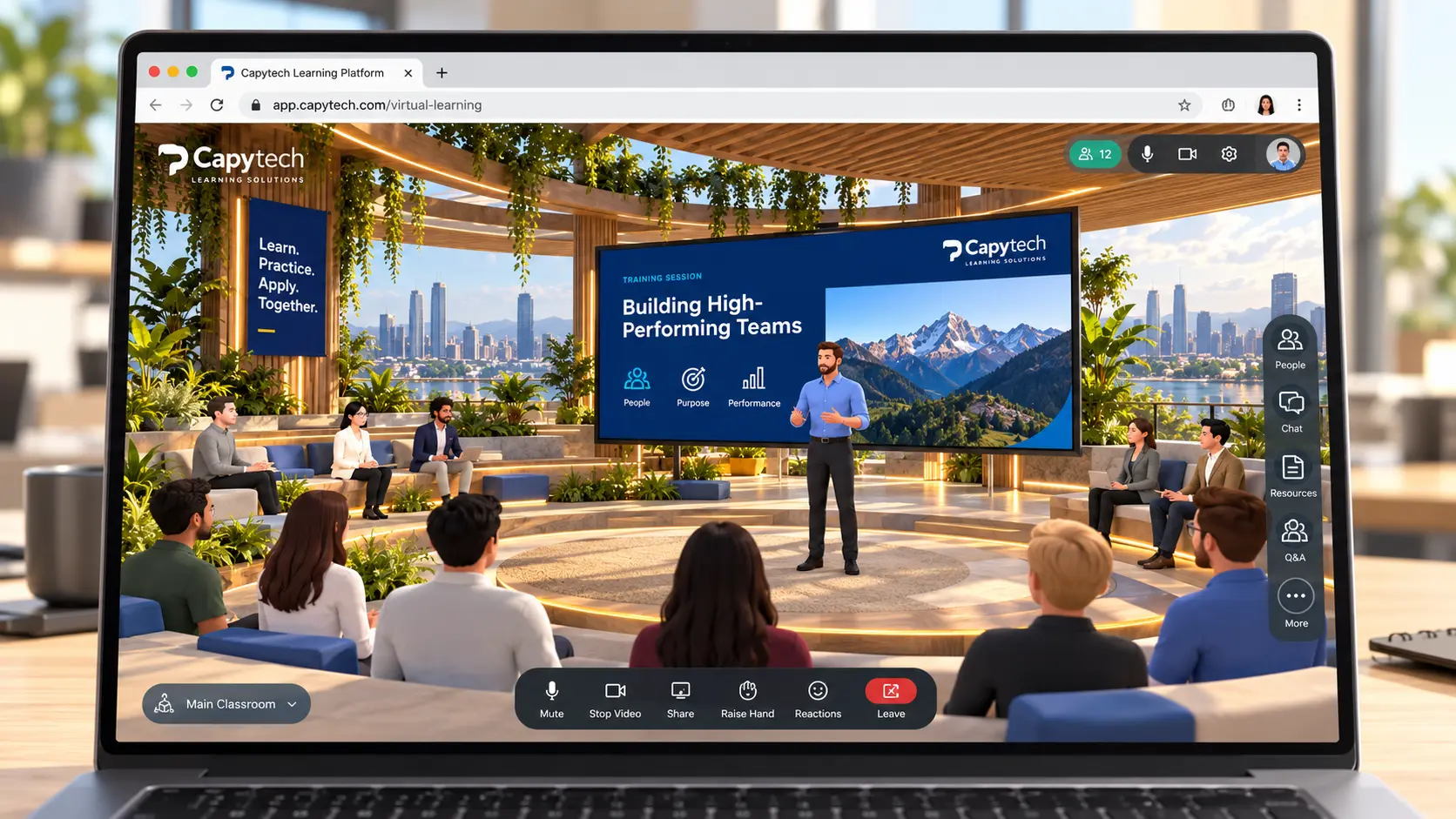
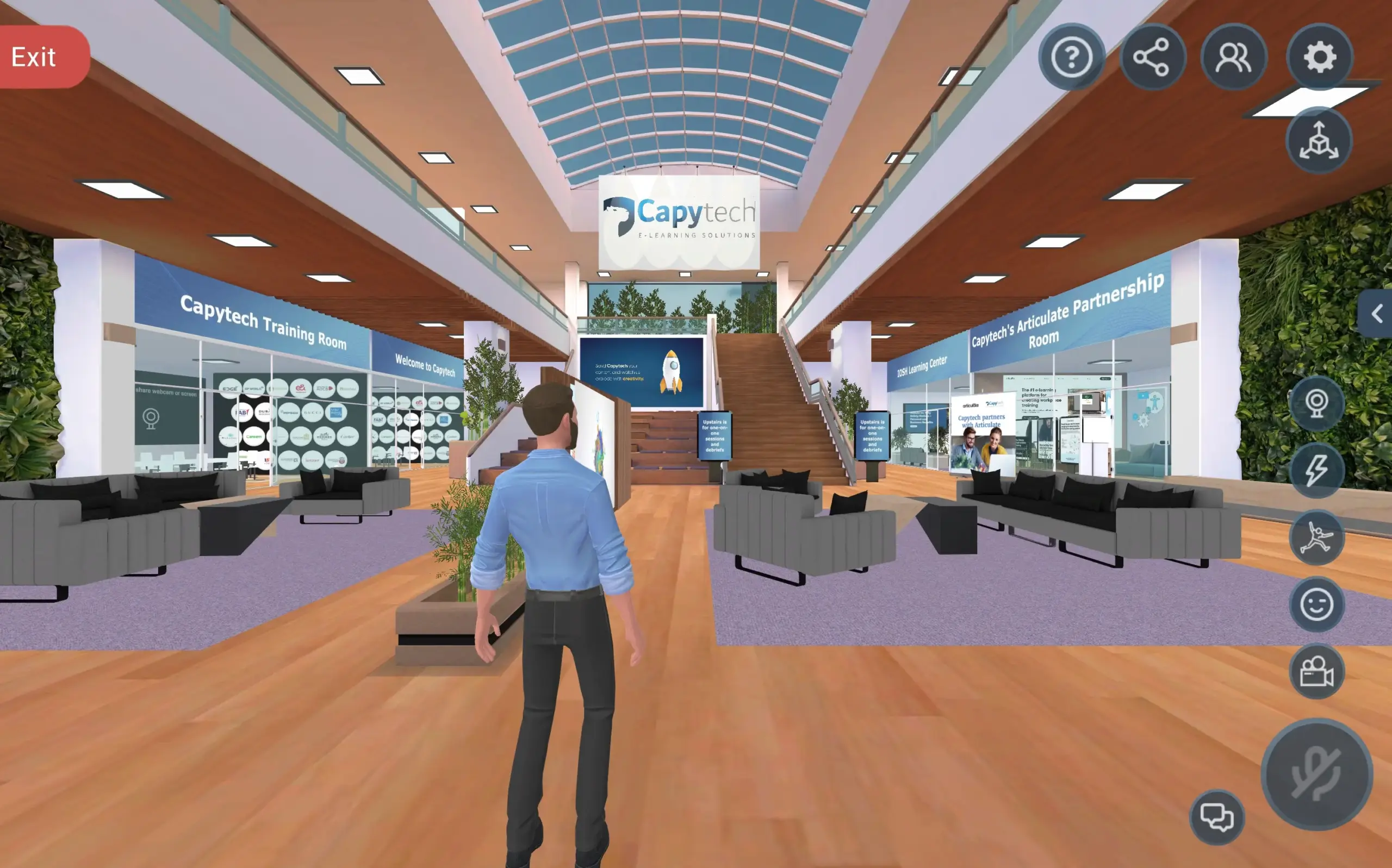
    Cohorts arrive in a branded lobby, see their schedule on the wall and walk into a classroom. An instructor presents live, controls the room and runs breakouts in side rooms.

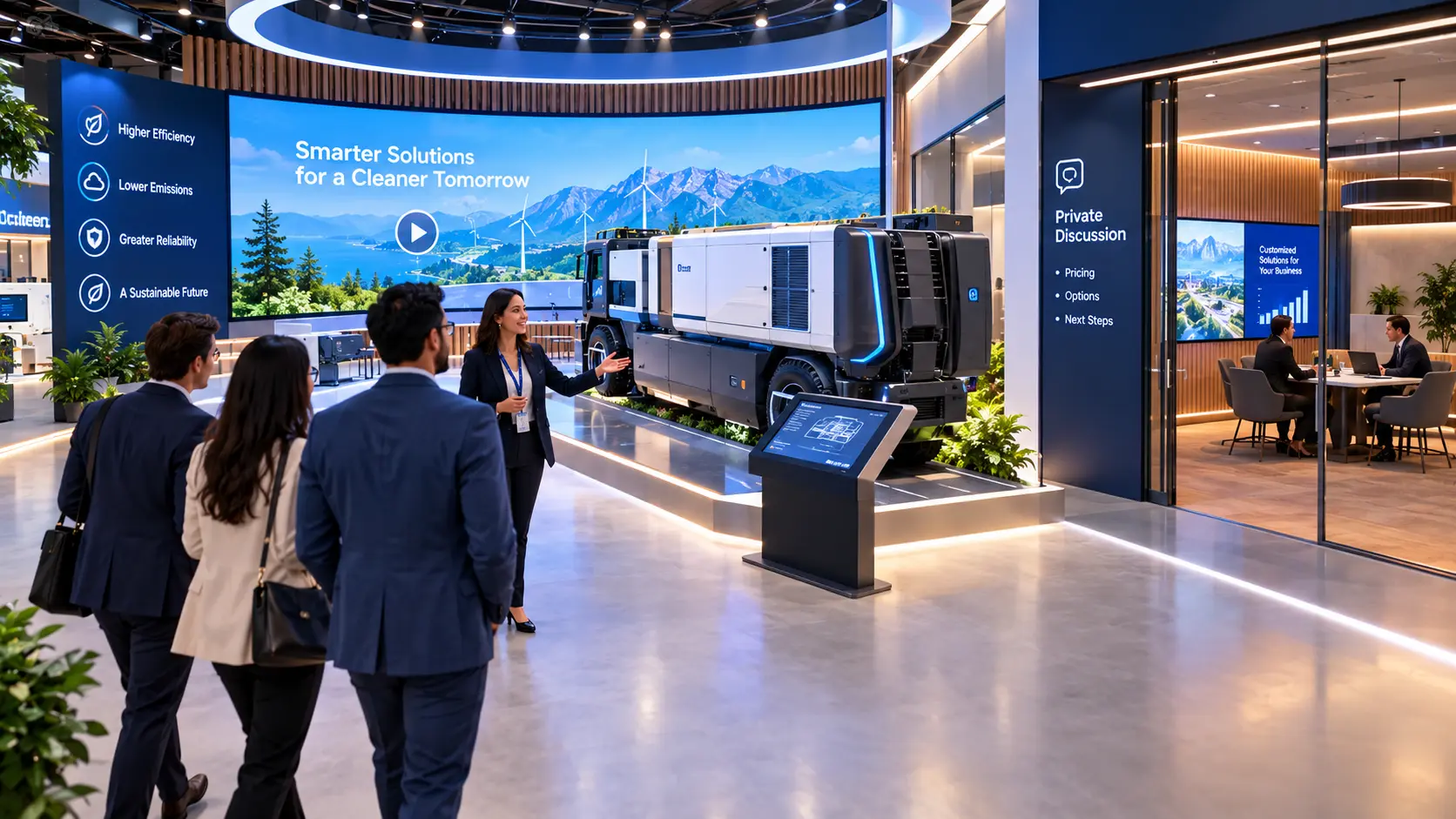
  • Virtual product demonstration space 02

    Tuesday. Your product demonstration.

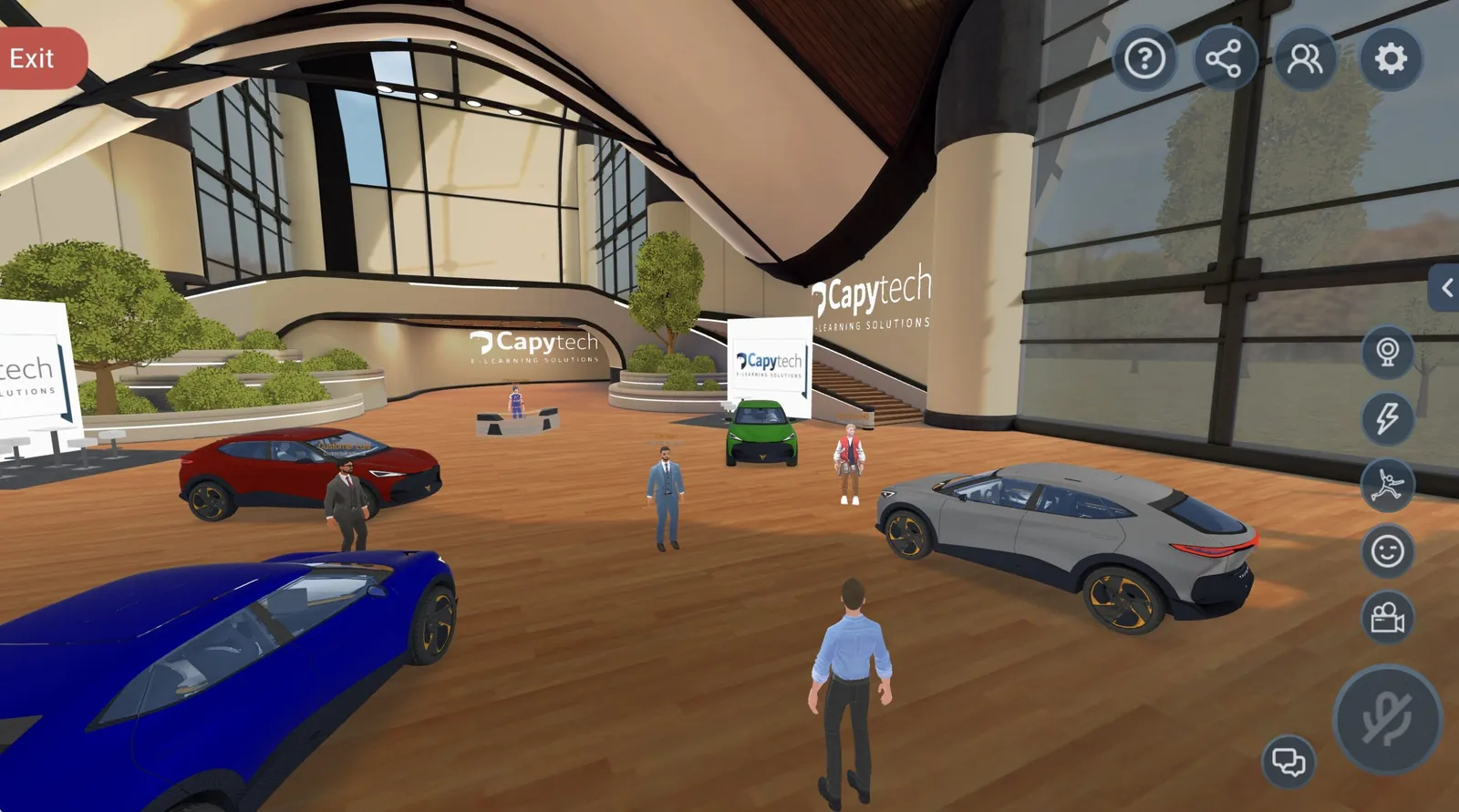
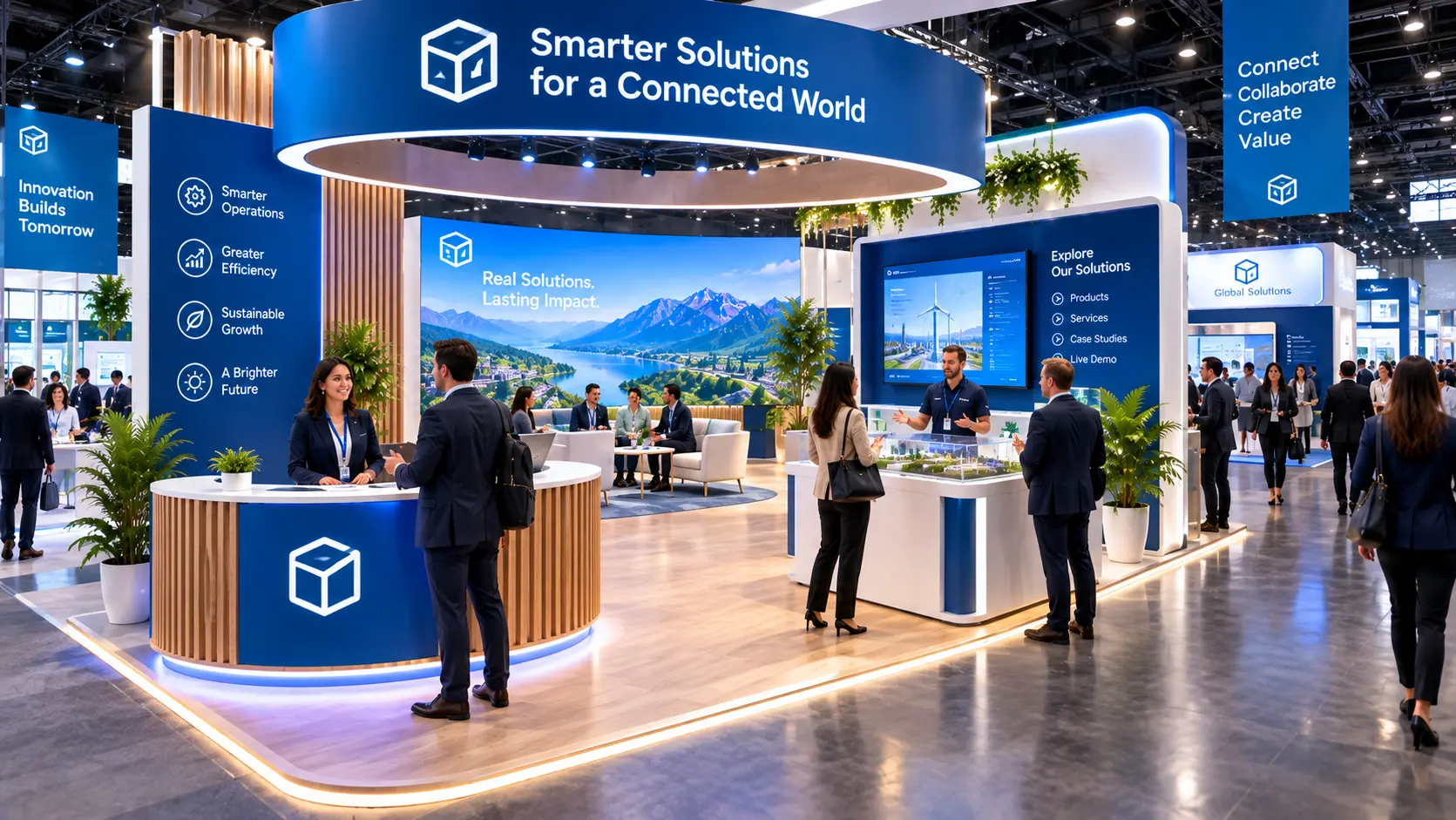
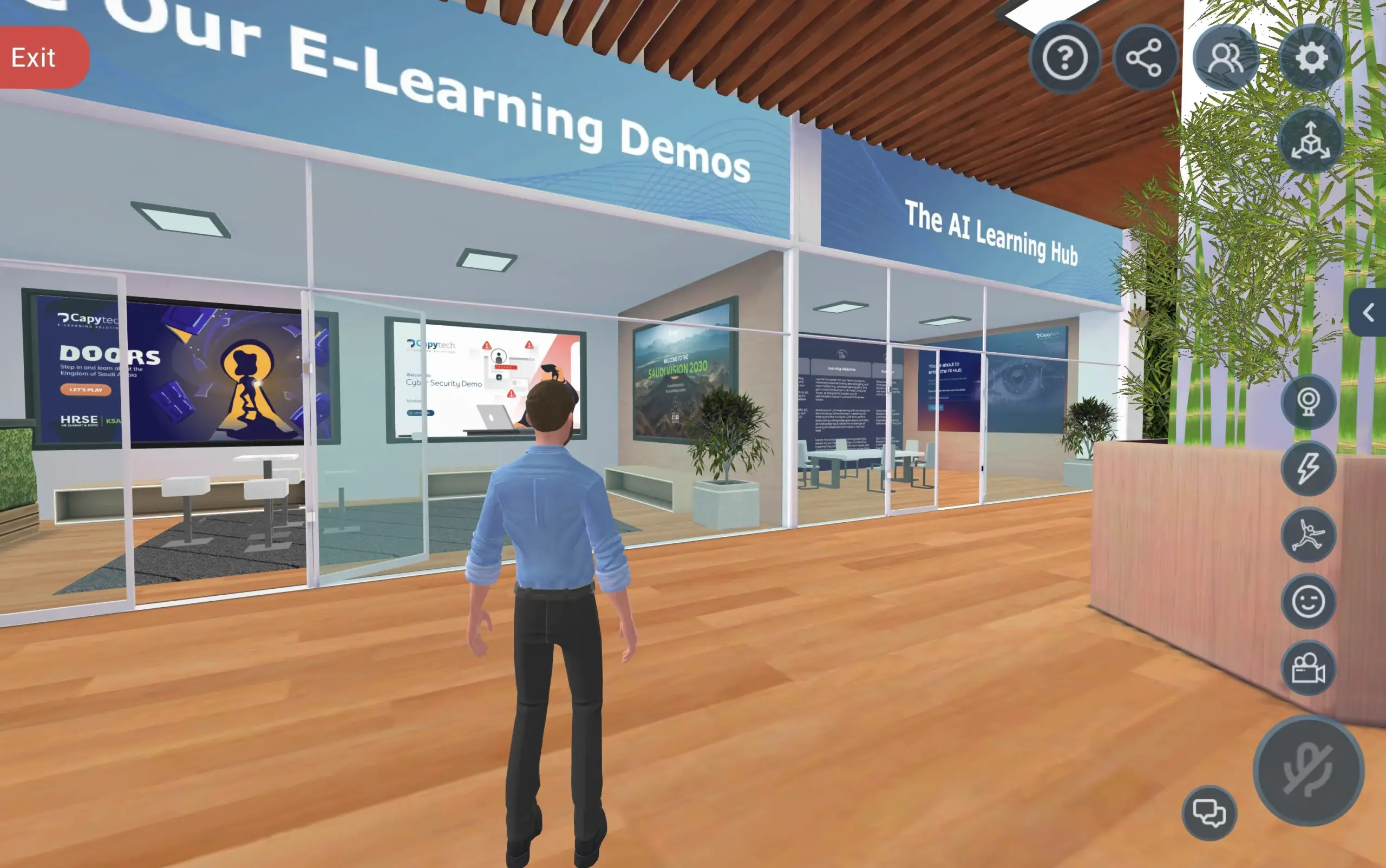
    The same floor becomes a showroom. Walk a client around the product, play the film on the main screen and take questions in a private zone where only that group can hear you.

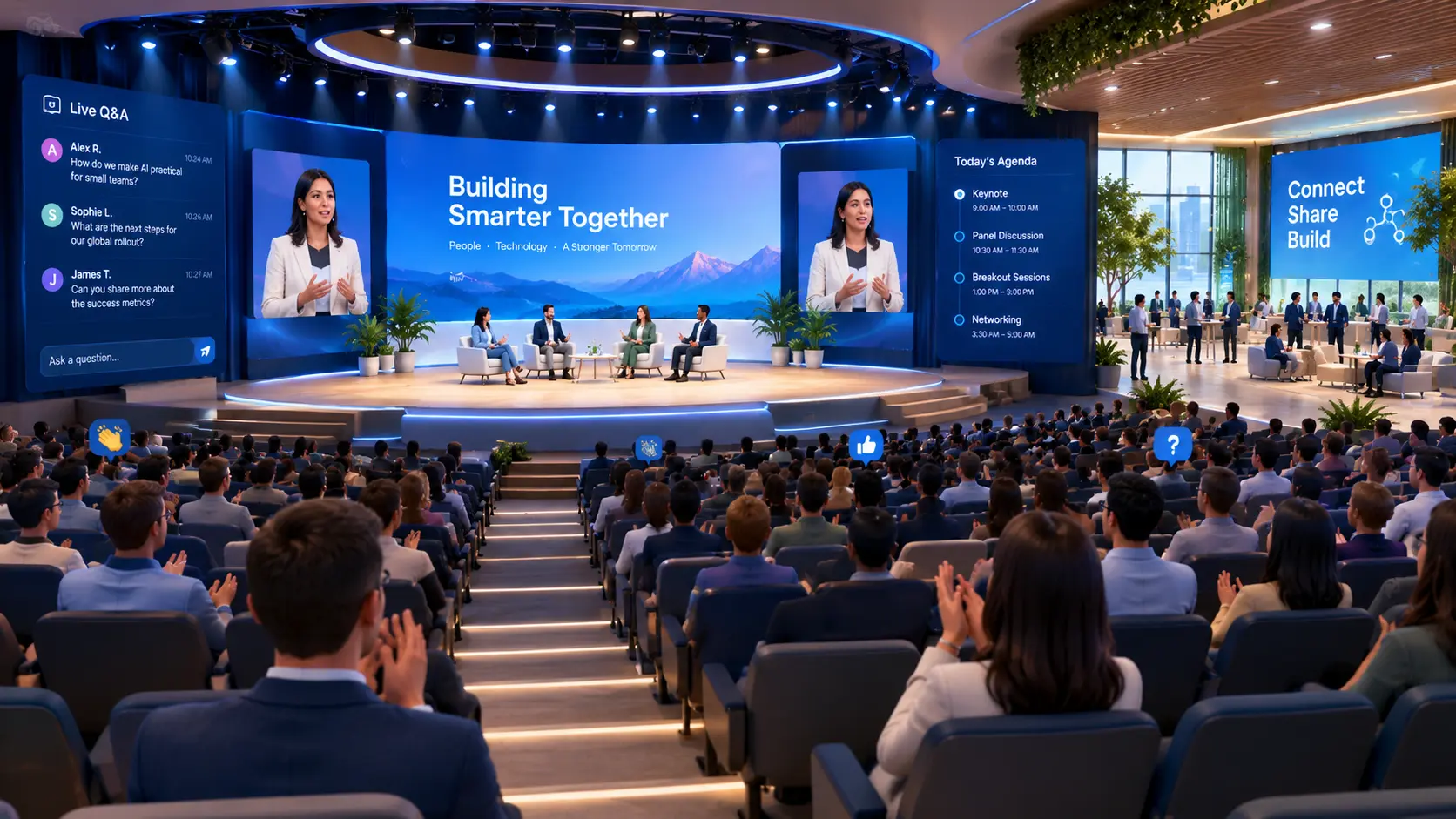
  • Virtual conference auditorium 03

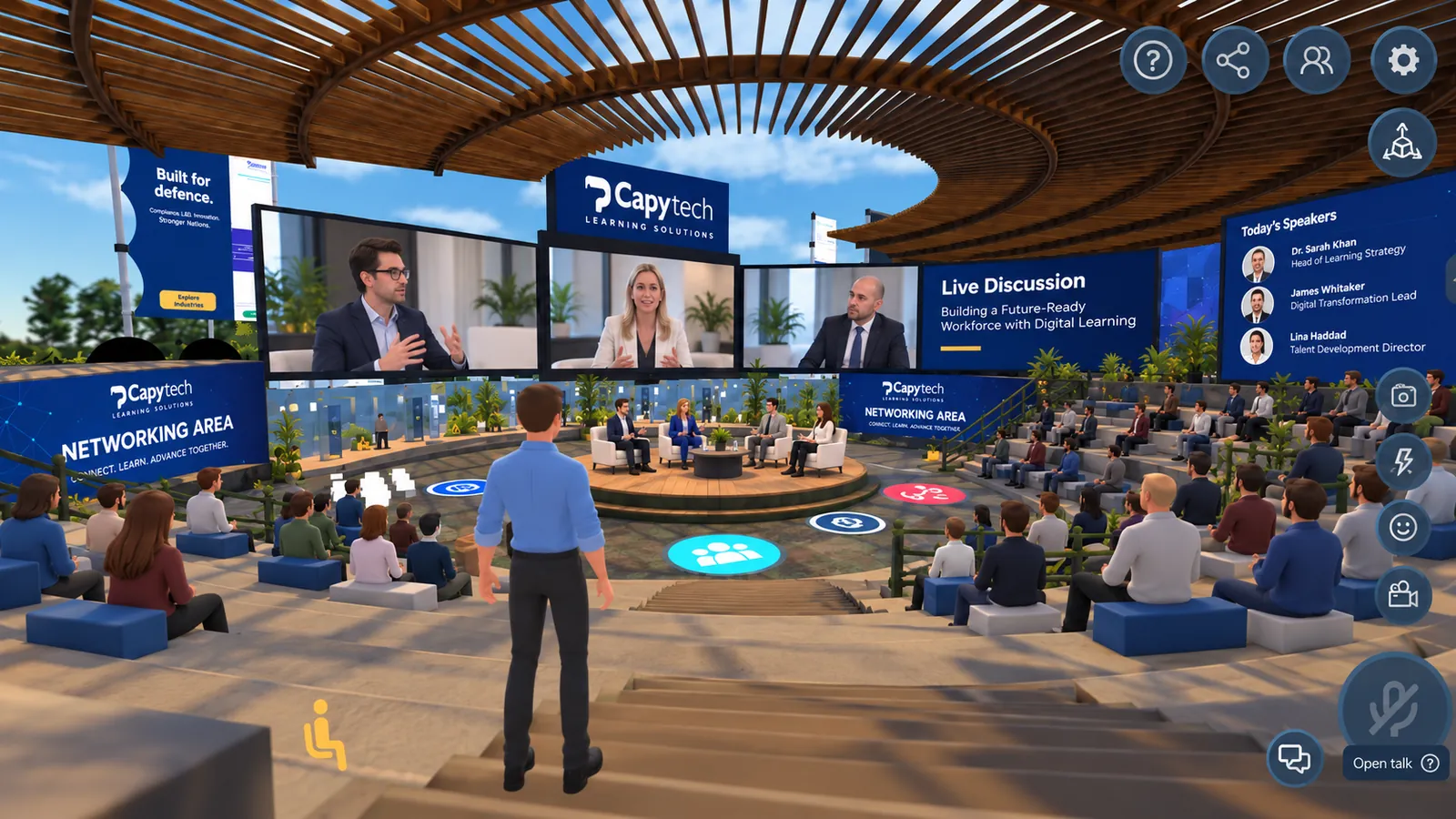
    Wednesday. Your keynote to 400 guests.

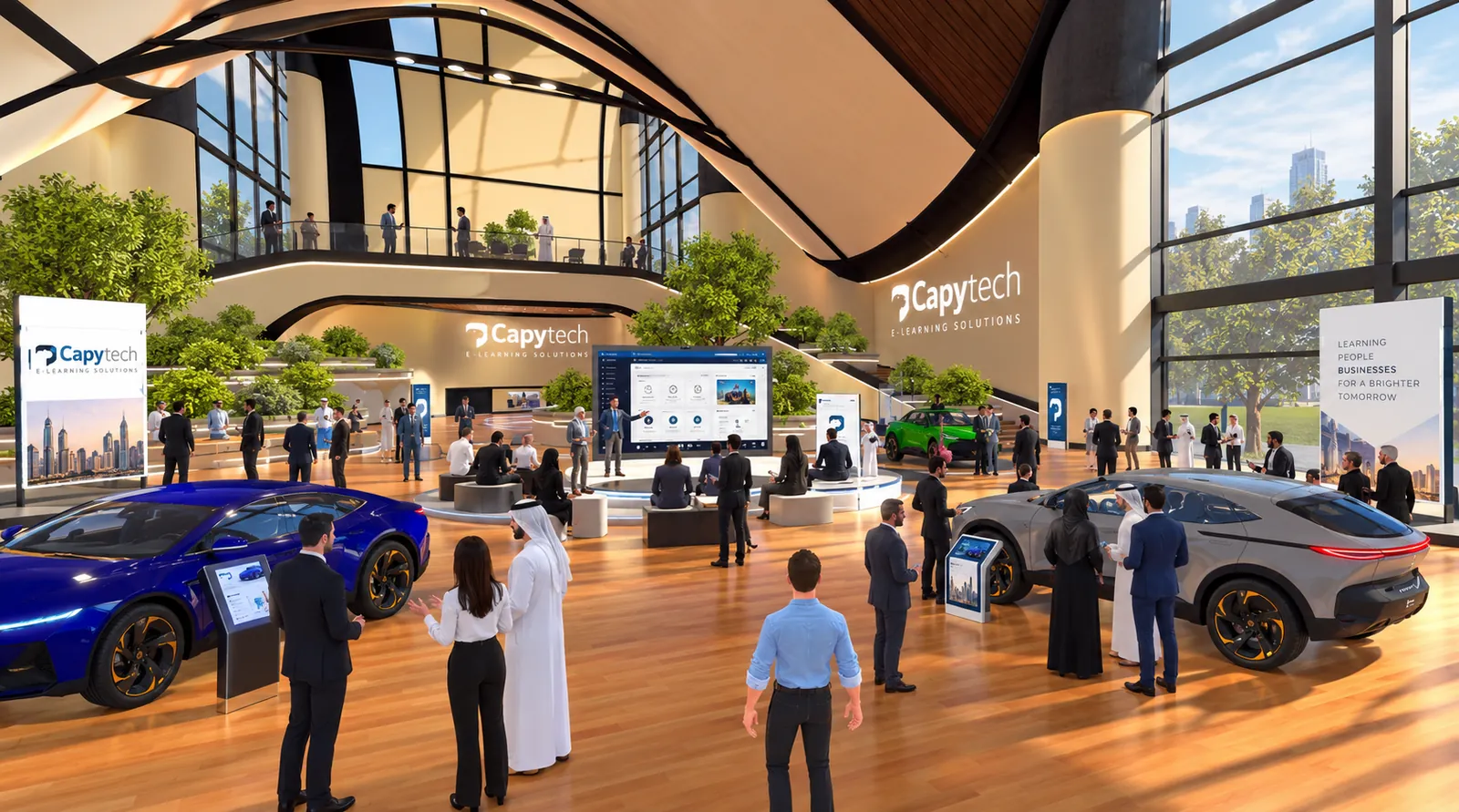
    The auditorium fills, your speaker takes the stage, and afterwards everyone spreads into an expo hall of branded booths to actually talk to each other.

Three completely different events. One subscription. No rebuild.

Six spaces in one

What you can run inside one space

Six uses, one environment. Switch between them as often as you like.

  • Virtual training academy space

    Training academies

    A permanent, branded campus your people return to. Lobby, classrooms, breakout rooms and a library of content on the walls. Cohorts move through it together instead of clicking through slides alone. Link it to your LMS and the completions flow back automatically.

  • Virtual conference space with live speakers

    Conferences & keynotes

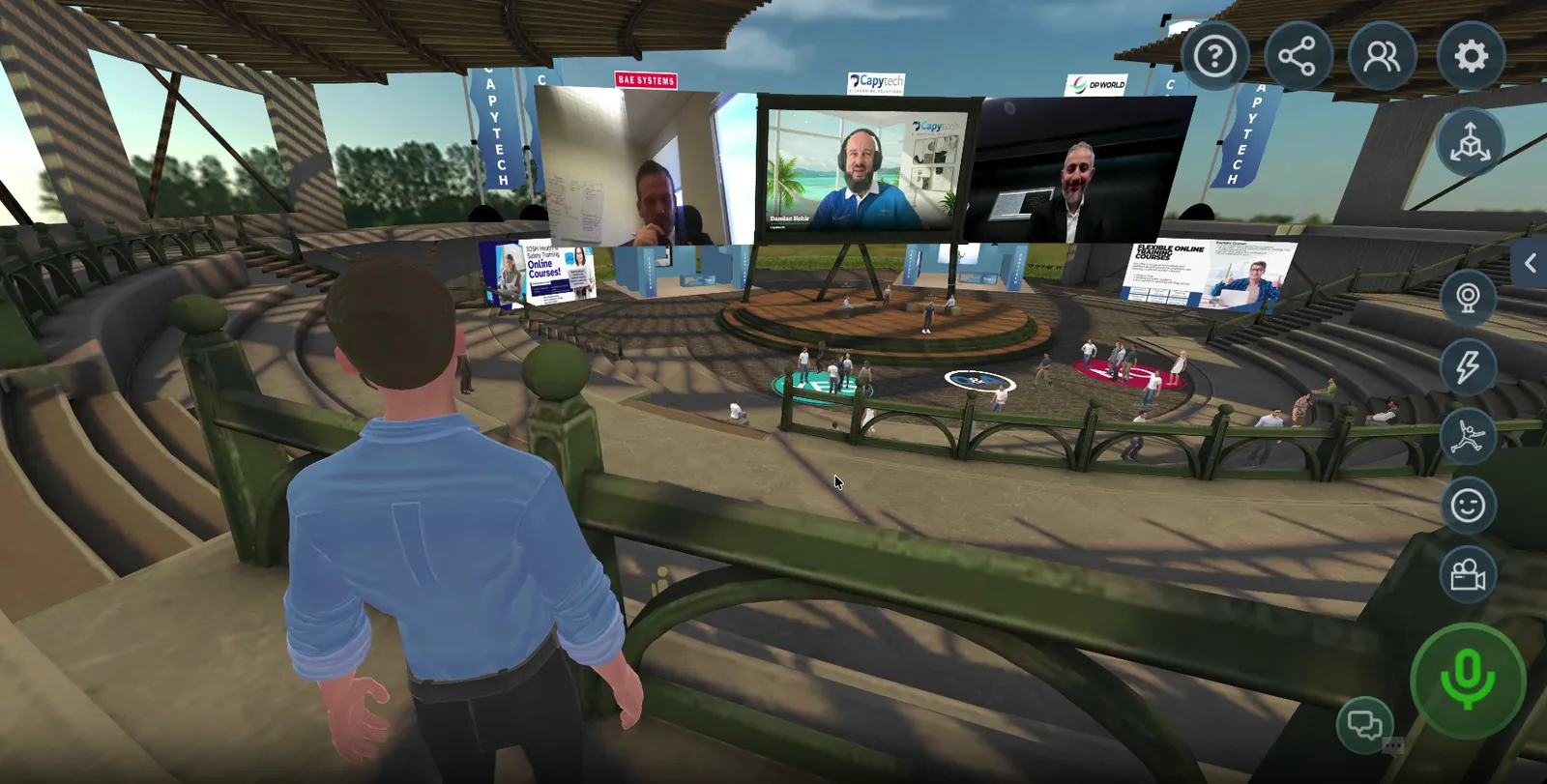
    An auditorium with a stage, live speakers and hundreds of seats. Your audience attends as avatars, applauds, asks questions and then actually mingles afterwards. Far closer to a real conference than a grid of faces on a video call.

  • Virtual product demonstration showroom

    Product demos & showrooms

    Walk a buyer around your product at full size, in a branded space, with your film playing behind you. Take them into a private zone to talk numbers. Useful when your product is too large, too expensive or too remote to put in front of someone.

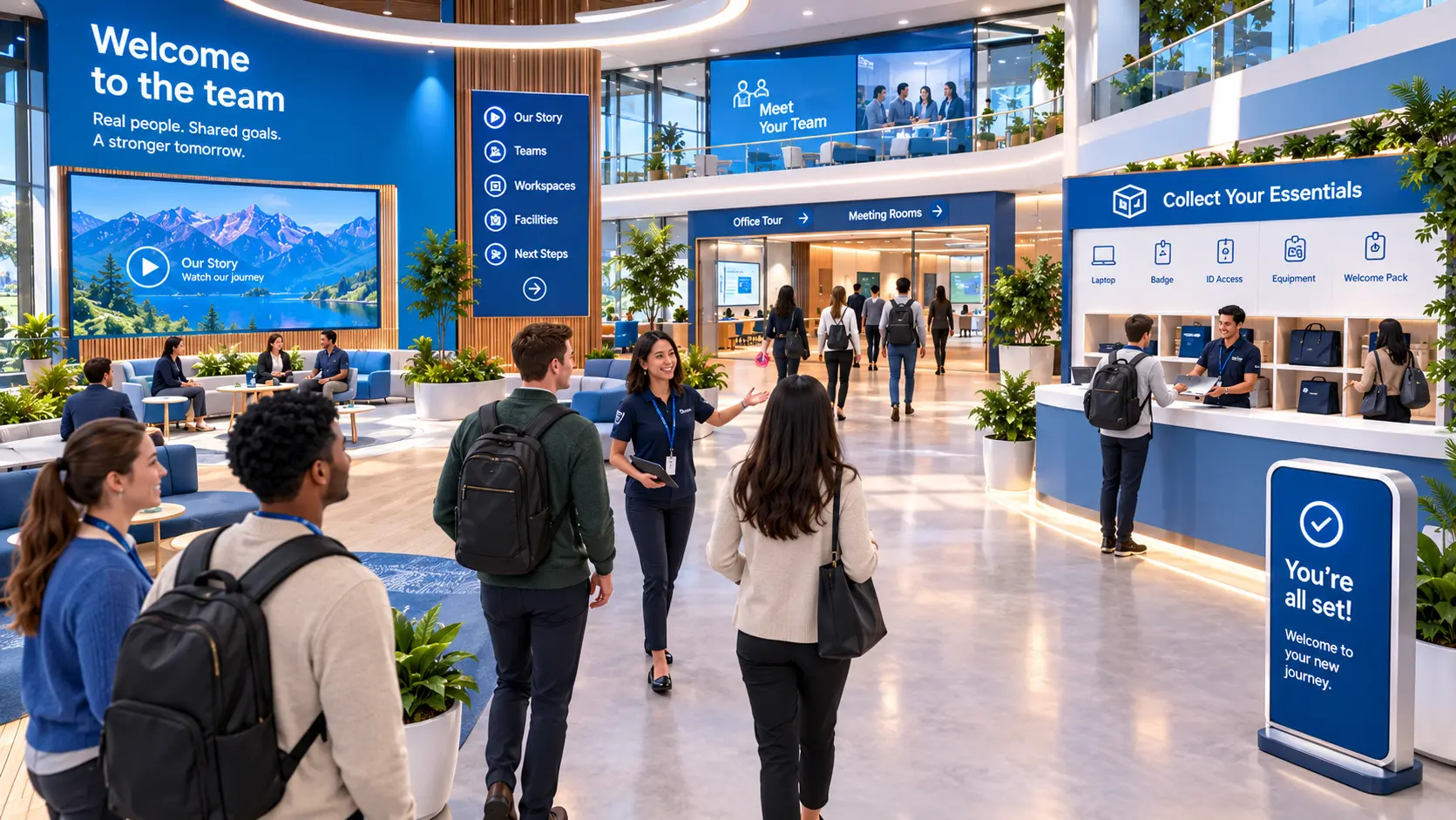
  • Virtual onboarding induction environment

    Onboarding & induction

    New starters meet each other on day one instead of meeting a video. They tour the organisation, collect what they need and leave having actually spoken to somebody. Especially useful for distributed and shift-based workforces.

  • Virtual supplier exhibition hall

    Exhibitions & supplier expos

    Branded booths, staffed by real people, open for a day or standing all year. Visitors walk the hall, stop where they are interested and start a conversation. You get a record of who went where.

  • Virtual roleplay and assessment scenario

    Assessment & roleplay

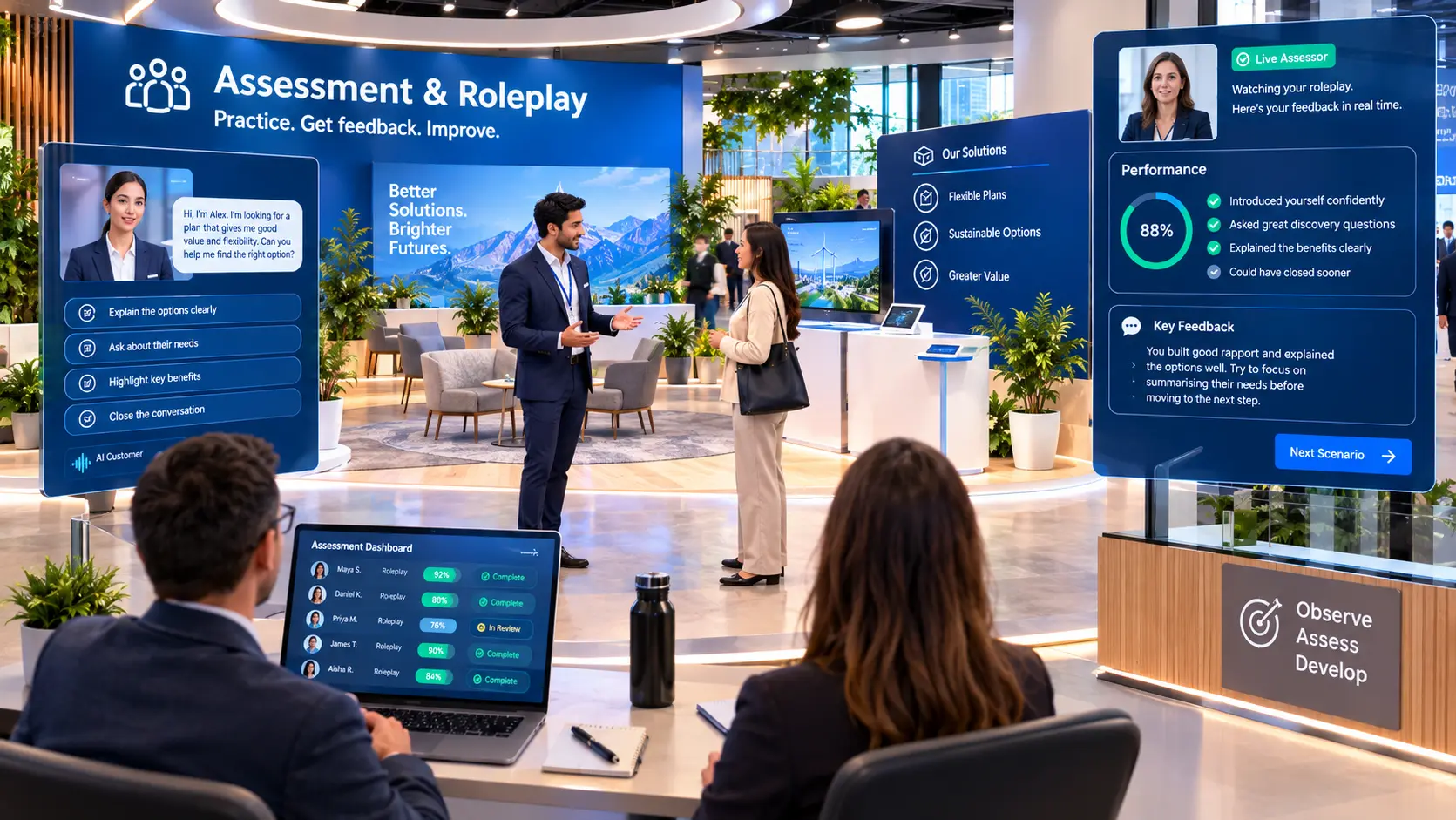
    Put people in a scenario and watch how they handle it. Conversations with AI-driven characters for the repeatable parts, live assessors for the judgement calls. Everything is logged and reviewable.

If you can do it in a room, you can do it here. If you are doing it on a video call today, this is better.

Ready-built vs custom

What is a ready-built virtual training environment?

A virtual training environment is a 3D space your people enter through a web browser, as an avatar, to learn and meet together. They hear each other the way they would in a real room, with voices getting louder as they walk closer. They watch presentations on screens, join breakouts, raise a hand and talk.

A ready-built one starts from an environment we have already designed and tested, rather than a blank page. We take that space, apply your brand to every surface, load your content onto the screens, set up the rooms the way you need them and hand you the keys. Weeks, not months.

Everything inside stays editable for as long as you are with us. That is the difference between owning a building and renting a stage. You are not locked to the decisions you made on day one.

The same virtual space branded for two different clients
SpecReady-built virtual spaceFully custom 3D build
Time to launchWeeksSeveral months
CostSetup fee plus monthlySix figures, one off
BrandingFully yoursFully yours
Changing contentIncluded, ongoingChange request and quote
Repurposing the spaceDaysNew project
Bespoke geometry & physicsStandard layouts, configuredAnything you can model
Best forAcademies, events, demos, onboardingEquipment simulation, digital twins

Most organisations need the left-hand column. We build both, and we will tell you honestly which one you actually need.

Rapid deployment

Why this costs a fraction of a custom build

Nothing here is stripped back. The saving comes from what we are not doing twice.

In a custom project, most of the budget goes on things your audience never sees. Modelling the geometry, lighting it, optimising it so it runs on an ordinary laptop, testing it across browsers, load testing it for hundreds of people at once. That work is identical whether the room ends up blue or green, and we have already done it.

What is left is the part that is genuinely yours. Your brand on every surface. Your films on the screens. Your rooms arranged your way. Your people in it. That is the work we do for you, and it is measured in weeks.

Weeks

From go-ahead to your space being live

0

Downloads, installs or headsets needed

Days

To rebuild the space for a completely different purpose

∞

Changes to what is inside it, included

Live in weeks

From first call to live space

  1. 1

    We show you round

    A live walkthrough of a real space, not a slide deck. You see what your people would see, and we work out together which environment fits what you are trying to do.

  2. 2

    We brand and build it

    You send your logo, colours, films and content. We apply them across the space, set up the rooms, load your material onto the screens and build the journey your people will follow.

  3. 3

    You launch

    We run a rehearsal with your team, walk your presenters through the controls and are on hand on the day. Your people click a link and they are in.

  4. 4

    We keep changing it

    New campaign, new cohort, new event. Send us what needs to change and we change it. This is not a support ticket, it is what the monthly fee is for.

Packages

Three ways to work with us

Every option is a setup fee to build and brand your space, then a monthly fee that covers hosting, support and the changes you ask for. No per-user licences.

Space

For organisations running events, demos and sessions.

One branded environment, configured for your main use. Auditorium or meeting space, your branding throughout, your content on the screens. Presenter controls, spatial audio, breakout areas and moderation tools. Changes to content included every month.

Talk to us

Custom

For organisations with requirements a ready-built space cannot meet.

Bespoke 3D environments, digital twins of real facilities and equipment, full training simulations, and deployment inside your own infrastructure where the work demands it. Scoped and quoted per project.

Talk to us

Not sure which one you need? Book a walkthrough and we will tell you straight. Most organisations need less than they think.

Custom 3D builds

When you need more than a ready-built space

Some training cannot happen in a branded room. If your people need to learn a physical facility, operate specific equipment or rehearse something that is dangerous, expensive or impossible to stage for real, that is a different kind of build. We do this work too.

  • Digital twins

    An accurate virtual replica of a real facility, site or platform, built from your drawings, scans and survey data. Walk the building before it exists. Rehearse an evacuation without evacuating. Train people on a site they cannot yet get access to.

  • 3D training simulations

    Procedural training on real equipment, modelled and behaving as it does in life. Learners carry out the sequence, make mistakes safely and repeat it until it is automatic. Every action is captured for assessment.

  • Bespoke environments

    Where the geometry, the physics or the scenario has to be yours specifically, we design and build from scratch, to your requirements and your security constraints.

These are substantial projects with budgets and timescales to match, and they are the right answer far less often than people expect. Plenty of organisations arrive asking for a simulation and leave with a ready-built academy that does the job for a fraction of the money. Explore our custom e-learning options or talk to us before you spend anything.

Proven track record

We do this ourselves

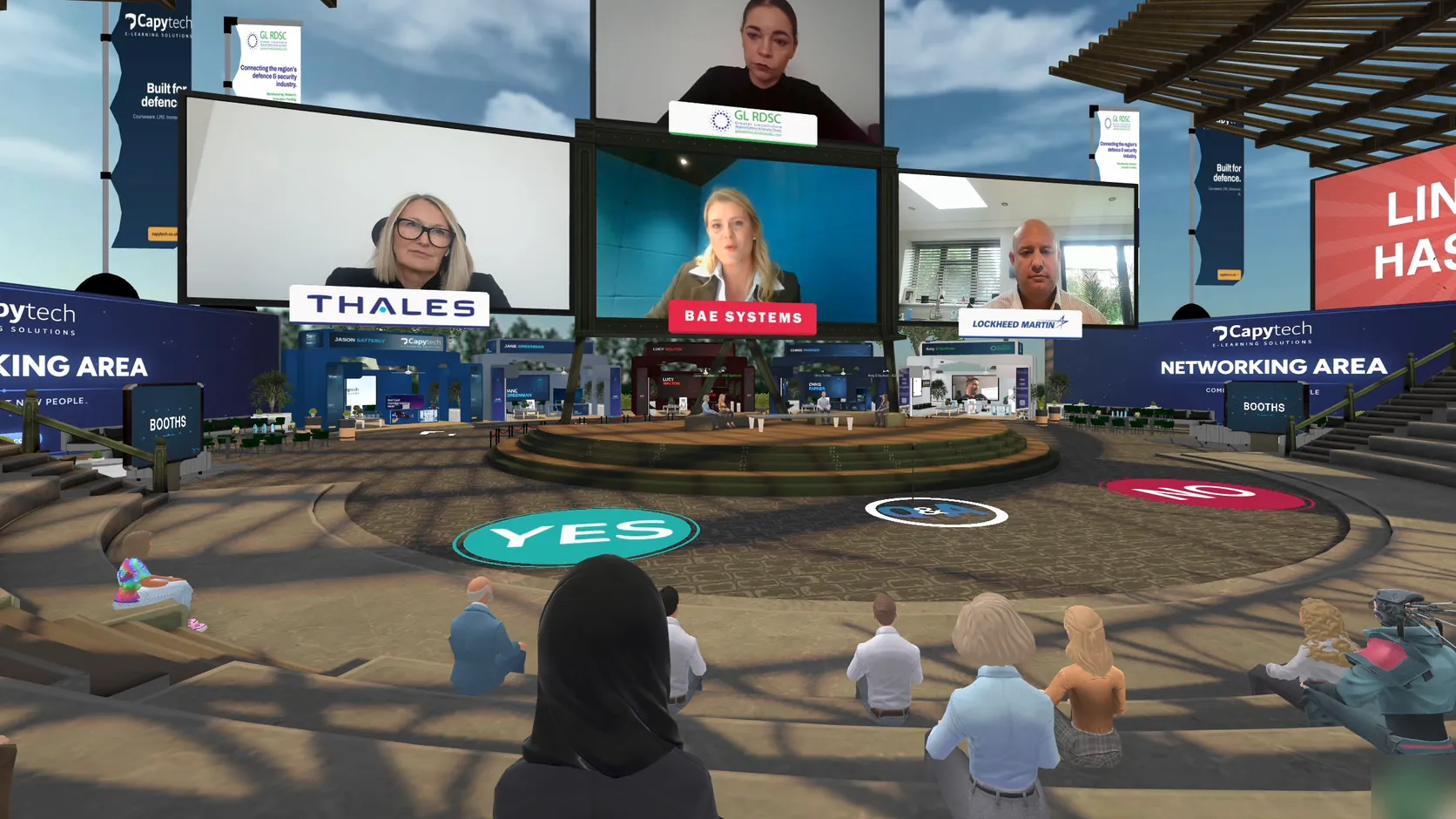
We do not just build these spaces, we run our own business in them. On 2 October 2026 we hosted Defence Question Time, a live panel on AI and training for UK defence, inside one of our own environments: speakers from BAE Systems, Lockheed Martin UK and Thales on stage, 117 registrations from more than 80 organisations, and networking at branded booths afterwards. Read the full 3D virtual event case study.

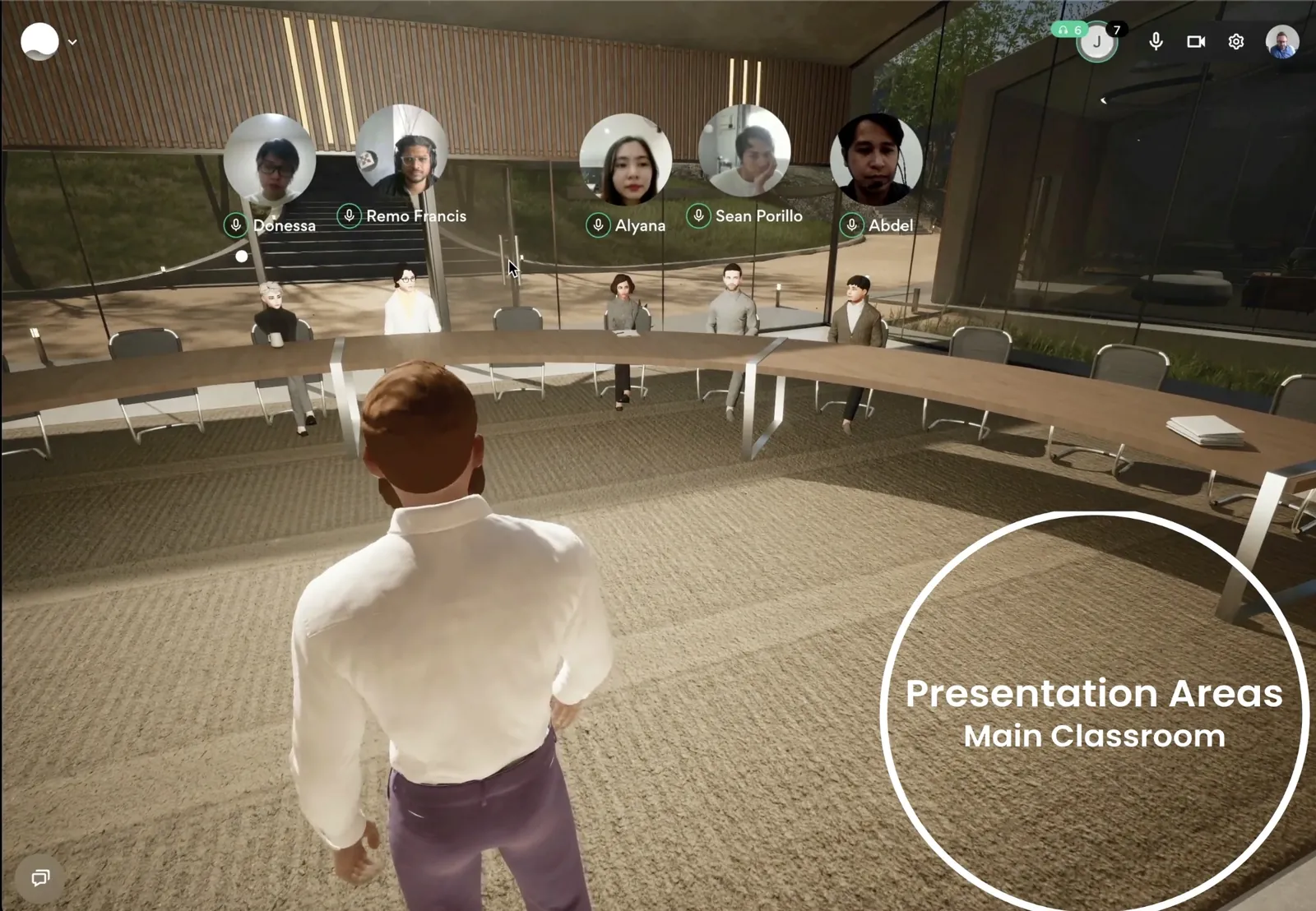
Before that we ran a learning and development forum in the same way, with a full panel discussion and an open networking session afterwards. The footage below is from the real thing, not a render.

Live panel discussion at a Capytech forum held inside a virtual event space
  • Live panel discussion inside a Capytech virtual event space
  • Second view of a live panel discussion inside a Capytech virtual event space
  • Virtual product demonstration space built by Capytech

Case study

Defence Question Time: a 3D virtual event for UK defence

A live panel with speakers from BAE Systems, Lockheed Martin UK and Thales, then networking at branded booths, all joined from a web browser.

  • 117registrations
  • 80+organisations
  • 17countries
Read the case study

Trusted by, alongside the wider enterprise logos on our homepage

  • BAE Systems
  • EDGE Group
  • Eagle Eye Innovation

Browser-based

Your people click a link. That is the whole setup.

Virtual training environment running in a web browser with no VR headset
  • No headset

    These environments run in an ordinary web browser on a normal work laptop or desktop. VR headsets are not required and most of our clients never use one. Where a project genuinely needs headset access, we can build for it.

  • No installation

    Nothing to download, nothing for IT to package and deploy. Your people click a link and they are in the space. All they need is to allow the microphone.

  • Real conversation

    Spatial audio means voices come from the direction of the person speaking and fade with distance, so a room full of people can hold several conversations at once without turning into noise.

  • Built to scale

    The platform is engineered for high concurrency and handles audiences in the thousands across linked rooms, with performance holding up on standard hardware.

If your people can join a video call, they can join this.

Common questions

Frequently asked questions

How much does a virtual training environment cost?

A ready-built virtual training environment is charged as a one-off setup fee to build and brand your space, then a monthly fee covering hosting, support and ongoing changes. There are no per-user licences, so the cost does not climb as more of your people use it. A fully custom build or digital twin is quoted per project and sits in a different bracket entirely. Tell us what you are trying to run and we will give you a real number on the first call.

Do our people need VR headsets?

No. Our virtual training environments run in a standard web browser on an ordinary laptop or desktop, with no headset, no download and no installation. Participants click a link, allow their microphone and they are in. Headset access can be built in where a project specifically calls for it, but it is the exception rather than the norm.

How is this different from Teams or Zoom?

A video call puts everyone in a grid and lets one person talk at a time. A virtual environment puts people in a shared space where they can move, gather in groups, walk up to someone and have a side conversation, visit a stand or step into a breakout room. For training and events that depend on people actually interacting, the difference in engagement is substantial. It also gives you a branded space of your own rather than a meeting window.

Can we use the same space for both training and events?

Yes, and that is the main reason to take one. The environment is not fixed to a single purpose. Screens, films, signage, branding, booths and layout are all content we can change, so a space running a training academy one week can host a conference, a product launch or a supplier expo the next. Changing it takes days and is covered by your monthly fee.

How many people can attend at once?

Enough for a full conference. The platform is built for high concurrency and supports audiences in the thousands across linked rooms, so a keynote to several hundred guests is well within normal operating range. We load test against your expected numbers before any live event.

How long does it take to go live?

Weeks rather than months for a ready-built space, measured from the point we have your brand assets and content. A custom 3D build, digital twin or simulation is a longer piece of work and we will give you a realistic timeline when we scope it.

Can it connect to our LMS?

Yes. The environment integrates with existing learning management systems, HR platforms and CRMs through its API, so attendance, completions and assessment results feed back into the systems you already run. If you do not have an LMS, we build and run those too.

See it before you decide anything.

The fastest way to understand this is to stand in one. Book a walkthrough and we will take you through a live space, show you how quickly it changes, and tell you honestly whether a ready-built environment does what you need or whether you are better off elsewhere.