3D Virtual Event Case Study: Defence Question Time
Defence Question Time was a live panel and networking event that Capytech UK built and ran in a 3D virtual arena on Friday 2 October 2026. Speakers from BAE Systems, Lockheed Martin UK and Thales answered questions on whether AI-powered learning can become defence's first line of support. Guests joined from an ordinary web browser, with no download and no headset, then stayed on to talk at branded booths.
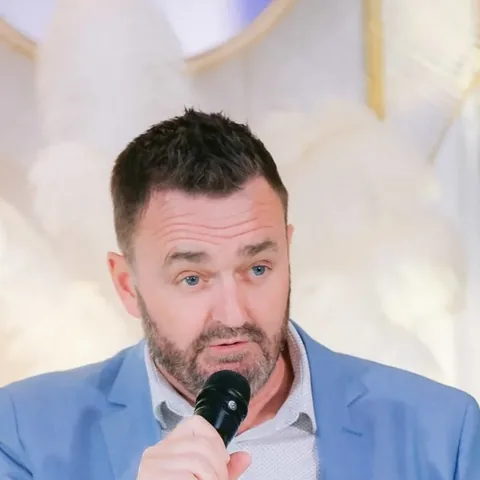 By Jason Satterly, Managing Director, Capytech UK. Co-hosted with the Greater Lincolnshire Regional Defence & Security Cluster.
At a glance
- Event
- Defence Question Time: Can AI become the first line of support?
- Date
- Friday 2 October 2026, 10:30 to 12:00 UK time
- Co-hosts
- Capytech UK and the Greater Lincolnshire Regional Defence & Security Cluster
- Panel
- Lucy Walton (BAE Systems), Chris Parker (Lockheed Martin UK) and Jane Greenman (Thales), each speaking in a personal capacity
- Host
- Amy O'Sullivan, Operations Lead, Greater Lincolnshire Regional Defence & Security Cluster
- Format
- A live panel in a virtual arena, then branded booths and open networking
- Registrations
- 117, from more than 80 organisations, in 17 countries
- How guests joined
- A link in a web browser on a laptop or desktop, as a guest, with no download
The brief: a defence panel people could actually attend
Defence events are expensive to attend. People travel, take a day out of the office and often leave with one or two useful conversations. We wanted to show the UK defence community a different way to meet: a proper panel, with senior speakers and real audience questions, followed by the part people usually value most, the conversations afterwards.
The topic suited the format. The panel asked whether AI-powered learning can become defence's first line of support, so running it in a virtual space let the audience experience one of the technologies being discussed rather than just hear about it.
The event also had to work for a mixed audience. Registrations came from primes, the MOD and the armed forces, universities, regional councils and a long list of SMEs, and from the Gulf as well as the UK. Many of those people sit behind strict corporate IT, so anything that needed an install or a headset was ruled out from the start.
What we built: a 3D virtual arena with booths and networking
We used a ready-built arena and branded it for the event, so the work went into the content and the experience rather than into building a 3D venue from scratch.
The stage
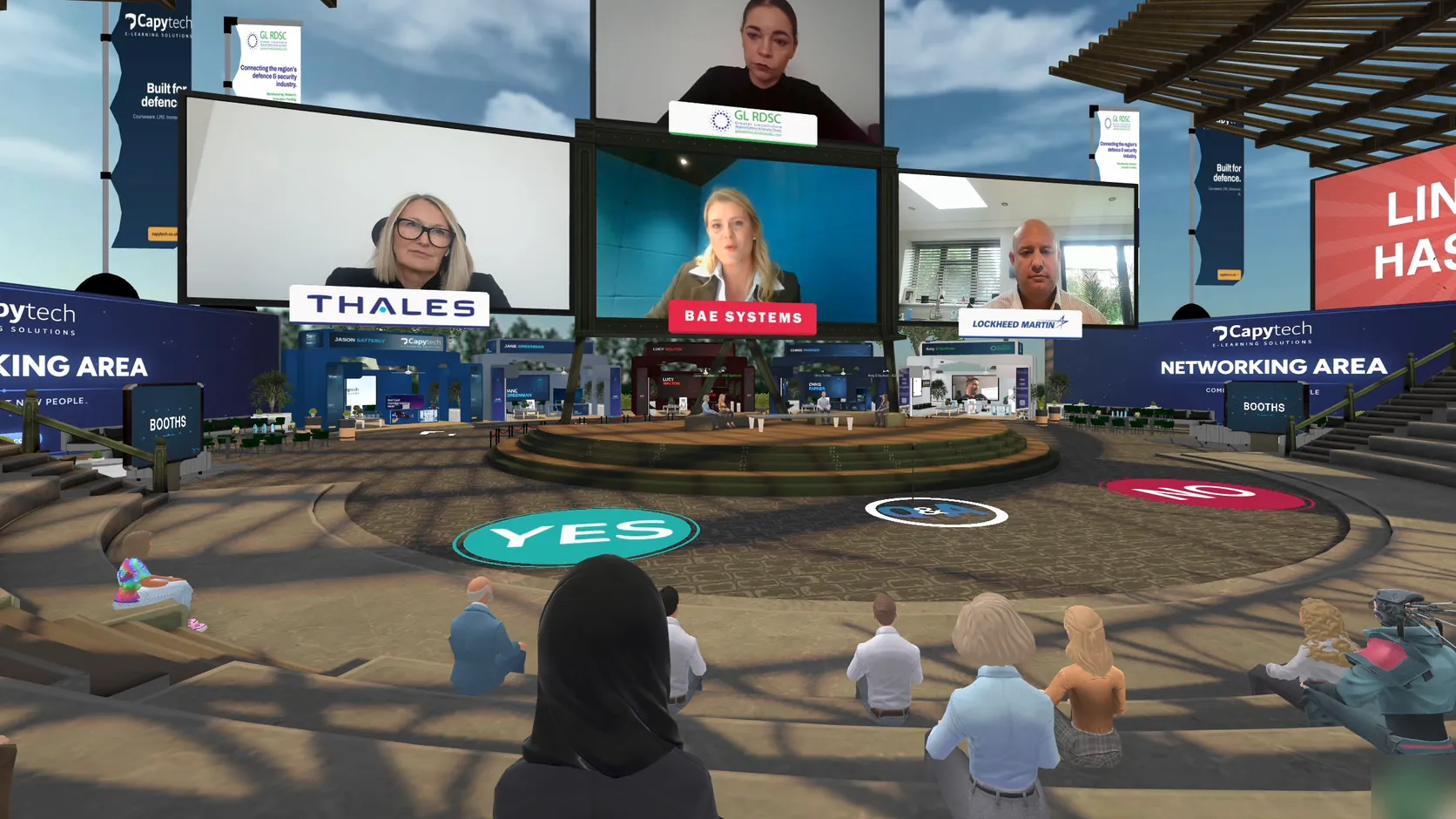
A central stage with large screens carrying each speaker's photograph and organisation, and the Greater Lincolnshire Regional Defence & Security Cluster branding above the panel.
Branded boards
Advertising boards around the arena, each clickable, so a guest could walk up to a board and open the page behind it. We used them for Capytech's own services and for the idea that the space itself can be rented.
A networking area
A marked area beside the stage for open conversation after the panel, plus booths where guests could find a specific organisation.
Floor voting
Large yes and no markers on the floor. The host asks a question and guests walk their avatar to an answer, which makes a quick icebreaker and shows the room's view at a glance.
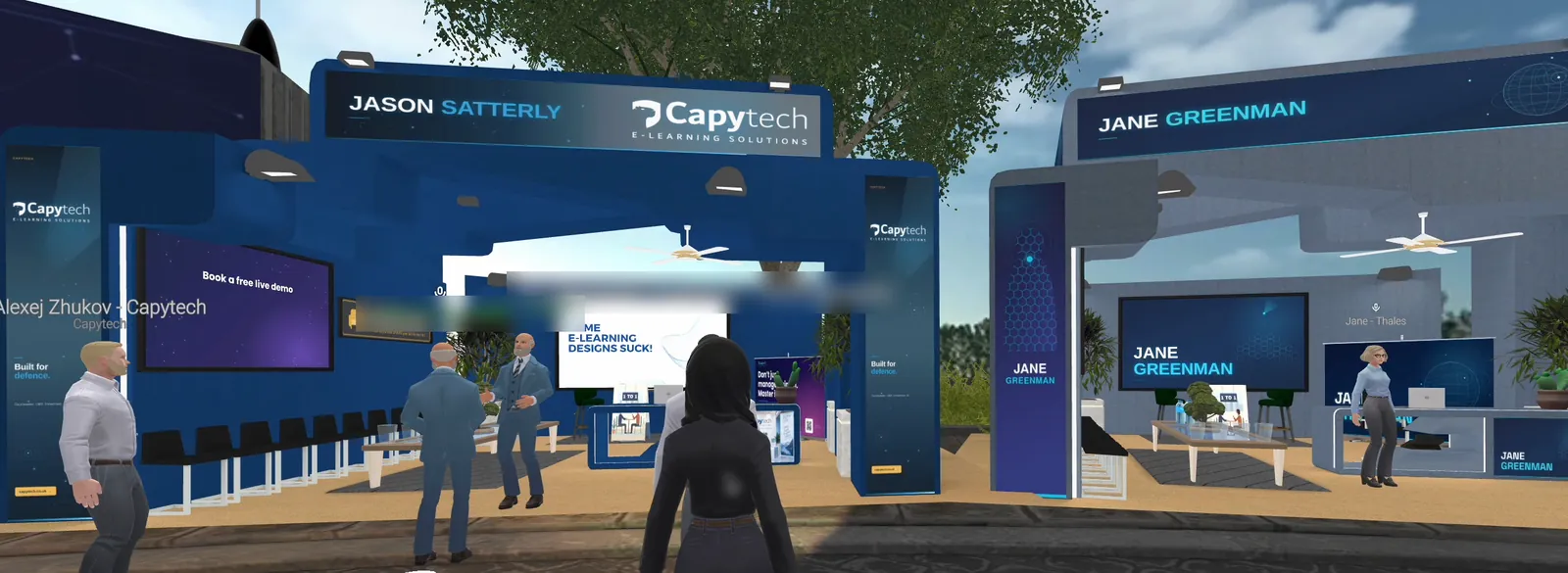
Because the screens, signage and boards are content rather than architecture, the same arena can be rebranded for a completely different event in days. The virtual training environments page explains how that works for training academies, conferences and product demonstrations.
Talk to usHow guests joined: a browser, a guest login and a name
Every barrier between the email and the arena costs you attendees, so we kept joining to a few steps.
- 1
One link
Guests clicked a link on a laptop or desktop. Chrome works best, and Edge and Safari work too.
- 2
Guest sign-in
Guests entered as a guest rather than creating an account.
- 3
Name and company
We asked everyone to set their display name as their name followed by their company. That label floats above each avatar, so at the booths you can see who you are walking up to.
- 4
Microphone and camera
The browser asks for permission on arrival. The audio is spatial, so it behaves like a real room: people near you hear you clearly and people across the arena do not.
- 5
Moving around
Arrow keys to walk, the mouse to look around and a click on a seat to sit down.
The arena opened 15 minutes before the panel so people could check their microphones, and a named member of our team was the first line of support, reachable in the in-space chat or by email.
How we promoted a virtual defence event
We promoted the event through LinkedIn, Eventbrite and partner networks. We gave each channel its own tracked registration link, so we could see which posts and partners actually brought people in.
Who registered
The audience that resulted ranged from primes to the armed forces, universities, local councils and dozens of SMEs, including:
- BAE Systems
- Lockheed Martin
- Thales
- Boeing
- EDGE
- Serco
- Ministry of Defence
- Royal Air Force
- Royal Navy
Results
- 117 registrations from more than 80 organisations, at no cost to attend
- Registrations from 17 countries: 83 from the UK, 20 from the Gulf (the UAE, Qatar and Saudi Arabia) and the rest from Europe, the US and Asia
- An audience that mixed primes, the MOD, the RAF and Royal Navy, universities, regional councils and SMEs in one room
- A live panel followed by networking at the booths, all from a web browser, with nobody needing to travel
Where registrations came from
Testimonial from Lucy Walton to follow, once approved.
Lucy Walton, Programme Manager, Support and Services Transformation, BAE Systems
What we learned running a 3D virtual event
If you are planning your own event in a virtual space, these are the points that made the biggest difference for us.
Send the joining link through two routes
Email it yourself and send it through your ticketing platform as well, then check every batch has actually left your outbox. One route on its own is a single point of failure on the morning of the event.
Expect corporate networks to block new web addresses
Tell people in advance that a personal laptop is the reliable fallback, and say so again in the joining email.
Ask for name and company, every time
The networking only works if people can see who they are talking to. It is the one instruction worth repeating.
Open the doors early
Fifteen minutes before the start gives people time to sort out microphones before the panel begins.
Name a support person
Most problems are solved in a minute by someone who knows the space. Put their name and contact details in the joining email.
Keep the run of show tight
A short welcome, quick panel introductions and a clear handover to questions kept the energy up, and the booths afterwards gave the event a second half.
Could your organisation run an event like this?
Yes. The same approach works for supplier days, product launches, member events, recruitment fairs and internal conferences, and the space can run a training academy on other days. You rent the space rather than commission a build, and we brand it and fill it with your content.
- Supplier days
- Product launches
- Member events
- Recruitment fairs
- Internal conferences
- Training academies
For defence and aerospace organisations, it sits alongside the defence e-learning we design to DSAT, so one supplier can run the event and build the training that follows it. If you would like to walk around the arena yourself, get in touch and we will show you.
Frequently asked questions
Still deciding whether a virtual event is right for you? Ask us directly.
What is a 3D virtual event?
A 3D virtual event takes place in a shared three-dimensional space that guests enter as avatars. They can walk around, sit in an auditorium, visit booths and talk to whoever is nearby, much as they would at a physical venue, instead of watching a grid of faces on a video call.
Do guests need a VR headset or any software?
No. Defence Question Time ran entirely in a web browser on ordinary laptops and desktops. Guests clicked a link, entered as a guest and allowed their microphone and camera.
How many people can attend a virtual event like this?
Our virtual spaces handle audiences in the thousands across linked rooms. A panel with networking, like Defence Question Time, works well for anything from a few dozen guests to several hundred.
Is a virtual event space secure enough for defence?
A space like this is designed for public events, networking and first conversations, not for sensitive or classified material. Treat it like a conference hall: good for meeting people and sharing what you can say in public, with detailed discussions moved to a proper meeting afterwards.
How long does it take to set up a branded virtual event?
Because the venue already exists, the work is branding and content rather than construction, so a branded event space is usually ready in weeks rather than months. Changing it for your next event takes days.
Walk around the arena yourself
Book a live walkthrough of the 3D space we used for Defence Question Time. You join from a web browser, with no download.
Prefer to talk? Email contact@capytech.co.uk