Tag: training

  • How to Improve Consistency in Online Training in the UK

    How to Improve Consistency in Online Training in the UK

    For a UK organisation delivering training across several teams, offices or sites, keeping the learner experience consistent can be harder than it first appears. A new starter in Manchester should not receive a completely different training experience from a colleague in Birmingham simply because the content was created by different teams at different times.

    Consistency matters because learners need to understand what is expected of them, where to find information and how training connects to their role. It also makes it easier for organisations to maintain quality, meet training requirements and keep learning content up to date.

    Creating that consistency takes more than using the same logo on every course. It requires agreed standards covering content, design, technology, accessibility, assessment and delivery. Here are practical ways UK organisations can build greater consistency into their online training programmes.

    Start with a Clear Learning Strategy

    Before creating individual e-learning modules, establish what the wider training programme needs to achieve. Clear learning objectives give content developers a common direction and help prevent separate courses from becoming disconnected.

    For example, a large employer might have different training covering health and safety, information security, induction and management development. Each course may serve a different purpose, but they should still fit within the organisation’s overall learning strategy.

    Clear objectives also make it easier to assess whether training is achieving the intended results. They can support better decisions about content, assessments and follow-up activities, while helping organisations get more value from their training investment.

    Build a Consistent Visual Identity

    Learners should be able to recognise that different courses belong to the same organisation. Your corporate identity is a good starting point.

    Use agreed colours, typography, imagery and layouts across your e-learning materials. These elements should reflect the organisation’s existing communications rather than making every training course look as though it has been produced by a different supplier or department.

    A consistent visual approach is particularly useful for organisations with large workforces, multiple departments or training delivered across different locations. For a closer look, read our guide to training hybrid teams.

    Create an E-Learning Design Standard

    A corporate brand guide does not always provide enough detail for digital learning. Consider creating an additional set of standards specifically for e-learning.

    This could define how navigation works, how buttons appear, how headings and on-screen text are presented, how video content begins and ends, and how knowledge checks are structured.

    Having these decisions documented reduces guesswork. It also gives internal teams and external e-learning partners a clear reference point when developing new courses.

    Agree on the Right Tone of Voice

    Visual consistency is only part of the learner experience. The language used throughout your training should feel consistent too.

    One course might use highly formal language while another addresses learners in a friendly, conversational style. Either approach can work, but switching between them without a clear reason can make an organisation’s training programme feel disjointed.

    Set expectations for tone, terminology and writing style. For example, a UK organisation may decide that most employee training should use plain English, short sentences and direct instructions. Specialist terminology can still be used where it is necessary for the subject.

    Standardise How Content Is Presented

    Once your design and tone have been established, apply those principles consistently to the actual learning content.

    Standardised templates can help with recurring elements such as introductions, learning objectives, scenarios, videos, knowledge checks and course completion screens. This does not mean every course has to look identical. Instead, learners should recognise familiar patterns as they move between different areas of training.

    For example, an employee completing an induction module on Monday and a health and safety course later in the week should not have to learn a completely new navigation system each time.

    Use an LMS That Supports Consistent Delivery

    The learning management system is central to how online training is delivered, particularly when employees work across different offices, sites or working arrangements.

    A suitable LMS should provide a consistent way for learners to access courses, complete assessments and track their progress. It should also work effectively across common desktop and mobile devices.

    A platform such as the Capytech LMS can provide a central environment for managing online learning and supporting consistent delivery across an organisation. Bringing training into one managed environment can also make it easier for learning teams to monitor completion and maintain course records.

    Make Accessibility Part of the Standard

    Consistency should include accessibility. Learners should not receive a significantly different experience because they have a particular access requirement or use a different device.

    Accessible e-learning should be considered from the design stage rather than added as an afterthought. This includes appropriate use of colour and contrast, readable text, meaningful navigation, captions where needed and content that can work with assistive technologies.

    UK organisations should also consider their wider equality and accessibility responsibilities when developing digital learning. Designing with a broad range of learners in mind helps create training that is more usable for everyone.

    Test Courses Before They Go Live

    A course that looks correct on the developer’s computer may not behave in exactly the same way for every learner. Quality checks should therefore be part of the development process.

    Review the content for accuracy, broken links, navigation problems, spelling and presentation issues. Test assessments and completion tracking, and check that the course works as expected on the devices and browsers used by the organisation.

    For regulated or safety-related learning, content should also be reviewed by the appropriate subject matter experts. This is particularly important where training supports workplace responsibilities, professional standards or health and safety requirements.

    Keep Training Content Under Review

    Consistency is not achieved once a course has been published. Policies, procedures, legislation, internal systems and job roles change over time.

    Set a review process for online training so that outdated information is identified and updated. Assign responsibility for reviewing important courses and keep track of when content was last checked.

    This is particularly relevant for training that covers areas such as data protection, workplace safety and employment practices. UK organisations may need to consider requirements relating to the UK GDPR and Data Protection Act 2018, as well as guidance from bodies such as the Health and Safety Executive (HSE), depending on the subject.

    Prepare Instructors and Support Teams

    Online learning does not always mean learning without people. Many organisations use blended programmes where employees complete digital modules alongside workshops, coaching or instructor-led sessions.

    This can introduce another source of inconsistency. Different instructors may explain the same subject in different ways or place different emphasis on particular topics.

    Providing instructors with appropriate guidance and training can help. Give them clear learning outcomes, supporting materials and expectations for how sessions should be delivered. This helps ensure that classroom, virtual and online components reinforce rather than contradict one another.

    Use Learner Feedback to Find Gaps

    The people taking your courses can often identify inconsistencies that the development team has overlooked.

    Ask learners whether the instructions were clear, whether the course was easy to use and whether different modules felt connected. Feedback can also reveal practical issues, such as confusing terminology, inconsistent navigation or content that does not reflect how employees actually work.

    Regular feedback gives learning teams useful information for improving future courses and maintaining a more consistent experience.

    Consider UK Compliance and Quality Expectations

    UK organisations also need to consider the context in which their training is being delivered. Depending on the organisation and subject, this could involve expectations around data protection, workplace health and safety, regulated qualifications or education and training provision.

    For example, organisations delivering regulated qualifications may need to work within requirements set by Ofqual or an awarding organisation. Employers delivering workplace safety training should consider relevant HSE guidance. Apprenticeship and funded training programmes may also involve specific requirements and quality expectations.

    The exact requirements will depend on the type of organisation and training being provided. The important point is to build compliance and quality checks into the training process rather than treating them as a final review.

    Make Consistency an Ongoing Process

    A consistent online training programme is easier for learners to use, easier for learning teams to manage and easier for organisations to maintain as their needs change.

    The goal is not to make every course identical. Different subjects require different teaching approaches. Instead, consistency should provide learners with familiar standards for design, language, navigation, accessibility and delivery.

    By setting clear objectives, documenting design standards, using an appropriate LMS, testing content and regularly reviewing learner feedback, UK organisations can create a more coherent learning experience across their training portfolio.

    For organisations developing custom e-learning, AI-powered learning tools or specialist workplace training, these principles provide a strong foundation for creating learning that remains consistent as the programme grows.

    Frequently asked questions

    Why does consistency matter in online training?

    Consistent courses are easier to follow, because learners know where to find things and how activities work. It also makes training look professional and makes it easier to update and maintain content across a large catalogue.

    What is an e-learning design standard?

    It is a short guide that sets out how every course should look and work: layouts, colours, fonts, tone of voice, how questions are written and accessibility rules. Everyone who builds or updates courses follows it, whether they are in house or a supplier.

    How do you keep training consistent across different trainers and sites?

    Put the core content online so everyone gets the same information, and give trainers a common guide for any live sessions. Use one LMS to deliver and track training, and review results by site to spot where delivery differs.

    How often should online training content be reviewed?

    Review it whenever a policy, procedure or regulation changes, and at least once a year otherwise. Assign an owner to each course so reviews actually happen.

    See your own training as e-learning, free

    Send us one document and we will turn it into an interactive demo module, so you can judge the quality before you spend anything.

  • Competency-Based Training: UK E-Learning Best Practices

    Competency-Based Training: UK E-Learning Best Practices

    For many UK employers, successful training is still measured by familiar metrics: how many people started a course, how many finished it and whether they passed the final assessment. Those figures have their place, but they do not necessarily show whether someone can do the job safely, accurately or confidently.

    Competency-based training takes a different approach. Rather than asking every employee to complete exactly the same learning, it starts by identifying the skills and behaviours people need to demonstrate. A new starter might need a full learning journey, while an experienced employee may only need a short refresher or targeted practice.

    What does competency-based training mean?

    Competency-based training is designed around the outcome of learning rather than course completion. The aim is to help each person reach a defined standard of knowledge, skill or behaviour.

    That changes how e-learning is designed and delivered. Learners can be assessed before training begins, given only the content they need, and reassessed as their capability develops.

    For a UK organisation, this could apply to anything from health and safety and data protection to management development, customer service or technical training. The same principle applies: identify what competent performance looks like, then build the learning journey around it.

    Start by defining what competence looks like

    Before developing the course, set out the competencies learners are expected to achieve.

    Avoid broad objectives such as “understand the company’s health and safety procedures”. Instead, define what someone should actually be able to do. For example, they might need to identify workplace hazards, choose the correct control measure and report an incident using the organisation’s procedure.

    You also need to decide what evidence will demonstrate that the required level has been reached. This is separate from deciding how you will assess it. First establish the standard. Then choose the most suitable assessment method.

    Clear competency statements also make it easier for instructional designers, subject matter experts and managers to agree on what the training is supposed to achieve.

    Assess existing skills before assigning training

    A learner should not automatically receive every module simply because it is part of the course.

    Begin with a skills or knowledge assessment where appropriate. This might involve knowledge questions, realistic scenarios, practical tasks or an assessment completed away from the LMS. For some roles, observation or manager assessment may also be needed.

    The results can then determine the learner’s route through the programme. Someone who already demonstrates the required capability may need little or no additional learning. Another employee may need one or two modules, while a new starter could require the complete programme.

    This approach can save employees from sitting through material they already know while giving additional support to people who need it.

    Make the learning journey personal

    Once you know what a learner can already do, use that information to shape their training.

    Modular e-learning works particularly well for competency-based programmes because individual components can be included, skipped or revisited according to need. A learner who has demonstrated competence in one area can move on, while someone who needs more practice can receive additional scenarios, explanations or assessments.

    Personalisation does not have to mean creating a completely different course for every employee. A well-designed programme can use branching, diagnostic assessments and modular content to create different routes through the same learning environment.

    An LMS such as the Capytech LMS can then help organisations manage learners, monitor results and maintain a clearer picture of capability across teams.

    Tell learners what they need to achieve

    People are more likely to engage with training when they understand its purpose.

    At the start of the programme, explain what learners are expected to achieve, how their current capability will be assessed and what happens if they have already demonstrated competence.

    This is particularly important when the learning journey is not identical for everyone. An employee who skips several modules needs to understand that this is a result of their demonstrated capability, not a shortcut through mandatory training.

    For UK employers, the message should be simple: the objective is not to spend a certain number of hours completing e-learning. It is to demonstrate that the person can perform to the required standard.

    Use realistic scenarios to test application

    Knowing information is not the same as being able to apply it.

    Scenario-based activities can help bridge that gap by putting learners into situations that resemble their actual responsibilities. A local council employee could work through a data protection scenario. A healthcare team might respond to a safety incident. A manager could practise handling a difficult performance conversation.

    These activities give learners an opportunity to make decisions before they have to make them at work. They can also provide richer evidence of competence than a series of simple recall questions.

    AI-powered learning tools can add another layer of practice, for example by allowing learners to interact with an AI tutor or respond to simulated workplace situations. The technology should support the competency being measured, rather than being included simply because it is available. For a closer look, read our guide to how an AI tutor works.

    Track capability, not just completion

    Traditional e-learning reporting often focuses on whether someone has started or completed a course.

    For competency-based training, that is only part of the picture. You also need to understand how the learner is progressing towards the required standard.

    Regular assessments can show whether a learner has developed the necessary knowledge and skills. They can also reveal where additional training is needed and whether the learner’s route through the programme remains appropriate.

    This creates a more useful set of questions for L&D teams. Has the employee reached the required standard? Which competencies still need work? Does the learner need more content, more practice or support from their manager?

    Give feedback that helps people improve

    An assessment should do more than produce a pass or fail result.

    When a learner makes an incorrect decision, explain what went wrong and why the alternative was more appropriate. Where possible, connect the feedback to the competency the learner is developing.

    Detailed feedback turns assessment into another learning opportunity. It also makes it easier for employees to understand what they need to change before attempting the assessment again.

    For scenario-based training, feedback can be especially useful. Instead of simply marking an answer incorrect, the course can explain the potential workplace consequence of the decision and give the learner another opportunity to approach the situation.

    Consider UK compliance and accessibility from the start

    Competency-based training often deals with areas where organisations need clear evidence of learning, including health and safety, data protection and regulated professional activity.

    For example, learning involving personal data should reflect the organisation’s responsibilities under the UK GDPR and Data Protection Act 2018. Health and safety training should also reflect the organisation’s duties and relevant Health and Safety Executive guidance.

    Accessibility needs attention at the design stage too. Consider readable layouts, suitable colour contrast, captions or transcripts, keyboard access and alternatives where information would otherwise depend solely on audio, colour or animation.

    For organisations delivering training across England, Scotland, Wales and Northern Ireland, examples and terminology should also be checked carefully so that the course is appropriate for the intended workforce.

    Review the programme using performance data

    Competency-based training should not be treated as finished when the course goes live.

    Review assessment results, learner feedback and workplace performance to identify where the programme could be improved. Look for patterns. Are learners repeatedly struggling with the same competency? Are particular modules being revisited? Are managers reporting the same performance issues after training?

    This information can be used to improve the assessment, content and learning pathways.

    A rapid development approach can also help where policies, procedures or regulatory requirements change. Capytech’s FastTrack service, for example, is designed to turn organisational policies and procedures into interactive e-learning and keep that content up to date.

    Build training around the capability your organisation needs

    The strongest competency-based programmes start with a simple question: what does a competent employee need to be able to do?

    From there, organisations can assess existing capability, provide targeted learning, give learners opportunities to practise and track progress against a defined standard.

    That approach can work across many UK workplaces, from NHS Trusts and local authorities to professional services firms and FTSE companies. It can also sit alongside broader development programmes, including recognised qualifications and professional training.

    For organisations that need bespoke learning, Capytech provides custom e-learning, AI-powered learning tools, the Capytech LMS and FastTrack development. It also offers IOSH Working Safely, delivered 100% online.

    The key is to focus less on how much training someone has completed and more on what they can demonstrate afterwards. When the learning journey is built around genuine workplace capability, e-learning becomes a way to develop and measure skills, rather than simply another box to tick.

    Frequently asked questions

    What is competency-based training?

    Competency-based training focuses on what a person can do to a defined standard, rather than how many hours they have spent learning. Learners are assessed against clear competencies and move on once they can demonstrate them, so experienced staff can progress faster.

    How is competency-based training different from traditional training?

    Traditional training is often time based: everyone completes the same course for the same length of time. Competency-based training starts from the skills the job needs, assesses what each person can already do and focuses learning on the gaps.

    How do you create a competency-based training programme?

    Define the competencies for each role with clear performance standards, then assess current capability against them. Build training that targets the gaps, assess people on realistic tasks rather than recall, and record results so you can see capability across the organisation as well as completions.

    What is competency-based training in aviation?

    In aviation it is usually called competency-based training and assessment (CBTA), an approach promoted by ICAO. Pilots and other aviation staff are trained and assessed against defined competencies, such as communication and situational awareness, rather than hours alone.

    See your own training as e-learning, free

    Send us one document and we will turn it into an interactive demo module, so you can judge the quality before you spend anything.
  • How to Measure Training Effectiveness: A Practical UK Guide

    How to Measure Training Effectiveness: A Practical UK Guide

    To measure training effectiveness, decide what the training should change before it starts, then collect evidence at four levels: how people reacted, what they learnt, whether they work differently afterwards and what difference that made to results. Completion rates and quiz scores are the easiest figures to get, but on their own they only prove that people reached the end of a course. The useful evidence sits in your operational data, in what managers see and in what staff tell you.

    This guide covers the measures that work for UK organisations, how to set them up before a programme launches, the softer signs that numbers miss and how a learning platform helps you collect it all without a spreadsheet marathon.

    What does training effectiveness actually mean?

    Training is effective when people can do something after it that they could not do, or did not do, before, and that change matters to the organisation. A course can have a 100% completion rate and still fail that test if staff keep making the same mistakes.

    So effectiveness is always measured against an objective. A product knowledge course, a fire safety course and a sales programme each need different measures. If you cannot say what should be different six weeks after the training, you cannot measure whether it worked. A training needs analysis is the simplest way to pin that down before you build or buy anything.

    How do you measure training effectiveness with the Kirkpatrick model?

    The Kirkpatrick model is the framework most L&D teams use. It looks at training at four levels.

    • Level 1, reaction: did learners find the training relevant and worth their time? A short survey at the end of the course covers this.
    • Level 2, learning: did they gain the knowledge or skill? Assessments, practical tests and scenario questions show it.
    • Level 3, behaviour: do they work differently back on the job? Manager observation, work sampling and system data show it.
    • Level 4, results: did the business outcome move? Errors, incidents, complaints, sales or audit findings show it.

    Most organisations measure levels 1 and 2 well because the LMS does it for them. Levels 3 and 4 take more effort and more time, but they are the ones a finance director or a regulator cares about. Plan them at the start, because you need a “before” figure to compare against.

    Which training effectiveness metrics should you track?

    Pick a small set linked to the reason the training was commissioned. Collecting dozens of metrics without knowing what each one tells you does not make evaluation more useful.

    Measures that show people have learnt

    • Assessment scores: in-course questions show understanding as learners go; a final assessment shows knowledge at the end.
    • Retention checks: a short re-test several weeks later is a better guide to what stuck than a test taken straight after the course.
    • Time to competence: how long a new starter takes to work without close supervision.
    • Question-level results: if one question fails most learners, the course may be explaining that point badly.

    Measures that show change at work

    • Error and rework rates: for process, system or quality training.
    • Incidents and near misses: for health and safety training, read alongside other factors that affect safety.
    • Customer complaints and response times: for service training.
    • System adoption: for training on new software, whether people use the new process, and whether support tickets on that task fall.
    • Audit findings: for compliance training, whether the same issues come back.

    Measures of coverage and cost

    • Coverage by role and risk: for mandatory training, a 90% completion rate is not a success if the missing 10% are in the highest-risk roles.
    • Deadlines met: whether refresher training is completed before certificates expire.
    • Cost per learner: build or licence cost, platform cost and time away from work, compared with the benefits you can measure. Our guide to measuring e-learning ROI shows the calculation.

    How do you measure training success when the benefits are hard to count?

    Some of the most valuable results of training are hard to put a number on: confidence, morale, how teams work together, whether people speak up about problems, and whether the culture shifts the way leaders intended. Leadership, communication, inclusion and conduct training often show their value here first.

    You can still gather evidence. It needs a planned method rather than a gut feeling.

    • Pulse surveys before and after: ask the same three or four questions, for example how confident staff feel using a new system or raising a concern, and compare.
    • Manager observation: give line managers a short checklist of the behaviours the training targets and ask them to record what they see over the following weeks.
    • Structured conversations: a five-minute follow-up in a one-to-one, using the same questions each time, gives you comparable answers.
    • Learner reflections: a closing question in the course asking what each person will do differently, followed up a month later.
    • Proxy figures: some soft outcomes leave hard traces. Better morale can show up in absence and turnover; a stronger speak-up culture can show up in more near-miss reports or more questions to the compliance team.

    Treat these as supporting evidence, and do not credit training alone with a change that several things could have caused. The aim is a fair picture, and a mix of hard figures and consistent qualitative evidence is more convincing than either on its own. For a closer look, read our guide to qualitative vs quantitative e-learning assessment.

    When should you measure training?

    Measure in three windows.

    1. Before: record the baseline for every measure you chose. Without it, a post-training figure means little.
    2. Straight after: reaction surveys and end-of-course assessments.
    3. Four to twelve weeks later: behaviour at work, retention re-tests and the business measures. Some results, such as staff turnover, need longer.

    For a compliance programme, add a fourth check at the next refresher point: are people still current, and has anything changed in the law or your policy that the course now needs to reflect?

    What does a worked example look like?

    Here is a hypothetical example. An organisation updates its data protection procedures and trains every member of staff online. The end-of-course assessment pass rate is high, which shows knowledge.

    To measure effectiveness, it also tracks whether the new data-handling steps are followed in a monthly sample of cases, how many data incidents are reported compared with the previous quarter, how many policy questions reach the data protection lead, and whether the training was completed by the deadline in the teams that handle the most personal data. Training that reflects the UK’s data protection rules, checked against those measures, gives the organisation evidence it can show an auditor.

    The same approach works for safety training. Employers already have a duty under regulation 13 of the Management of Health and Safety at Work Regulations 1999 to provide adequate health and safety training, and HSE’s guidance on competence makes the point that training is one part of competence alongside experience and knowledge. Completion records plus observed practice and incident trends are a far better answer to “were your people competent?” than completion records alone.

    What can your learning platform tell you?

    A good learning management system collects levels 1 and 2 for you and makes level 3 easier. Look for:

    • completion, score and attempt data by person, team and role
    • where learners stop or drop out of a module, which often points to a design or technical problem
    • question-level analysis, so you can fix the course rather than blame the learner
    • overdue and expiring training, so coverage is visible before an audit
    • training records for classroom and on-the-job training in the same place as e-learning, so you have one picture

    The design of the course matters too. If a module is a set of slides with a quiz at the end, it can only measure recall. Custom e-learning built around the decisions people make at work can test judgement through scenarios, which tells you far more about likely behaviour. If you need modules quickly from your own policies and procedures, FastTrack builds them in days, and unlimited 48-hour updates mean you can fix a weak question as soon as the data shows it.

    Frequently asked questions

    How do you measure training effectiveness?

    Decide what should change before the training starts and record a baseline. Then measure at four levels: learner reaction, learning, behaviour at work and business results. Combine LMS data with manager observation and operational figures such as errors, incidents or complaints.

    What is the Kirkpatrick model of training evaluation?

    The Kirkpatrick model evaluates training at four levels: reaction, learning, behaviour and results. Most organisations measure the first two easily through surveys and assessments. The real value comes from checking behaviour and results, which take longer to see and need a baseline.

    What metrics show whether training worked?

    Useful metrics include assessment scores, retention re-tests, time to competence, error and incident rates, customer complaints, audit findings and coverage of mandatory training by role. Choose the few that are linked to the reason the training was commissioned.

    How do you measure the intangible benefits of training?

    Use pulse surveys before and after, a short manager observation checklist, structured follow-up conversations and proxy figures such as absence, turnover or near-miss reporting. Treat these as supporting evidence alongside the hard measures rather than proof on their own.

    Why is completion rate not enough to measure training success?

    Completion only shows that someone reached the end of a course. It says nothing about whether they understood it or changed how they work, so it should be one measure among several.

    See your own training as e-learning, free

    Send us one document and we will turn it into an interactive demo module, so you can judge the quality before you spend anything.

  • Hybrid Workplace Training Strategies for UK Organisations

    Hybrid Workplace Training Strategies for UK Organisations

    For many UK organisations, hybrid working is no longer an experiment. Teams may be based across Manchester, Birmingham, London or elsewhere in the country, with employees dividing their working week between home and the workplace. That flexibility can support productivity and employee wellbeing, but it also changes how people learn.

    Training that worked well when everyone was in the same office from Monday to Friday may not work as effectively when employees have different schedules, locations and levels of access to colleagues. Learning and development teams therefore need to rethink not just where training happens, but how learning fits into everyday working life.

    The good news is that hybrid working does not require organisations to abandon established training objectives. It does mean adapting the way those objectives are delivered. The following strategies provide a practical starting point for building a training and development approach that works for a UK hybrid workforce.

    Make digital learning part of the core training strategy

    E-learning is well suited to hybrid working because employees can access training without needing to be in the same location at the same time. A member of staff working from home in Leeds can complete the same course as a colleague working from an office in Bristol, without either having to attend a training room.

    If your organisation has limited digital learning provision, this is a good time to expand it. Custom e-learning can be particularly useful for mandatory training, compliance topics, onboarding, product knowledge and role-specific development.

    An LMS such as the Capytech LMS can also provide a central place to assign courses, monitor progress and manage learning across distributed teams.

    Digital learning does not have to mean replacing every other form of training. A blended approach can combine e-learning with virtual sessions, coaching, workshops and face-to-face activities where they add value.

    Be more selective about face-to-face training

    Hybrid working does not mean that classroom training has no place. In fact, bringing people together occasionally can be useful, particularly when the objective involves collaboration, discussion or team development.

    The key is to consider why people need to be physically present.

    If employees are attending a session simply to sit through information that could be delivered through an e-learning course, the arrangement may not make much sense. Online learning can provide the information beforehand, leaving face-to-face time for practical activities, problem-solving and discussion.

    This approach can also make office-based training days more worthwhile. Rather than asking employees to travel to a training centre for content they could complete online, organisations can reserve in-person sessions for activities that genuinely benefit from being together.

    Give managers the skills to lead hybrid teams

    Managers have an important role in making hybrid working successful, yet managing a distributed team can require a different approach from managing people who are always in the same office.

    A manager cannot rely on seeing employees at their desks or observing how they spend each working day. Instead, performance needs to be assessed through objectives, outcomes and the quality of work produced.

    Manager development should therefore cover areas such as setting expectations, giving feedback, supporting remote employees, managing workloads and maintaining team connection.

    Training can also help managers recognise proximity bias. This occurs when employees who are physically present are more visible to managers and may therefore receive more attention or be perceived more positively than colleagues working remotely.

    For a hybrid workforce to work fairly, managers need to focus on contribution and results rather than visibility.

    Strengthen communication across locations

    Communication becomes more important when colleagues are not always working together at the same time.

    Employees may need to become more comfortable with asynchronous communication, where a response is not expected immediately. They may also need stronger written communication skills, particularly when using email, messaging platforms or project management tools. Our guide to asynchronous learning challenges goes into more detail.

    Written messages can easily sound different from how they were intended. Training can help employees communicate clearly, choose the right channel and understand when a discussion is better handled through a call or meeting.

    Organisations should also establish clear expectations around communication. For example, employees should know which messages require an immediate response and which can be dealt with later. This can reduce unnecessary meetings and help protect focused working time.

    Build learning into the working week

    One of the common problems with workplace training is finding time to complete it. This can become even more difficult in a hybrid environment, where employees may already be balancing meetings, deadlines and work across different locations.

    Training should therefore be treated as part of the working week rather than something employees are expected to squeeze in around everything else.

    Shorter learning activities can help. Instead of expecting employees to complete a lengthy course in one sitting, organisations can divide content into manageable modules that fit naturally into the working day.

    Fasttrack-style learning approaches and AI-powered learning tools can also support more targeted learning, helping employees access relevant information without spending unnecessary time searching through large amounts of content.

    Managers have a role here too. If training is a stated priority but employees are never given time to complete it, participation will inevitably suffer.

    Make accessibility a standard requirement

    Greater reliance on digital learning makes accessibility even more important.

    E-learning should be designed so that people with different abilities and learning needs can access and understand the content. This includes considering readable text, appropriate contrast, captions, keyboard navigation, audio alternatives and clear course structures.

    Accessibility should not be treated as an optional addition at the end of course development. It should be considered from the beginning.

    For UK organisations, this also fits into wider expectations around equality, inclusion and reasonable adjustments. Training teams should consider accessibility alongside their broader organisational policies and responsibilities.

    Personalise learning around the learner

    A hybrid workforce is unlikely to have a single learning requirement. Employees may work in different functions, have different levels of experience and need different types of support.

    A new employee may need introductory training, while an experienced team member may only need a refresher. A manager may need leadership development, while someone working in a technical role may require specialised skills training.

    Personalising learning according to role, experience or skills level can make training more relevant and engaging.

    This does not necessarily mean creating a completely different course for every employee. Even relatively simple changes, such as assigning different learning pathways or recommending specific modules, can make the experience more relevant.

    An LMS can help organisations manage these different learning paths while giving L&D teams a clearer view of participation and completion.

    Rethink onboarding for hybrid employees

    Starting a new job is challenging enough without adding the difficulty of working remotely several days a week.

    New starters need more than access to policies and a list of online courses. They need to understand how the organisation works, who they should contact, what is expected of them and how they fit into their team.

    Hybrid onboarding should therefore combine structured digital learning with opportunities to meet colleagues and managers.

    An organisation could use e-learning to introduce policies, systems, processes and essential knowledge before using live sessions for questions, introductions and practical activities.

    This is particularly useful for organisations recruiting employees who may rarely visit a central office. A well-designed onboarding programme can help new starters build confidence and connections even when much of their work takes place remotely.

    Encourage employees to take ownership of learning

    Hybrid working requires a degree of trust. The same principle should apply to professional development.

    Employees should have opportunities to take responsibility for their own learning, rather than relying entirely on managers or L&D teams to tell them what to study and when.

    That does not mean leaving employees to work everything out themselves. Organisations still need to provide suitable learning content, clear development pathways and guidance.

    A strong learning culture gives employees the freedom to identify development needs and access appropriate resources, while managers provide support and direction.

    This approach can also complement established UK development frameworks, including professional development programmes, apprenticeships and learning linked to organisational skills requirements.

    Consider UK compliance and learning requirements

    Hybrid training also needs to fit within the wider UK regulatory environment.

    Where training involves personal data, organisations should consider the requirements of the UK GDPR and the Data Protection Act 2018. This can be particularly relevant when an LMS stores employee records, assessment results or training histories.

    Mandatory training also needs to reflect the requirements of the organisation and its sector. Health and safety learning, for example, should align with relevant UK requirements and guidance from the Health and Safety Executive (HSE).

    For organisations involved in regulated education or training, bodies such as Ofqual, OfS and ESFA may also be relevant depending on the type of provision being delivered.

    The practical point is simple: moving training online does not remove the organisation’s responsibilities. The delivery method changes, but the underlying requirements still need to be considered.

    For safety-focused organisations, specialised options such as IOSH-approved training can also form part of a wider digital learning programme. Where professional development is required, accredited provision such as a TQUK-accredited Level 5 Diploma may provide a more structured route. For a closer look, read our guide to the Level 5 management diploma.

    Keep reviewing what works

    There is no single formula for hybrid workplace training. What works for a 500-person FTSE business may not suit a local council, NHS Trust or smaller organisation.

    Learning teams should regularly review participation, completion rates, learner feedback and evidence of improved performance. They should also speak to managers and employees about where training is helping and where it is creating unnecessary friction.

    Technology, working patterns and business requirements will continue to change. Training strategies need to change with them.

    The strongest approach is not to design a hybrid learning strategy once and leave it untouched. Build a flexible model, measure how well it works and make improvements over time.

    For UK organisations, the aim is not simply to move classroom training online. It is to create a learning experience that fits the way people actually work, wherever they are based.

    Frequently asked questions

    What is hybrid workplace training?

    Hybrid workplace training combines online learning that people complete in their own time with live sessions, either in person or on video calls. It is designed for teams who split their week between home and the office, so learning does not depend on everyone being in the same place.

    How do you train hybrid employees effectively?

    Put knowledge content online, where people can complete it at a time that suits them, and save live time for discussion, practice and feedback. Give managers a clear role in supporting learning, and track completions in one system so nobody is missed whether they work at home or on site.

    How should onboarding work for hybrid employees?

    Send core information and compliance modules before or during the first week, so live time can focus on meeting people and learning the job. Assign a buddy, schedule regular check-ins and make sure new starters know where to find training and help when they are working remotely.

    Should all training move online for hybrid teams?

    No. Online learning suits knowledge, policies and procedures, but some skills still benefit from face to face practice, such as practical tasks, coaching and team building. Most organisations get the best results by deciding format topic by topic.

    See your own training as e-learning, free

    Send us one document and we will turn it into an interactive demo module, so you can judge the quality before you spend anything.

  • How Overlearning Improves E-Learning Outcomes in the UK

    How Overlearning Improves E-Learning Outcomes in the UK

    Think about the last time you drove a familiar route. You probably did not consciously plan every turn, check every road sign or think about how to operate the pedals. Much of the process happens automatically because you have repeated it so many times.

    That is the basic idea behind overlearning. In workplace training, the aim is not simply to help someone pass a course or demonstrate a skill once. The aim is to help them remember what they have learnt and apply it confidently when it matters, whether that is following a safety procedure, handling a difficult customer or making a decision under pressure.

    For UK organisations investing in e-learning, this distinction matters. A learner completing a course is not necessarily evidence that the training has changed behaviour. To improve performance, training needs to go beyond initial understanding and give learners enough opportunities to practise, revisit and apply what they have learnt.

    What does overlearning actually mean?

    Learning something and overlearning it are not quite the same thing.

    When a learner understands a new concept or successfully completes a task during training, you know they can do it at that particular point in time. You do not necessarily know whether they will still remember it several weeks or months later.

    That is where overlearning comes in. It involves continuing to practise and reinforce a skill after the learner has reached an initial level of competence. With enough repetition, the knowledge or behaviour becomes easier to recall and apply, often with much less conscious effort.

    In workplace learning, this connects closely with knowledge retention. An employee might score highly on an online assessment on Friday, but what happens when they need that knowledge in three months?

    For organisations, that gap can have real consequences. Forgotten procedures can affect productivity, customer service, quality, compliance and safety. The objective is therefore not simply course completion. It is longer-term capability.

    Why repetition helps people perform under pressure

    Sport provides plenty of examples of overlearning. Athletes practise the same movements repeatedly so that they can execute them when they are tired, distracted or under pressure.

    The same principle applies in the workplace.

    Consider a health and safety procedure. An employee may understand the correct process after completing an online module. That is useful, but understanding is only the starting point. If the procedure is rarely used, parts of it may be forgotten. Regular practice, realistic scenarios and short refresher activities can make recall much more reliable.

    Musicians work in a similar way. A professional does not stop practising a piece of music as soon as they can play it correctly. Continued practice helps make the performance more consistent, even when concentration is affected by nerves or other distractions.

    Actors provide another example. Learning lines is only one part of preparing for a performance. They repeatedly rehearse dialogue, movement, timing and emotional responses until these elements can be performed naturally.

    The same approach can be applied to e-learning. Learners should have opportunities to use knowledge, make decisions and practise skills, rather than simply read information and answer a quiz at the end.

    Turning overlearning into better e-learning

    The good news is that overlearning does not mean making every course longer. In many cases, it means changing what happens before, during and after the main learning experience.

    Use spaced repetition rather than one-off revision

    One of the simplest approaches is to revisit important information at intervals.

    Instead of presenting a concept once and moving on, bring it back later in the course or through follow-up learning. The gap between repetitions can gradually increase, giving learners opportunities to retrieve information rather than simply recognise it.

    This could be particularly useful for areas where employees need to remember procedures, terminology or key principles over an extended period.

    Short follow-up activities can often achieve more than another long course. A few minutes of targeted practice can remind learners of the information without taking them away from their normal work for an extended period.

    Give learners opportunities to practise

    Overlearning depends on active participation. Learners need to do something with the information they have been given.

    Scenarios are particularly useful here. Instead of asking an employee to select a definition from a list, present a situation they might actually encounter at work and ask them to decide what to do next.

    For more complex subjects, branching scenarios can take this further. The learner makes a decision, sees the consequence and then responds to the next development. This creates repeated opportunities to apply knowledge rather than simply recall it.

    For example, customer service training could present an increasingly difficult customer interaction. A safety course could ask learners to identify hazards and choose an appropriate response. Leadership training could ask managers how they would respond to a difficult conversation.

    Keep learning focused

    Trying to teach too many unrelated subjects at once can make retention harder.

    A course should have a clear purpose and a manageable set of learning objectives. If employees need to learn several different skills, consider whether they should be taught and reinforced separately.

    This also makes it easier to measure whether the training has achieved its purpose. If the objective is clear, you can test whether learners can actually perform the required task rather than relying solely on a general end-of-course score.

    What happens after the course matters too

    One of the easiest ways to introduce overlearning into a training strategy is to stop treating course completion as the finish line.

    A follow-up activity a few weeks after training can ask learners to recall key information, solve a new scenario or demonstrate that they still understand the required process.

    For example, an organisation could send a short knowledge check four weeks after a compliance course. Employees who struggle with particular areas could then receive targeted refresher content.

    This approach also gives learning teams better information about the effectiveness of their training. If learners consistently forget the same part of a course, that may indicate that the content, assessment or practical application needs to change.

    Refresher training should be part of the plan

    Employees can sometimes resist refresher training because they feel they have already completed the course.

    That reaction is understandable, particularly when the refresher simply repeats the original content. A better approach is to make follow-up learning short, relevant and practical.

    Instead of asking employees to sit through the same hour-long module, use a short scenario, knowledge check, animation or practical exercise that focuses on the areas most likely to be forgotten.

    An LMS such as the Capytech LMS can support this type of ongoing learning by giving organisations a way to manage training, monitor learner activity and deliver additional learning after the initial course.

    The same principle can be applied to custom e-learning, where the content and reinforcement activities are designed around the organisation’s actual processes, systems and workplace situations.

    Overlearning and UK workplace training

    For UK organisations, repeated learning can be particularly useful where training is linked to safety, compliance or professional standards.

    Health and safety training, for example, should not be viewed simply as an annual tick-box exercise. Where employees need to respond correctly to hazards or established procedures, regular reinforcement can help keep the required behaviours familiar. This matters most for procedures that may never be used for real, such as the lockdown and evacuation plans venues will need under Martyn’s Law; our guide to Martyn’s Law training requirements explains who needs to know them.

    The same applies to organisations managing personal data under the UK GDPR and Data Protection Act 2018. An employee may understand data protection principles when completing a course, but practical decisions about emails, access permissions, personal information and data sharing arise during normal working life.

    Refresher learning and scenario-based practice can help connect the rules to those everyday decisions.

    The approach can also support structured development programmes, including apprenticeships and qualifications. Where training needs to build lasting workplace capability rather than short-term assessment performance, repeated practice has an important role to play.

    Measuring whether learning has actually lasted

    Overlearning changes the question organisations should ask about e-learning.

    Instead of asking only, “Did employees complete the course?”, ask, “Can employees still apply what they learnt when they need it?”

    There are several ways to investigate this. Learning teams can use delayed knowledge checks, scenario assessments, manager feedback, workplace observations and performance data.

    For safety training, this might mean looking at whether employees correctly identify hazards. For customer service training, it could involve monitoring relevant quality measures. For management development, it might mean gathering feedback on whether managers are applying the behaviours covered by the programme.

    The most appropriate measurement will depend on the training objective. The important point is that assessment should not end when the learner closes the course.

    From knowing something to being able to do it

    The value of overlearning is straightforward. Knowing how to perform a task once is useful. Being able to perform it accurately weeks or months later is far more valuable.

    For UK organisations, e-learning can provide the foundation for this approach, but the course itself should be only one part of the learning journey. Practical scenarios, spaced repetition, follow-up assessments and targeted refresher training can all help turn short-term understanding into lasting capability.

    Whether you are developing custom e-learning, safety training or a wider digital learning programme, think beyond course completion. The real measure of success is what employees remember and how confidently they use that knowledge at work. For a closer look, read our guide to learning transfer in the workplace.

    Frequently asked questions

    What is overlearning?

    Overlearning means continuing to practise a skill or recall information after you can already do it correctly. The extra practice makes it more automatic, so people can perform it under pressure or after a gap.

    Is overlearning good or bad?

    Used well, it is good. Research, including a 1992 meta-analysis by Driskell and colleagues, found that overlearning improves retention, but the benefit fades over time. That is why spaced refreshers usually work better than one long session of repetition.

    How do you build overlearning into e-learning?

    Give learners several varied chances to practise the same skill, for example new scenarios or question variations rather than repeating identical questions. Follow up with short refreshers after the course to keep the skill fresh.

    When is overlearning most useful at work?

    It matters most for tasks that must be done correctly under stress or are rarely used, such as emergency procedures, safety critical checks and handling difficult customer situations. For these, people need to respond without having to stop and think.

    See your own training as e-learning, free

    Send us one document and we will turn it into an interactive demo module, so you can judge the quality before you spend anything.
  • The Hidden Cost of Outdated Policy Training in the UK

    The Hidden Cost of Outdated Policy Training in the UK

    A policy can change in a matter of weeks, but what happens to the e-learning course built around the old version?

    Consider a UK organisation that updates its data protection policy after reviewing how employees handle personal information. The new policy is approved, circulated internally and added to the document library. However, the mandatory e-learning course still teaches the previous process. Employees complete their training, managers see a 100% completion rate, and the organisation appears compliant. In reality, the training is already out of date.

    This gap between the policy employees should follow and the training they actually receive can create financial, operational and compliance risks. For organisations in regulated sectors, keeping learning content aligned with current policies is not simply an L&D task. It is part of maintaining effective governance.

    When Compliance Training Falls Behind

    Many organisations treat e-learning development as a one-off project. A policy document is converted into a course, the course is approved, launched and then left on the LMS for several years.

    The problem starts when the underlying policy changes.

    UK organisations may need to respond to changes involving the UK GDPR, the Data Protection Act 2018, employment law, Health and Safety Executive guidance or sector-specific requirements. Financial services firms may also need to reflect changes from the Financial Conduct Authority, while healthcare and education organisations have their own regulatory expectations. New legislation brings the same need: under Martyn’s Law, staff with a role in a venue’s public protection procedures must be made aware of those procedures and their part in them. Our Martyn’s Law training guide explains what that involves.

    If the policy changes but the course does not, employees can end up following two different versions of the same process. The result is a compliance gap that may remain invisible until an audit, incident or internal review exposes it.

    The Business Cost of Training the Wrong Information

    Outdated training creates more than an administrative headache. It can increase the risk of mistakes, weaken compliance controls and make it harder to demonstrate that employees received appropriate instruction.

    Imagine a workplace incident in which an employee follows a procedure taught in mandatory training, but that procedure was replaced six months earlier. Completion records may prove that the employee completed training, but they do not necessarily demonstrate that the organisation provided accurate and current guidance.

    The same issue can arise after a data breach or regulatory investigation. If an organisation cannot show that its training reflected its current policies and responsibilities, its training records may provide much less value than expected.

    This is particularly important for organisations that need to demonstrate effective compliance rather than simply produce a list of completed courses.

    Outdated Training Also Slows Down the Business

    The impact is not limited to legal or regulatory risk.

    When employees are trained using old procedures, managers often have to correct mistakes themselves. They explain the new process in team meetings, answer repeated questions and provide informal retraining because the official course cannot be trusted.

    Over time, this creates unnecessary work and sends the wrong message about the value of training. If employees know that the mandatory course contains information that no longer applies, they are less likely to take future learning seriously.

    L&D teams can then spend more time correcting outdated content than developing learning that improves performance.

    A UK Approach to Keeping Policy Training Current

    The answer is not to rebuild an entire e-learning programme every time a policy changes. What organisations need is a practical way to update learning content without turning every amendment into a lengthy development and procurement project.

    This is particularly relevant for UK organisations managing frequent policy or regulatory changes. A small change to a procedure should not require months of planning before employees can be given the correct information.

    A good policy-training process should connect the source document, learning content and LMS. When a policy changes, the training team should be able to identify the affected module, update the relevant content, obtain the required subject matter expert approval and publish the revised version quickly.

    How Capytech FastTrack Helps Close the Gap

    Capytech FastTrack is designed for organisations that need to turn policy documents into interactive e-learning quickly and keep that content current.

    Instead of treating every update as a separate development project, FastTrack uses a subscription model. Capytech can convert policy documents and other source material into SCORM-ready e-learning, with rapid updates available when the underlying content changes. The current UK service states that FastTrack modules can be deployed in around 3 to 5 business days, with text updates available within 48 hours for subscription clients.

    That makes it particularly suitable for areas such as HR policies, IT security, codes of conduct and compliance training, where content may need regular revision.

    The content can then be delivered through an existing LMS or through Capytech’s AI-powered LMS, which provides centralised compliance tracking and reporting.

    Why Read and Understood Is Not Evidence

    Many UK organisations still update policies the same way. A long PDF lands in everyone’s inbox on Monday morning, followed by a request to reply with “read and understood”. By Friday, HR has a folder of email confirmations but little confidence that anyone has absorbed the information.

    A signed acknowledgement is not the same as understanding. If an incident happens later, the organisation may struggle to show that employees genuinely learnt what was expected of them. Most people skim a 40-page policy, jump to the final page or save it for later and never return to it.

    Interactive e-learning changes that behaviour. Short sections, scenario-based questions and quick knowledge checks keep learners focused and improve recall. An IT security policy can become an exercise where staff spot phishing attempts and choose the right response. A safeguarding procedure can include branching scenarios that test decisions under pressure.

    The Reporting HR Teams Need

    Sending an email proves distribution, not understanding. With SCORM modules delivered through an LMS, HR and compliance teams can see who completed the training, how long learners spent on each section and which questions caused difficulty.

    That insight helps improve the policy itself. If many employees misunderstand one section, the wording may need simplifying rather than the staff needing more training. Completion records and assessment scores also give a measurable audit trail showing that training took place and that employees reached the required standard.

    Under Health and Safety Executive guidance, employers must provide adequate information, instruction and training, and the same principle applies to data protection under the UK GDPR. A local authority, NHS Trust or large employer facing an investigation may need to show that staff completed relevant learning and passed assessments linked to the policy. An archived email thread is much weaker evidence.

    Keep Training Aligned With the Policy

    Keeping policy training current is ultimately about more than updating text. It is about making sure employees receive the right information at the right time and that the organisation can demonstrate what training was provided.

    For a UK employer, that could mean updating a data protection module after a policy revision, refreshing health and safety content when procedures change, or revising financial services training following a regulatory update.

    The key is to build content maintenance into the learning strategy from the beginning. A policy should not be considered finished when the e-learning course goes live. It should be treated as a living piece of training content that can change as the organisation, its policies and its regulatory responsibilities change.

    With custom e-learning, an LMS and a rapid update service such as FastTrack, organisations can reduce the risk of employees being trained on yesterday’s policy and give L&D and compliance teams greater confidence that their learning content reflects the current position.

    Frequently asked questions

    What are the risks of outdated policy training?

    Staff may follow rules that no longer apply, which can lead to mistakes, complaints, regulatory findings and fines. It also weakens your evidence, because records show people were trained on the wrong version.

    How often should policy training be updated?

    Update it whenever the policy changes, not at the next annual review. Set a review date for every course as well, so content is checked even if nobody flags a change.

    How do you keep training in line with policy changes?

    Link each course to the policy it covers and give one person responsibility for both. When the policy changes, update the module, record the new version and ask the affected staff to complete the change. FastTrack includes unlimited updates turned round within 48 hours.

    Who should own policy training?

    The policy owner should be accountable for the content being correct, with L&D responsible for how it is taught and tracked. Clear ownership stops training drifting out of date between reviews.

    Turn your policies into training people remember

    Send us one policy or procedure and we will turn it into an interactive demo module, free, so you can judge the quality first.

  • Cyber Security Training for Employees: How to Make It Stick

    Cyber Security Training for Employees: How to Make It Stick

    This guide is about making cyber security training change what people do. If you need the basics first (who needs training, what it should cover, how often to refresh it and the records to keep), start with our guide to cyber security training for employees. Phishing is still by far the most common attack. The government’s Cyber Security Breaches Survey 2025/2026 found phishing affected 38% of businesses and 25% of charities in the past year, yet only 19% of businesses reported staff training or awareness raising.

    Delivering the training is the easy part. The hard part is getting people to pay attention, remember what they have learnt and apply it when a real threat appears. A course full of warnings and technical terms quickly becomes something employees click through just to complete. Training works when it feels relevant to people’s roles and gives them the confidence to make the right decision.

    Here are practical ways to make cyber security e-learning more engaging and help the learning stick.

    Start with situations employees recognise

    People are more likely to engage with training when they can see how it relates to their own work.

    Instead of presenting cyber security as a collection of technical rules, use examples that employees could realistically encounter. A finance employee might receive a convincing request to change a supplier’s bank details. A manager might receive a message asking them to approve an urgent payment. Someone working remotely could be targeted through a personal device or an unsecured network.

    The examples should reflect the systems, communication channels and responsibilities employees actually use.

    At the same time, make it clear that threats do not always look familiar. Attackers continually change their methods, so employees need principles they can apply to unfamiliar situations, as well as a handful of examples they recognise.

    Turn security lessons into stories

    Cyber security can seem abstract until employees understand what can happen when something goes wrong.

    A short story can make the consequences much easier to understand. For example, take a fictional UK organisation that receives a convincing phishing email. Show how one employee responds, how the attacker gains access, what happens next and how the incident affects the organisation.

    This approach connects an individual action with a wider outcome. It also gives learners a reason to remember the recommended behaviour instead of treating the course as another mandatory module.

    Show people what they should do

    A lot of cyber security advice focuses on what employees must avoid. Do not click the link. Do not open the attachment. Do not share your password.

    Those warnings have a place, but employees also need clear instructions about what to do instead.

    If an employee receives a suspicious email, where should they report it? What should they do if they have already clicked a link? Who should they contact if they believe their account has been compromised?

    Good training answers these questions in practical terms. The goal is to leave employees knowing what action to take.

    Let employees practise with realistic scenarios

    One of the most effective ways to make cyber security training memorable is to give people opportunities to practise.

    Interactive scenarios can put learners in realistic situations and ask them to make decisions. They might have to decide whether an email is legitimate, determine how to respond to a suspicious request or choose what to do after accidentally sharing information.

    The learner can then see the consequences of their decision and understand why another response would have been safer.

    This type of learning is particularly useful because employees apply what they learn as they go.

    Use video and interactive content where it adds value

    Video can break up text-heavy e-learning and make difficult concepts easier to explain. Short videos can introduce a scenario, demonstrate an attack or show the consequences of poor security behaviour.

    Interactive video can take this further by asking learners to make decisions during the content.

    The important point is not to add video simply because it is available. Every element should have a purpose. A short, well-designed interaction that reinforces a key behaviour is often more useful than a long video that learners passively watch.

    Give learners support when they need it

    Not everyone will have the same level of cyber security knowledge.

    Some employees may understand concepts quickly, while others may need an explanation in simpler terms or want to ask a question about a particular situation. AI-powered learning tools can provide additional support by allowing learners to ask questions in their own words and receive guidance while they are learning.

    An AI tutor can be particularly useful within e-learning because it provides another layer of support without requiring every learner to receive the same additional material.

    It works alongside your own experts and gives employees accessible help when they need it.

    Keep the learning manageable

    Cyber security covers a huge range of subjects. Trying to put everything into one course can make training difficult to complete and even harder to remember.

    A better approach is to focus on the behaviours that matter most to the learner’s role. Break larger subjects into shorter sections and introduce additional topics over time.

    For example, an organisation might cover phishing and password security first, followed by social engineering, data protection, device security and incident reporting.

    Shorter learning activities also make it easier to provide refresher training without asking employees to repeat an entire course.

    Make the personal benefits clear

    Cyber security training does not only protect an employer.

    The same skills can help employees protect their personal accounts, devices, finances and digital identity. Knowing how to identify a phishing message or create better password habits is useful outside working hours too.

    Making this connection can give employees another reason to take the training seriously. They are building digital habits that protect them at home as well as at work.

    Use gamification carefully

    Gamification can add energy to an e-learning course when it supports the learning and does not distract from it.

    Badges, progress indicators, points, challenges and friendly competition can encourage employees to complete activities and revisit important topics. A leaderboard might work well for some organisations, while others may prefer individual achievements. For a closer look, read our guide to using badges to boost engagement.

    The key is to make the rewards meaningful. Employees should be recognised for demonstrating good cyber security behaviour, not simply for clicking through content quickly.

    Build cyber security training into the UK compliance picture

    Cyber security training should also sit alongside an organisation’s wider responsibilities for protecting personal information.

    For organisations handling personal data, Article 32 of the UK GDPR requires appropriate technical and organisational measures to keep it secure, and the ICO’s accountability framework includes staff training and awareness. Training should help employees understand how their everyday behaviour can affect the confidentiality and security of information. Our guide to GDPR training for employees covers the data protection side.

    The right approach will depend on the organisation, its sector and the information it handles. A healthcare organisation, local authority and FTSE-listed company may face very different risks, for example.

    This is why cyber security training works best when it is tailored to your organisation and its risks.

    Outside data protection, cyber security training is usually company policy, as our guide to mandatory training for employees explains, although clients, insurers and contracts sometimes ask for evidence of it. For a free starting point, the NCSC’s Top Tips for Staff e-learning takes under 30 minutes and can be loaded into your own LMS. It covers the basics, so add training on your own systems, reporting routes and risks.

    Keep cyber security learning going throughout the year

    A single annual course is unlikely to create lasting behaviour.

    Cyber threats change, employees encounter new systems and people forget information they rarely use. Regular training and short refreshers help keep cyber security in people’s minds.

    Organisations can combine structured e-learning with short updates, scenario-based activities, phishing awareness exercises and targeted refreshers following an incident or emerging threat.

    Using an LMS such as the Capytech LMS can also help organisations manage learning, monitor completion and keep training records in one place. This makes it easier to build cyber security learning into an ongoing programme through the year.

    Between custom modules, short online courses work well as refreshers. Our 20 minute course on spotting deepfakes and AI scams covers the social engineering that AI has made easier, such as cloned voices, fake invoices and CEO fraud.

    Make the investment count

    People are an important part of an organisation’s security defences, but they can also introduce risk through simple mistakes. A rushed click, an incorrectly shared document or an overlooked warning can have consequences that extend far beyond the individual employee.

    That is why cyber security training deserves more than a basic compliance module that employees complete and forget.

    Well-designed custom e-learning can make security guidance relevant, practical and easier to remember. Combining realistic scenarios, interactive activities, useful feedback, AI-powered support and regular refreshers gives employees more opportunities to practise the behaviours that help protect the organisation.

    For UK organisations, the goal is straightforward: create cyber security training that people understand, remember and can apply when it matters.

    AI has made some old scams more convincing: cloned voices, deepfake video calls and fake invoices. Spotting Deepfakes and AI Scams is our 20 minute deepfake awareness course on the warning signs and what to do when something feels wrong, with an 8 question quiz and a certificate (£9 including VAT).

    Frequently asked questions

    How often should employees do cyber security training?

    There is no fixed legal interval, but once a year is a minimum for most organisations. Short, regular refreshers through the year, such as monthly tips or simulated phishing exercises, keep it fresh far better than a single annual course.

    What should cyber security awareness training cover?

    The essentials are spotting phishing, strong passwords and multi-factor authentication, safe use of email, devices and public wifi, handling data properly and reporting incidents quickly. Increasingly it should also cover what not to put into AI tools.

    Is cyber security training a legal requirement in the UK?

    There is no single law that requires it, but UK GDPR requires appropriate technical and organisational measures to keep personal data secure, and staff training is one of the measures regulators expect. Many clients and contracts also ask for evidence of it.

    Why do employees forget cyber security training?

    Usually because it is too long, too generic and delivered once a year. Training sticks when it uses realistic examples from people’s own jobs, lets them practise and is repeated in short bursts.

    See your own training as e-learning, free

    Send us one document and we will turn it into an interactive demo module, so you can judge the quality before you spend anything.
  • E-Learning Animation Mistakes for UK Training Teams

    E-Learning Animation Mistakes for UK Training Teams

    Animation can make e-learning easier to understand, particularly when learners need to grasp a process, system or idea that is difficult to explain with text alone. Used well, it can also add variety to workplace training and stop a module from becoming a sequence of static screens.

    But animation is not automatically effective just because it moves. For a UK organisation, whether you are developing compliance training for a local council, onboarding for a growing business or safety learning for a national workforce, every animated element should have a clear purpose. The right approach is to use motion to support learning, not to compete with it.

    Here are 10 common mistakes to avoid when using animation in e-learning.

    1. Making animations too long or complicated

    An animation should make a learning point easier to grasp, not turn a simple idea into a five-minute production.

    Long sequences can increase cognitive load and make it harder for learners to identify what matters. Where possible, keep each animation focused on one concept, process or decision.

    If a subject genuinely needs more explanation, consider breaking it into several shorter sections. This also makes it easier for employees to return to a specific topic later.

    2. Taking control away from the learner

    Self-paced learning works best when employees have some control over how they consume content. Animation should follow the same principle.

    Give learners sensible playback controls where appropriate, including pause, replay and rewind. Volume controls are also useful, particularly when employees may be completing training in an office, at home or in a shared workplace.

    Learner control can also support different levels of prior knowledge. Someone familiar with a process may want to move quickly, while a new starter may need to watch the explanation again.

    3. Letting visual effects become the main event

    Good animation does not need to look like a feature film. In corporate e-learning, the quality of the learning experience matters more than how many visual effects can be fitted onto the screen.

    Too many transitions, characters, colours or moving objects can pull attention away from the teaching point. A cleaner visual style is often more effective, especially for subjects such as compliance, policies or health and safety.

    The test is simple: if removing an animation would make the learning clearer, the animation probably needs reconsidering.

    4. Using a different visual style from the rest of the course

    Animation should feel like part of the course rather than something that has been dropped into it from somewhere else.

    Keep the visual language consistent across the module. Colours, typography, illustration styles, narration and tone should work together. The transition from an animated sequence back to an interaction, assessment or information screen should feel natural. For a closer look, read our guide to quality checks for e-learning.

    This is particularly important for bespoke e-learning because the course should reflect the organisation’s identity rather than looking like a collection of unrelated assets.

    5. Giving learners too much to process at once

    One of the easiest ways to weaken an animation is to put everything on screen simultaneously.

    A moving character, detailed diagram, background music, statistics, narration and paragraphs of text may all seem useful individually. Together, they can become distracting.

    Think about what the learner needs to see, hear and do at each point. If the narrator is explaining a process, the animation should reinforce that explanation rather than introduce several competing messages.

    6. Designing for the wrong audience

    An animation created for experienced managers will not necessarily work for apprentices or new employees. Equally, a highly simplified animation may frustrate a specialist audience.

    Before developing the animation, consider the learners’ existing knowledge, roles, working environment and likely expectations. A safety module for employees on a construction site, for example, may need a very different visual approach from leadership training for a professional services firm.

    Audience research can also help determine the right tone. The aim is to make the content accessible without making it feel childish or unnecessarily complicated.

    7. Forcing humour into the content

    Humour can work in e-learning, but it is difficult to get right across a diverse workforce.

    A joke that lands well with one group may fall flat with another. It can also distract from serious subjects, particularly where the training covers health and safety, conduct, data protection or other compliance requirements.

    If humour is used, it should support the learning rather than become the reason learners remember the animation. In many cases, a clear scenario or relatable workplace situation will create more engagement than a forced joke.

    8. Filling the screen with text

    Animation is a visual medium, so large blocks of text can defeat its purpose.

    Short labels, keywords and brief explanations can be useful. They can reinforce a message or make an important term easier to remember. However, if learners have to spend most of the animation reading paragraphs, they are likely to miss what is happening visually.

    A better approach is to decide what belongs in the narration, what should appear on screen and what the learner needs to interact with. Each element should have a job.

    9. Treating sound as an afterthought

    Animation is visual, but audio can add another layer of explanation and engagement.

    A well-produced voiceover can guide learners through a process, explain a diagram or provide context that would otherwise require more on-screen text. Carefully selected sound effects can also reinforce actions or transitions.

    Music should be used with restraint. It should not make narration difficult to hear or become repetitive during a longer learning sequence.

    For workplace learning, captions and transcripts should also be considered. They can support accessibility and make content more practical for employees who cannot or do not want to use audio. Our guide to designing for different learning preferences goes into more detail.

    10. Using local references that do not travel well

    UK e-learning should feel relevant to its audience, but there is a difference between making content relatable and filling it with niche references.

    An example based on a recognisable UK workplace situation can help learners understand a concept. However, slang, regional jokes or references that only make sense to one department or location can quickly date a course or exclude part of the workforce.

    For organisations operating across England, Scotland, Wales and Northern Ireland, this deserves particular attention. Keep examples familiar enough to feel relevant while making sure the underlying lesson remains clear to everyone.

    A UK-specific consideration: accessibility and compliance

    Accessibility should be considered from the storyboard stage, rather than added after the animation has been produced.

    Think about captions, transcripts, colour contrast, readable text, keyboard access and whether important information is communicated through movement alone. Reduced-motion considerations may also be appropriate for some learners.

    UK organisations also need to consider how personal information is handled when digital learning collects or processes learner data. The UK’s data protection framework is based on the UK GDPR and Data Protection Act 2018, so any learner data captured by a wider e-learning system should be handled appropriately. The wider point is that animation should form part of an accessible, well-designed learning experience, rather than being treated as a standalone visual extra.

    How to get more from animation in e-learning

    The most effective animations start with the learning objective. Before deciding what should move, ask what the learner needs to understand, remember or do differently after watching it.

    That might mean using a short animated explanation to simplify a complex process, a scenario to show the consequences of a workplace decision, or motion graphics to highlight information that would otherwise be difficult to visualise.

    For UK organisations developing bespoke training, animation can be combined with branching scenarios, interactive activities and AI-powered learning tools to create more personalised learning experiences. Capytech’s UK e-learning service, for example, includes bespoke animation as part of custom digital learning development. 

    Animation can also sit alongside a wider learning ecosystem. Organisations using an LMS can combine animated modules with assessments, reporting, instructor-led sessions and other forms of training. Capytech’s UK LMS offering supports SCORM, xAPI, video and other learning content alongside AI-powered learning features. 

    The goal is not to animate everything. It is to use animation where movement makes the learning clearer, more memorable or more engaging.

    Avoid these common mistakes, keep the learner at the centre of the design, and animation can become a valuable part of an effective UK e-learning programme.

    Frequently asked questions

    How long should an e-learning animation be?

    Keep animations short and focused on a single idea, usually well under two minutes. A 2014 study of online course videos by Philip Guo and colleagues found that viewers’ engagement dropped sharply once videos ran past about six minutes.

    Do e-learning animations need captions?

    Yes, if they include speech. WCAG accessibility guidelines require captions for prerecorded audio in video, and captions also help people watching without sound. Provide a transcript or text alternative for important visual information too.

    When should you use animation instead of video in e-learning?

    Animation works well for processes, concepts and things you cannot film easily, such as what happens inside a machine or how data moves. Real video is often better for showing people, places and real tasks.

    Should learners be able to pause and replay animations?

    Yes. Learners take in information at different speeds, and giving them control to pause, replay and skip helps understanding. Accessibility guidelines also expect users to be able to pause moving content.

    See your own training as e-learning, free

    Send us one document and we will turn it into an interactive demo module, so you can judge the quality before you spend anything.

  • How to Set the Right E-Learning Quiz Pass Mark in the UK 

    How to Set the Right E-Learning Quiz Pass Mark in the UK 

    Imagine an organisation rolling out mandatory safety training to 500 employees. A learner scores 80% on the final quiz, but the questions they got wrong relate to a high-risk procedure. Should they automatically pass?

    This is why choosing a pass mark for an e-learning quiz should involve more than selecting the default percentage in your LMS. The right threshold depends on what learners need to know, how difficult the assessment is, and what could happen if they get an important question wrong.

    An 80% pass mark might be appropriate for one course and completely unsuitable for another. So how do you decide?

    Begin With What Learners Need to Achieve

    The starting point should always be the learning objectives.

    Before writing the quiz, define what learners should know, understand or be able to do by the end of the training. The assessment should then test those outcomes directly.

    For example, if a course teaches employees how to identify phishing emails, the quiz should assess whether they can recognise the warning signs and respond correctly. Asking questions about minor details that do not relate to the learning objectives will tell you very little about actual competence.

    A useful sequence is to establish the learning objectives first, design assessment questions around those objectives, and then develop the course content that prepares learners for the assessment.

    This approach also makes quiz results more useful. Whether you are delivering training through the Capytech LMS or another learning platform, you can use assessment data to identify areas where learners may need additional support.

    Consider Risk Before Setting the Percentage

    Once your questions are written and aligned with the learning objectives, you can decide how demanding the pass mark needs to be.

    Not every question has the same importance. Consider the difference between training employees to use a new internal software application and training them to operate potentially dangerous equipment.

    Getting a software question wrong might mean the learner needs more practice. Getting a safety procedure wrong could contribute to a serious workplace incident.

    For higher-risk training, a higher level of demonstrated understanding may be appropriate. This is particularly relevant to organisations delivering health and safety training where competence has real-world consequences. Training aligned with HSE expectations, or specialised safety programmes such as IOSH-approved training, should be designed with the consequences of incorrect behaviour in mind.

    Difficulty matters too. A quiz where almost every question tests basic recall should not necessarily have the same pass mark as an assessment requiring learners to apply knowledge to realistic situations.

    Make the Pass Mark Fit the Purpose

    There is no universal percentage that works for every e-learning course.

    The right pass mark should reflect the purpose of the training, the difficulty of the assessment, the importance of the knowledge being tested and the level of risk involved.

    For example, a short awareness module might use a different threshold from a course designed to demonstrate practical competence. Similarly, training supporting a regulated qualification may have assessment requirements that are set by the relevant awarding or regulatory framework rather than by the organisation delivering the e-learning.

    Where training forms part of an Ofqual-regulated qualification, for example, the relevant qualification and awarding organisation requirements should take precedence. For internal workplace training, organisations generally have more flexibility to establish a suitable threshold.

    Check That the Assessment Is Fair

    A high pass mark does not automatically create a better assessment.

    If learners repeatedly fail, ask whether the problem is the pass mark, the course content or the questions themselves. Poorly worded questions, ambiguous answers or content that does not adequately prepare learners can make an assessment harder without making it more meaningful.

    Review quiz performance regularly. Look for questions that almost everyone gets wrong, as well as questions that everyone answers correctly. These patterns can indicate that a question needs to be rewritten or that the learning content needs improvement.

    AI-powered learning tools and data from an LMS can also support this review by helping learning teams identify recurring knowledge gaps and areas that may need further development.

    Be Clear About Expectations

    Learners should know the pass mark before they begin the assessment.

    This is particularly important when a high score is required or when failing means repeating part or all of the course. Clear expectations allow learners to understand what is required and encourage them to pay attention to the material rather than simply aiming to complete the module.

    The same principle applies when training is delivered through a wider learning programme. Whether your organisation uses custom e-learning, FastTrack or the Capytech LMS, assessment requirements should be clear and consistent.

    Review Your Pass Mark Over Time

    Setting a pass mark should not be a one-off decision.

    Once a course has been delivered to a reasonable number of learners, review the results. If most learners are failing particular questions, investigate why. If nearly everyone achieves 100%, consider whether the assessment is sufficiently testing the intended learning objectives.

    For UK employers, this can form part of a wider learning and development cycle. Assessment results can help inform refresher training, skills development and workforce capability, alongside approaches such as those promoted by CIPD and Investors in People.

    The aim is not to make quizzes unnecessarily difficult. It is to make sure that a pass genuinely means something.

    There Is No Magic Number

    An 80% default pass mark may be convenient, but convenience is not a good reason to use it for every course.

    A better approach is to start with the learning objectives, assess the importance and risk associated with the subject, consider the difficulty of the questions and make sure the assessment provides a fair measure of learning.

    For a UK organisation, the final threshold should also take account of any relevant qualification, awarding body or sector requirements.

    When the pass mark is designed around the purpose of the training, quiz results become more useful for both learners and learning teams. They provide a clearer indication of whether the training has achieved what it was designed to achieve.

    Frequently asked questions

    What is a good pass mark for an e-learning quiz?

    There is no single right number. Many organisations use 70 to 80 percent for general knowledge checks, but the pass mark should reflect what learners must be able to do and the risk if they get it wrong.

    Should compliance training have a higher pass mark?

    Often, yes. Where a mistake could cause harm, a breach or a fine, a higher pass mark makes sense, and some organisations require every question on critical points to be answered correctly. Low risk awareness training can use a lower threshold.

    How many attempts should learners get at an e-learning quiz?

    Most workplace courses allow more than one attempt, because the aim is learning rather than catching people out. Give feedback after each attempt and consider drawing questions from a bank so learners cannot simply memorise answers.

    How do you know if a pass mark is set correctly?

    Review the results after launch. If almost everyone passes first time the questions may be too easy, and if many fail the same question it may be unclear or the content may not cover it. Adjust questions as well as the threshold.

    See your own training as e-learning, free

    Send us one document and we will turn it into an interactive demo module, so you can judge the quality before you spend anything.
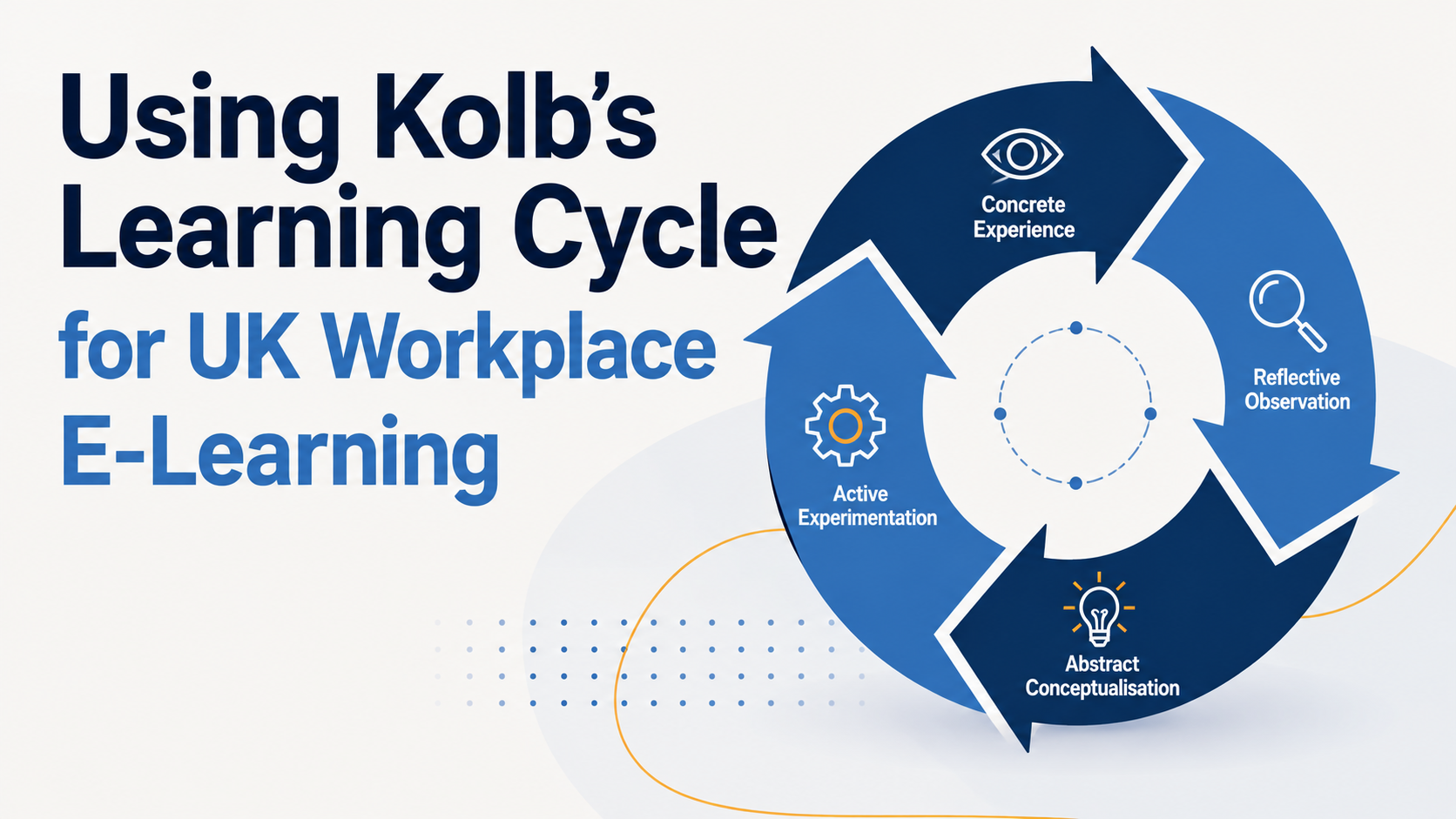
  • Using Kolb’s Learning Cycle for UK Workplace E-Learning

    Using Kolb’s Learning Cycle for UK Workplace E-Learning

    Imagine a new employee joining an NHS Trust, local council or private business. They can read a policy, complete a quiz and score 100%, but what happens when they face the same situation at work? Knowing the information is one thing. Knowing how to use it under pressure is another.

    This is where experiential learning becomes useful. David Kolb’s learning theory, first developed in the 1980s, puts experience and reflection at the centre of the learning process. While the theory and its associated learning styles have attracted criticism over the years, the underlying cycle still offers useful ideas for designing practical workplace e-learning.

    Rather than treating online training as a process of reading information and answering questions, organisations can design learning around four connected activities: experiencing something, reflecting on it, making sense of it and trying again in a new situation.

    What Is Kolb’s Experiential Learning Cycle?

    Kolb’s model describes learning as a continuous cycle rather than a single event. A learner starts with an experience, thinks about what happened, develops an understanding or principle, and then tests that understanding through further action.

    The four stages are:

    Concrete Experience, where the learner encounters or performs an activity.

    Reflective Observation, where they consider what happened and why.

    Abstract Conceptualisation, where they develop an explanation, principle or broader understanding.

    Active Experimentation, where they apply that understanding to another situation.

    The important point for e-learning designers is that learners do not have to stop at knowledge acquisition. Digital training can give people opportunities to practise, reflect, receive feedback and apply what they have learnt.

    Start With a Realistic Learning Experience

    The first stage is Concrete Experience. In a traditional setting, this could involve a practical workshop, laboratory exercise, fieldwork or workplace task.

    Online learning cannot always reproduce a physical environment, but it can create realistic experiences through well-designed digital activities.

    A safety course, for example, might place an employee in a simulated workplace and ask them to identify hazards. A customer service programme could present a difficult conversation and ask the learner to decide how to respond. A management course might put a new supervisor into a scenario involving poor performance or team conflict.

    Video, animation, interactive exercises and branching scenarios can all help create this experience. Capytech’s custom e-learning approach can also incorporate AI-powered scenarios and interactive practice, allowing learners to make decisions rather than simply watch a presentation.

    For UK organisations, this could be particularly useful when training involves situations that are difficult, expensive or risky to reproduce in real life.

    Give Learners Time to Think About What Happened

    Experiencing a scenario is only the beginning. Kolb’s second stage, Reflective Observation, asks learners to consider the experience and examine their own decisions.

    What went well? What could have been handled differently? Which part of the situation was difficult? What information was missing?

    E-learning can support this through reflective questions, written responses, discussion activities, learner journals and facilitated forums. A course might ask an employee to explain why they selected a particular response before showing them an expert explanation.

    Social learning can add another dimension. Learners can compare their approaches with colleagues, discuss different outcomes and receive guidance from a tutor or subject matter expert.

    This is especially useful in management, leadership and behavioural training, where there may not be one simple answer to a workplace problem.

    Turn Reflection Into Understanding

    The third stage, Abstract Conceptualisation, is where the learner begins to form a broader understanding from the experience.

    Instead of simply remembering that one answer was correct, they start to understand the principle behind it.

    For example, a learner who has completed a difficult employee conversation might begin to recognise the importance of preparation, active listening and clear communication. A learner completing safety training might identify patterns that help them recognise hazards before an incident occurs.

    Digital learning can support this process with explanations, expert commentary, tutorials, reference materials and interactive activities. The aim is to help learners connect their experience with a wider concept that they can use elsewhere.

    This is also where instructional design matters. Content should not simply tell learners what they should know. It should help them understand why the knowledge matters and how it relates to their role.

    Put the Learning Into Practice

    Active Experimentation is the point at which the learner tests their new understanding.

    This could be as simple as completing another scenario with different circumstances. It could also involve a more complex simulation in which decisions lead to different outcomes.

    Consider a manager who has just completed training on handling difficult conversations. Rather than ending the module with a multiple-choice test, the next activity could present a different employee situation and ask the manager to choose an approach.

    The learner can then see the consequences of that decision, receive feedback and try again.

    Gamification can strengthen this stage by introducing challenges, scores, progress indicators or scenario-based goals. Used thoughtfully, these elements can make practice more engaging without turning the learning into a game for its own sake.

    Capytech’s custom e-learning services support features such as branching scenarios, gamification and AI-supported learning experiences, making this type of practical application possible within digital training.

    A UK Workplace Example: From Compliance to Behaviour

    Consider a UK organisation introducing workplace health and safety training.

    A conventional online course might explain the relevant procedures, show a few videos and finish with a knowledge test. That approach can confirm whether employees remember information, but it may not show whether they can apply it.

    A Kolb-inspired approach could begin with a realistic workplace scenario. The learner identifies a hazard and chooses what to do. They then review the consequences of their decision and reflect on what they might have missed.

    The course introduces the relevant safety principles and explains why the correct approach matters. The learner then faces a new scenario and applies those principles again. For a closer look, read our guide to applying Merrill’s principles.

    For health and safety programmes, this practical approach can sit alongside formal requirements and recognised training. Capytech provides online IOSH-approved safety training for UK organisations, with digital delivery allowing employees to complete learning without always requiring a classroom session. For a closer look, read our guide to IOSH training for UK teams online.

    The same principle can apply to leadership, customer service, data protection and other areas where workplace behaviour matters as much as knowledge.

    Kolb and Modern UK E-Learning Platforms

    A learning cycle also becomes easier to manage when the technology supports more than course completion.

    An LMS can provide the central environment for delivering activities, recording progress and identifying where learners need additional support. Capytech’s UK LMS offering includes features such as AI scenario creation, learner analytics, mobile access and support for different learning environments.

    For example, an organisation could use an LMS to deliver a scenario-based module, record assessment results, provide additional learning to employees who need it and track completion across departments.

    AI-powered learning tools can add further interaction. An AI Tutor can answer learner questions, while AI-driven scenarios can give employees opportunities to practise decisions in a more conversational setting.

    The technology should support the learning objective, though. Adding AI or gamification simply because it is available does not automatically make a course better. The experience still needs to reflect what learners actually need to do in their jobs.

    Where Kolb’s Model Works Best

    Kolb’s cycle is particularly relevant when learners need to apply knowledge rather than simply recall it.

    It can work well for leadership development, customer service, workplace safety, compliance, technical procedures and other subjects where decisions and behaviour are important.

    It is also useful for blended learning. An online module could provide the initial scenario and theory, followed by a workshop where employees discuss their experiences and practise the skill with colleagues. The learning platform can then provide follow-up activities to reinforce the behaviour.

    For organisations supporting continuing professional development, this creates a stronger connection between formal training and everyday work.

    Is Kolb’s Theory Still Useful?

    Kolb’s learning theory should not be treated as a perfect formula for how every individual learns. The learning-style element of the wider model has been questioned, and learners should not necessarily be placed into fixed categories.

    The more useful lesson is the emphasis on learning through experience, reflection, understanding and practice.

    For UK L&D teams, that provides a practical way to ask a simple question: does this training give employees enough opportunity to do something with what they have learnt?

    A course can contain accurate information and still have little effect on workplace behaviour. Adding realistic scenarios, reflection, explanation and repeated practice can make the connection between training and performance much stronger.

    Whether an organisation is developing bespoke e-learning, delivering IOSH-approved safety training or managing learning through an LMS, Kolb’s cycle can provide a useful framework for thinking about that connection.

    The goal is not to follow the model rigidly. It is to design learning that gives people a chance to experience, think, understand and practise, then take those lessons back into their working lives.

    Frequently asked questions

    What is Kolb’s learning cycle?

    Kolb’s experiential learning cycle, published by David Kolb in 1984, describes learning as four stages: concrete experience, reflective observation, abstract conceptualisation and active experimentation. People have an experience, reflect on it, draw a conclusion and then try it out, which starts the cycle again.

    How do you apply Kolb’s learning cycle in e-learning?

    Open with a realistic scenario so learners have an experience, then ask them to reflect on what happened and why. Introduce the principle or rule that explains it, and finish with a new situation where they apply it. Branching scenarios and short reflection questions work well for each stage.

    Why is Kolb’s learning cycle important for workplace training?

    It shows that people learn more from doing and reflecting than from being told. That suits adults at work, who bring their own experience and need to apply learning to real tasks rather than simply recall facts.

    Is Kolb’s reflective cycle the same as the Gibbs reflective cycle?

    No. Graham Gibbs built on Kolb’s work in 1988 with a six stage cycle (description, feelings, evaluation, analysis, conclusion and action plan) that structures reflection on a single event. Kolb’s cycle describes how learning happens overall, while Gibbs gives a step by step way to reflect.

    See your own training as e-learning, free

    Send us one document and we will turn it into an interactive demo module, so you can judge the quality before you spend anything.