Tag: fasttrack

  • E-Learning Development Cost in the UK: What Drives the Price

    E-Learning Development Cost in the UK: What Drives the Price

    E-learning development cost depends on how much work sits behind each finished minute of learning: the length of the course, how interactive it is, the media it uses, how many languages it needs and how many review rounds it takes. Suppliers price that work per module or per finished minute, by day rate, as a fixed-price project or as a monthly subscription. Two quotes can only be compared when they cover the same scope, so agree the scope before you compare the totals.

    This guide is for L&D and HR managers collecting quotes. We have left out figures on purpose: a number without a scope tells you very little, so use the checklist below to get every supplier, us included, pricing the same thing.

    How long does it take to develop one hour of e-learning?

    Time is the biggest ingredient in any quote, so it helps to know how much effort sits behind a finished hour. A widely quoted benchmark is a 2010 survey by the Chapman Alliance of 249 organisations, representing 3,947 learning development professionals. It counted the time of everyone on the development team, including instructional designers, writers, subject matter experts, graphic artists and project managers.

    Type of learningAverage development hours per finished hour
    Instructor-led training43
    Level 1 e-learning (basic)79
    Level 2 e-learning (interactive)184
    Level 3 e-learning (advanced)490

    Source: Chapman Alliance, How Long Does it Take to Create Learning? (September 2010).

    Moving from basic to interactive e-learning more than doubles the effort, and advanced work multiplies it again. The data is from 2010, and in our experience modern authoring tools and AI have shortened parts of the process considerably, so treat the ratios as a guide to the relative effort of each level.

    What drives e-learning development cost?

    Every quote is an estimate of effort against these factors. The clearer your brief is on each one, the closer the quotes will be to each other and to the final invoice.

    • Length. Usually measured in finished minutes: how long a typical learner takes to complete the course. More content means more to write and test. Agree how length will be measured, because one supplier’s 20-minute module can be another’s 30.
    • Interactivity. Text and images with knowledge checks sit at one end, click-and-reveal and drag-and-drop activities in the middle, and branching scenarios, simulations and games at the far end. Each step up adds a lot of effort.
    • Media. Stock images cost least. Custom illustration, animation, filmed video and professional voiceover all add production time, with animation and filming usually adding the most. Voiceover also affects future updates, because a script change means a re-record.
    • Languages. Each language needs translation, a review by a native speaker, adjusted screens and testing. Right-to-left languages such as Arabic need the layout mirrored as well.
    • Accessibility. Building to WCAG 2.1 level AA covers captions, colour contrast, keyboard navigation and screen reader support. In our experience it costs far less to plan this from the storyboard than to fix a finished course.
    • Review rounds. Each round of feedback takes time to collate and apply. Fixed quotes normally include a set number of rounds, so ask what happens if you need more.
    • Subject matter expert time. Your experts answer questions, check accuracy and sign off. The Chapman survey counted their hours as development time, and slow answers stretch the timeline.
    • AI features. An in-course AI tutor, AI marking of open-text answers or adaptive AI scenarios all need design, set-up and testing on your content. Ask whether the AI provider’s usage costs are included or billed separately.

    How do e-learning suppliers price their work?

    You will see four pricing models in proposals. Each one puts the risk in a different place.

    ModelHow it worksSuitsWatch for
    Per module or per finished minuteA set price per module or per minute at an agreed level of interactivityA programme with a clear list of coursesHow length is measured, and which level each module is priced at
    Day rateYou pay for the days the team worksDiscovery work, or a scope that is still movingOverruns: ask for an estimate per stage and a cap
    Fixed-price projectOne price for an agreed scope and timetableLarger programmes with a firm briefChange requests, review rounds and what counts as a change
    SubscriptionA fixed monthly fee covering development and updatesA steady flow of content that changes oftenThe minimum term and how many modules are included

    Per-module and per-minute pricing make a series easy to budget, as long as both sides agree what level of interactivity the price buys. Day rates are honest about effort, but you carry the risk if the project grows. A fixed price moves that risk to the supplier, which is why the scope document and the change process matter so much.

    With a subscription, a fixed monthly fee replaces a large build fee at the start, and updates can be included. Our FastTrack service works this way, with no upfront build cost and unlimited updates turned around within 48 hours.

    The hidden costs buyers forget

    The development quote is rarely the whole cost of a course over its life. Before you sign, ask about these:

    • An LMS and support. If you do not have a learning management system, you need one to host the course and track completions, and someone to run it and help learners. LMS pricing is often based on the number of learners, and set-up, branding or single sign-on can be extra.
    • Updates when policies change. Regulations, procedures and products change. If every edit needs a new purchase order, small changes get put off and courses drift out of date.
    • Translation updates. Every change to the English version has to be made and tested in every other language too.
    • Internal review time. L&D, subject matter experts, legal and compliance reviewers all spend hours on storyboards and drafts. Count it when you compare an in-house build with buying in.
    • Licences and source files. Check that image, music and font licences last as long as you use the course, and that you receive the source files, so another supplier could update it later.

    How to compare e-learning quotes like for like

    In our experience, quotes that look far apart have usually priced different things. Send every supplier the same written brief, then check each quote against these points:

    1. The number of modules, the finished length of each and how length is measured.
    2. The level of interactivity, ideally shown with a sample screen or demo.
    3. Media: illustration, animation, video and voiceover, and whether the voice is a professional or synthetic one.
    4. The number of review rounds, and the cost of a change after sign-off.
    5. The accessibility standard, for example WCAG 2.1 AA, and how it will be tested.
    6. The output your LMS needs (SCORM 1.2, SCORM 2004 or xAPI) and who tests it in your LMS.
    7. Languages, and how later changes to translated versions are charged.
    8. Updates after launch: included, charged per change or not offered.
    9. Who owns the finished course and the source files.
    10. The timescale, and what you must supply to keep to it.
    11. Whether the figures include VAT.

    Ask to click through a finished course at the level you are being quoted for. Our guide on how to choose an e-learning developer in the UK covers the questions to ask beyond price.

    How to reduce e-learning cost without hurting quality

    • Cut to what people need to do. List the decisions and actions the course must change, and drop content that does not support them. Shorter modules cost less to build and to keep up to date.
    • Match interactivity to risk. Save branching scenarios and animation for decisions where mistakes are costly. A policy update may only need clear screens and a short quiz.
    • Start from what you already have. PowerPoint decks, PDFs and manuals are a good starting point. Our guide to turning PowerPoint and PDF training into SCORM e-learning explains how.
    • Buy generic topics off the shelf. Subjects that are the same in every organisation rarely need a bespoke build. Our course library has more than 9,000 ready-made courses.
    • Name one decision maker. Collect every reviewer’s comments into one list per round, signed off by one person. Conflicting feedback is a common cause of extra rounds.
    • Book your experts early. Agree when subject matter experts will review storyboards and drafts before the project starts.

    How Capytech prices custom e-learning

    We offer three tiers of custom e-learning development. Pricing depends on the tier, the length of each module and the cost drivers above. All three tiers are delivered as SCORM 1.2, SCORM 2004 or xAPI and built to WCAG 2.1 AA.

    • FastTrack turns your documents into clean, mobile-friendly interactive modules, typically in 4 to 5 working days. It runs on a fixed monthly fee with no upfront build cost, unlimited 48-hour updates and a branded LMS included.
    • Gold adds rich media, professional narration and activities such as click-and-reveal, timelines and knowledge checks. It typically takes 3 to 5 weeks from a signed-off storyboard.
    • Platinum is for flagship programmes, with fully custom interfaces, bespoke animation, branching scenarios, gamification and embedded AI tools. It typically takes 6 to 10 weeks.

    Gold and Platinum modules are quoted for each project. AI features (AI Tutor, AI Feedback and AI Scenarios) are available on both.

    The quickest way to judge which tier you need is to see one built from your own material. Send us one document and we will build a free demo module from it.

    Frequently asked questions

    How much does it cost to build an e-learning course?

    It depends on the length, the level of interactivity, the media, the number of languages and how many review rounds you need. A short module of text, images and a quiz takes a fraction of the effort of an hour of branching scenarios with animation. Send every supplier the same written brief so you can compare the quotes like for like.

    Is there an e-learning cost calculator?

    Some suppliers and industry sites publish calculators. Most multiply a development hours ratio, such as the Chapman Alliance figures, by an hourly or daily rate. They are useful for a first budget, but a quote against your own written brief is far more reliable.

    Why does bespoke e-learning cost more than off-the-shelf courses?

    An off-the-shelf course is built once and sold to many organisations, so the development cost is shared. A bespoke course is designed around your own procedures and people, and you carry the whole cost. Many organisations use off-the-shelf courses for generic topics and bespoke e-learning for anything specific to them.

    Is a subscription cheaper than paying for each e-learning project?

    It depends on how many modules you need and how often your content changes. A subscription turns the cost into a fixed monthly fee with no upfront build cost, and where updates are included it removes the cost of keeping courses accurate. For a single course that will never change, a one-off project may suit you better.

    See your own training as e-learning, free

    Send us one document and we will turn it into an interactive demo module, so you can judge the quality before you spend anything.
  • Turn PowerPoint and PDF Training into SCORM E-Learning

    Turn PowerPoint and PDF Training into SCORM E-Learning

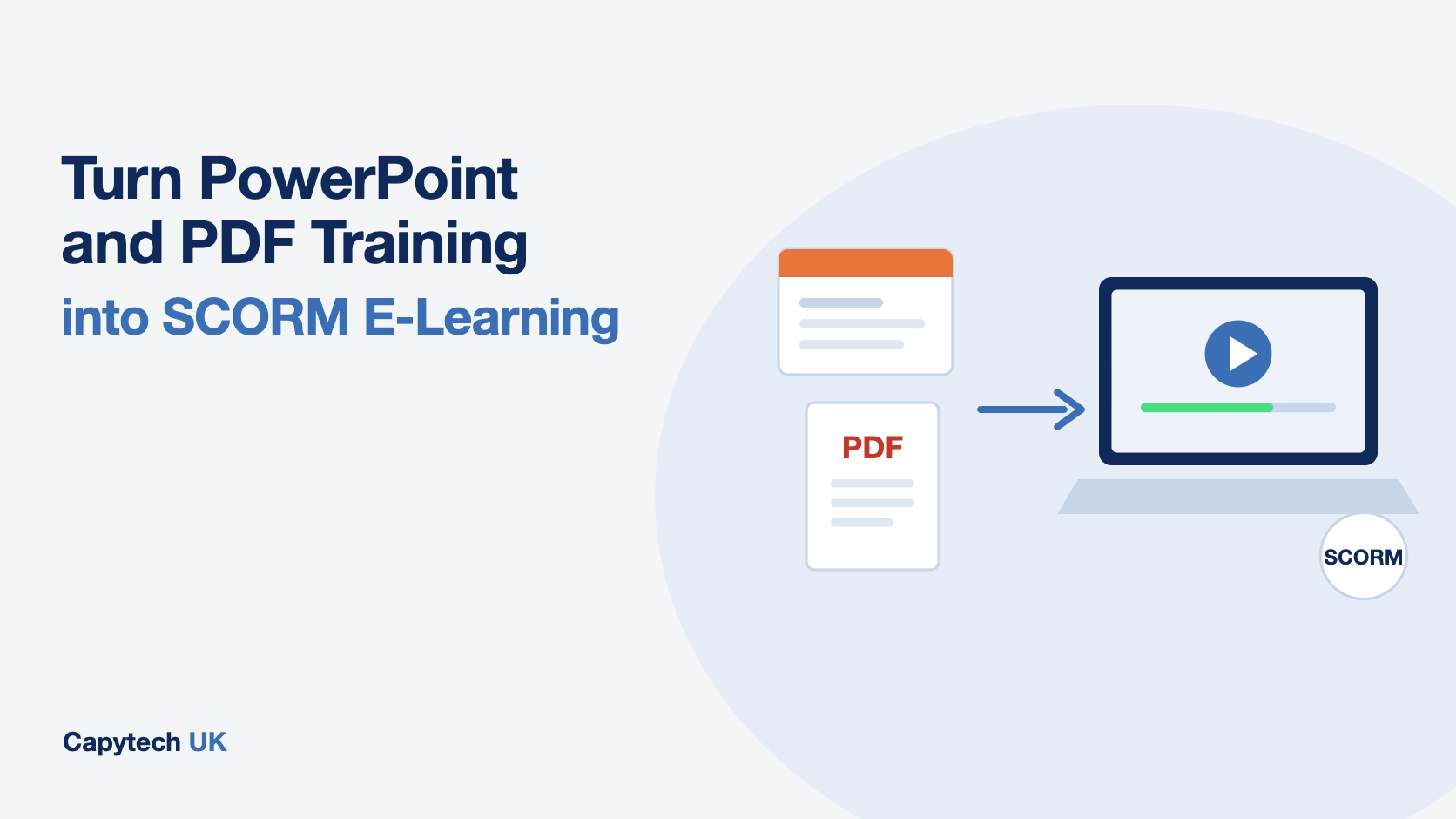
    You can turn a PowerPoint deck or a PDF manual into SCORM e-learning in three ways: export it with a conversion tool, rebuild it yourself in an authoring tool, or have a developer redesign it. A straight export is quick but usually gives you slides with a Next button. The courses that change what people do are rebuilt around the decisions staff have to make, with practice and a short assessment, then packaged as SCORM so your LMS records completions and scores.

    This guide covers what SCORM does, the pros and cons of each route, what a good conversion should include and how to test the finished package before it reaches your staff.

    What SCORM does and why your LMS needs it

    SCORM is a set of technical standards for e-learning, created by the Advanced Distributed Learning (ADL) Initiative, part of the US Department of Defense. A SCORM course is a zip file with a manifest that tells your learning management system how to launch it and what to record. Once it is uploaded, the LMS can track who started the course, who finished it, their score and whether they passed.

    There are three formats you will come across:

    • SCORM 1.2 is the older version and still the most widely supported. If you are not sure what your LMS needs, this is the safe choice.
    • SCORM 2004 records completion and pass or fail separately, which is useful when someone can finish a course without passing it.
    • xAPI (also called Tin Can) can track learning outside the LMS, such as on a mobile app or in a simulation, but needs a Learning Record Store to receive the data.

    Check your LMS documentation before you build anything. Almost every corporate LMS accepts SCORM 1.2, and most accept 2004.

    Three ways to convert PowerPoint to e-learning

    RouteSpeedEffort from your teamWhat learners get
    Conversion tool or add-inMinutes to hoursLowYour slides, with navigation and tracking
    Rebuild in an authoring toolWeeksHigh, and needs design skillsDepends on your team’s experience
    Redesign by a developerDays to weeksLow: you review and sign offInteractive modules built around the job

    1. Export with a conversion tool

    PowerPoint add-ins and authoring tools can import your slides and publish them as a SCORM package. It is the fastest route and fine for content people only need to read once, such as a short update or an announcement.

    The catch is that the output is still a slide deck. Text-heavy slides become text-heavy screens, and the only interaction is clicking Next. Completion goes up on the report, but very little changes on the job.

    2. Rebuild it yourself in an authoring tool

    If you have the licences and someone with instructional design experience, you can rebuild the content properly in a dedicated authoring tool. You keep full control and can update it whenever you like.

    The cost is time. Turning a 40-slide deck into a well-designed module means rewriting, building interactions, sourcing images, testing and getting sign-off. In most L&D teams that work competes with everything else on the list, and the backlog grows.

    3. Have it redesigned and built for you

    A developer takes your deck or manual, works out what people actually need to do with it, and builds an interactive module around that. You review drafts and approve the final version. This is the route that gives the best learner experience without tying up your own team, and it is the one we take with FastTrack.

    Why straight conversions disappoint

    PowerPoint decks and PDFs are written for a different job. A deck supports a trainer who adds the real knowledge out loud, and that knowledge usually sits in the speaker notes or in the trainer’s head. A PDF manual is built for reference, so it covers everything with equal weight.

    Convert either one directly and you get a course that tells people everything and asks them to do nothing. Learners skim to the end, the LMS records a completion, and the same mistakes keep happening. If your current policy training works like this, our post on moving policy training beyond PDFs covers the warning signs.

    What a good conversion changes

    When we rebuild a deck or manual as e-learning, these are the changes that make the difference:

    • Start from the job. List the decisions and actions people get wrong today, then keep only the content that supports them.
    • Split it up. Long decks become short modules of 10 to 20 minutes, so people can finish one in a sitting.
    • Add practice. Scenarios, branching decisions and short knowledge checks give people a chance to apply the rule before they need it for real.
    • Assess properly. A final assessment with a sensible pass mark shows who understood it. Our guide to setting an e-learning quiz pass mark explains how to choose one.
    • Make it accessible. Captions, readable contrast, keyboard navigation and screen reader support, built to WCAG 2.2 level AA. UK public sector bodies must meet these accessibility requirements, and they are good practice for everyone else.
    • Work on any device. Responsive design, so staff on the shop floor or on the road can complete it on a phone.
    • Look like your organisation. Your branding, your terminology and real examples from your workplace.

    Free checklist: PowerPoint to e-learning in 10 steps

    A two-page PDF you can tick off as you convert your next deck, from learning outcomes to accessibility and SCORM.

      We will email you the checklist and one short follow-up about a free demo module. You can unsubscribe at any time. Privacy policy

      How to prepare your PowerPoint or PDF before conversion

      A little preparation saves a lot of rework, whichever route you choose:

      1. Confirm you have the latest approved version of the content, and who owns it.
      2. Mark the content that is mandatory, for example anything a regulator or auditor will ask about.
      3. Collect the speaker notes and any trainer guides. This is often where the useful detail lives.
      4. Write down the three to five mistakes you most want the training to prevent.
      5. Describe the audience: their roles, how much they already know, and where and on what device they will take the course.
      6. Ask your LMS administrator which SCORM version to publish, and whether there is a test area.
      7. Agree who signs off the final module, and how quickly.

      Test the SCORM package before launch

      Never send a new package straight to every member of staff. Test it first:

      • Upload it to a test area of your LMS, or to a free trial of SCORM Cloud, which shows exactly what the course reports.
      • Check that completion, score and pass or fail are recorded the way you expect.
      • Close the course halfway through and reopen it, to confirm learners return to where they left off.
      • Try it on a phone, a tablet and a laptop, and with a screen reader.
      • Ask two or three people from the target audience to take it and tell you where they got stuck.

      Keeping it up to date

      Policies, procedures and products change, so plan for updates from the start. Keep the source files somewhere your team can find them, record which version is live, and decide who is responsible for spotting when a change is needed. When you replace a SCORM package, check with your LMS administrator whether existing completions carry over or whether staff need to retake it.

      This is where many organisations fall behind. A course that was accurate at launch quietly goes out of date, and nobody has the time to rebuild it.

      How Capytech does it

      Our FastTrack service turns your PowerPoint decks, PDFs, manuals and policies into interactive e-learning in days, not months. Each module is redesigned around what your people need to do, built to WCAG standards, and published as SCORM 1.2, SCORM 2004 or xAPI for your LMS. If you do not have an LMS, a branded one is included.

      FastTrack runs on a fixed monthly fee with no upfront build cost, and content updates are unlimited, turned around within 48 hours. If you want a fully bespoke programme with scenarios, animation or AI tutors, see our custom e-learning development service.

      The easiest way to judge the quality is to see your own content converted. Send us one document and we will build a free demo module from it.

      Frequently asked questions

      Can I convert PowerPoint to SCORM for free?

      Some authoring tools offer free trials, and a few free converters exist. They will usually produce a slide-by-slide course with basic tracking. Test the package in your LMS or in SCORM Cloud before you rely on it, because free tools vary in how reliably they report completions.

      Should I use SCORM 1.2 or SCORM 2004?

      Use whichever your LMS supports best. SCORM 1.2 is the most widely supported and is the safe default. Choose SCORM 2004 if you need completion and pass or fail recorded separately, and xAPI if you need to track learning outside the LMS.

      How long does it take to turn a PowerPoint into e-learning?

      A straight export takes minutes. A properly redesigned module typically takes from a few days to a few weeks, depending on length, the amount of interaction and how quickly reviews come back. With FastTrack we build modules from your documents in days.

      Will my LMS accept a SCORM file?

      Almost every corporate learning management system accepts SCORM 1.2, and most accept SCORM 2004. You upload the zip file as a new course or activity. If you are unsure, ask your LMS administrator or test the file in a trial account first.

      Can e-learning made from PowerPoint be accessible?

      Yes, if it is built for it. That means captions or transcripts for audio and video, good colour contrast, full keyboard navigation and screen reader support, in line with WCAG 2.2 level AA. A straight slide export rarely meets this without extra work.

      See your own training as e-learning, free

      Send us one document and we will turn it into an interactive demo module, so you can judge the quality before you spend anything.
    • Launch E-learning in 4 Days: A UK L&D Advantage

      Launch E-learning in 4 Days: A UK L&D Advantage

      Why UK Training Teams Can’t Afford Long Build Cycles

      Picture a large NHS Trust updating a clinical protocol, or a local council rolling out a revised safeguarding policy. The expectation is immediate compliance, not something that lands three months later. Yet many organisations still treat e-learning production as a long, drawn-out process.

      The traditional model, weeks of discovery, followed by detailed storyboards, then a lengthy build and QA phase, was built for bespoke, high-budget projects. It still has its place. But for most day-to-day training needs, it slows everything down at the exact moment speed matters most.

      Rethinking Production: From Custom Build to Smart Assembly

      The shift is not about cutting corners. It is about changing how digital learning is constructed. Instead of starting from a blank page every time, a more effective approach is to use proven content frameworks and assemble modules around them.

      With FastTrack, the focus is on structuring your existing material into a clear learning journey. Policies, procedures, and guidance are mapped into interactive formats such as short videos, timelines, and knowledge checks. The emphasis is not on endless design debates, but on clarity, flow, and learner engagement.

      This is how a fully interactive, SCORM-compliant module can move from raw documents to delivery in four working days.

      Speed Reduces Risk, Not Just Effort

      In the UK, compliance is tightly linked to timing. Whether it is guidance from the Health and Safety Executive or updates tied to UK GDPR and the Data Protection Act 2018, delays in training create exposure.

      There is always a gap between identifying a risk and ensuring staff understand how to manage it. That gap is where issues occur. Faster rollout shortens that window. It means staff are informed sooner, behaviours change earlier, and organisations reduce the chance of incidents or breaches.

      For L&D teams, speed is not just operational efficiency. It is part of risk management.

      A More Responsive Role for L&D

      When delivery timelines shrink from months to days, the perception of L&D shifts. Instead of being seen as a function that slows initiatives down, it becomes a partner that can support change as it happens.

      This matters in UK organisations where priorities can shift quickly. A new compliance requirement, a change in employment law, or an internal policy update can all demand immediate action. Being able to respond within the same working week changes how L&D is valued at leadership level.

      It also makes it easier to support multiple departments at once, without building a backlog that never quite clears.

      Aligning with UK Standards and Expectations

      UK organisations operate within a structured regulatory and quality environment. Bodies such as the CIPD, Ofsted, and the ESFA all shape expectations around training quality and delivery.

      Rapid e-learning does not mean lower standards. In fact, consistency often improves. Using pre-tested frameworks ensures that modules follow a logical structure, include effective assessment points, and meet accessibility expectations.

      For organisations working towards Investors in People recognition or delivering accredited programmes such as TQUK Level 5 Diplomas, this consistency is valuable. It ensures that speed does not come at the expense of credibility or audit readiness.

      From Bottleneck to Business Enabler

      The biggest change is cultural. When L&D teams know they can deliver high-quality learning in days, not months, they approach requests differently. “We’ll need a quarter to build that” becomes “We can have that live this week.”

      FastTrack supports that shift. It gives teams the confidence to respond quickly, without worrying that quality will drop. The result is a more agile organisation, where learning keeps pace with real-world demands rather than lagging behind them.

      See your own training as e-learning, free

      Send us one document and we will turn it into an interactive demo module, so you can judge the quality before you spend anything.
    • FastTrack for UK Training Firms: Go Digital Faster

      FastTrack for UK Training Firms: Go Digital Faster

      Why UK Training Providers Are Feeling the Pressure

      Across the UK, many established training providers have built strong reputations through in-person delivery. Whether it is leadership workshops or compliance training for a local council, classroom learning still holds value. But expectations have shifted. Clients now want flexible options that fit around hybrid work and tighter schedules.

      The result is a gap. Organisations that excel face-to-face often struggle to present the same quality online. Building a digital offering from scratch can feel like a separate business altogether, requiring new systems, new skills, and significant investment. For many, that creates hesitation, or worse, rushed solutions that fall short of their brand standards.

      A Practical Route into Digital Learning

      Rather than piecing together platforms and hoping for the best, FastTrack provides a ready-made route into online delivery. Think of it as a complete digital layer added to your existing training business.

      You continue to focus on your subject expertise and client relationships. At the same time, the technical side is handled for you. This includes a branded Capytech LMS, e-commerce capability so you can sell courses directly, and ongoing learner management support.

      The aim is simple. You gain a professional online presence without building an internal tech team from scratch.

      Moving Faster Without Heavy Investment

      One of the biggest barriers for UK providers is cost. Developing an LMS, commissioning e-learning content, and maintaining systems can run into tens of thousands of pounds, often more. For smaller or mid-sized organisations, that level of upfront spend is difficult to justify.

      FastTrack shifts that model. Instead of large initial investment, it works as a partnership that reduces early risk. Your courses can be adapted for online delivery within weeks, not stretched across long development timelines.

      This also changes how you earn. Revenue is no longer tied to room capacity or trainer availability. Once your courses are online, they can generate income consistently, even outside normal working hours.

      Meeting UK Standards and Expectations

      Going digital in the UK comes with its own requirements. Learner data must be handled in line with the UK GDPR and the Data Protection Act 2018. For regulated training, alignment with bodies such as Ofqual or standards recognised by the ESFA can also come into play.

      FastTrack solutions are built with these expectations in mind. Whether you are delivering IOSH-approved safety training or working towards recognised qualifications like a TQUK Level 5 Diploma, your platform needs to support compliance as well as learning outcomes.

      This is not just about ticking boxes. Clients expect reassurance that their teams are learning in a secure, credible environment. Getting this right strengthens trust and helps win larger contracts.

      Extending Your Reach Beyond Local Clients

      Many UK providers still rely heavily on regional clients. A regional training company might primarily serve nearby businesses, or an NHS Trust partnership within a specific area. Digital delivery changes that dynamic.

      With an online academy in place, your courses are accessible nationwide, and even internationally. A leadership programme designed for UK managers can attract learners from across Europe or further afield.

      This wider reach does not mean losing your identity. In fact, your local expertise becomes part of your appeal. Clients often prefer providers who understand real workplace challenges rather than generic global content.

      Supporting Growth Without Losing Quality

      Scaling a training business usually means hiring more trainers or increasing delivery days. Both options have limits. They also introduce inconsistency if not managed carefully.

      A well-built digital offering allows you to scale in a controlled way. Your content remains consistent, your branding stays intact, and learners receive the same experience regardless of when or where they access the course.

      With ongoing support in place, you are not left managing the system alone. Updates, learner queries, and platform performance are handled alongside you, so your focus remains on improving content and building client relationships.

      A Smarter Way to Expand Your Offering

      The demand for blended learning in the UK is not slowing down. Organisations expect training providers to offer both in-person and digital options as standard. Those who adapt quickly are already seeing the benefits in client retention and new revenue streams.

      FastTrack is not about replacing what you already do well. It is about extending it. By adding a digital capability that matches your existing standards, you can meet modern expectations without overstretching your resources.

      See your own training as e-learning, free

      Send us one document and we will turn it into an interactive demo module, so you can judge the quality before you spend anything.

    • Audit-Ready Training in the UK with FastTrack

      Audit-Ready Training in the UK with FastTrack

      Why UK Organisations Still Panic Before an Audit

      In many UK organisations, the moment an audit is announced, everything else takes a back seat. HR teams start combing through inboxes, compliance leads chase line managers for paperwork, and someone inevitably questions whether last year’s training still reflects current policy.

      This is common across sectors, from local councils in Birmingham to NHS Trusts and mid-sized firms in Manchester. The issue is rarely a lack of effort. It is usually a lack of connection between systems. Training content sits in one platform, records in another, and policy updates somewhere else entirely. When these pieces do not align, even well-run organisations feel exposed.

      What Good Looks Like Under UK Regulations

      Being prepared for an audit in the UK is not about last-minute checks. It is about maintaining a clear and consistent record over time. Under frameworks such as the UK GDPR and the Data Protection Act 2018, organisations are expected to demonstrate accountability, not just intent.

      In practice, that means you should be able to show exactly what an employee was trained on, when they completed it, and whether they actually understood it. Auditors are not impressed by attendance alone. They want evidence that learning has been both accurate and effective.

      A defensible audit trail becomes essential. If asked about data protection or workplace safety training, your records need to show the version used, confirm it matched policy at the time, and include a measurable outcome such as an assessment score.

      The Problem with Static Training Content

      One of the biggest risks in compliance training is content that quietly goes out of date. Regulations shift, internal policies evolve, and best practise changes. Yet many organisations continue using materials created months earlier.

      This creates a gap. Even if employees completed the training, it may no longer reflect current expectations under UK employment law or guidance from bodies like the HSE or CIPD. During an audit, that gap becomes visible very quickly.

      Static content also makes version control difficult. Without clear records, it is hard to prove what was delivered at a specific point in time.

      How FastTrack Keeps Training Current

      Capytech FastTrack addresses this by treating training as something that evolves, not something that is created once and left alone. With continuous updates built into the model, content stays aligned with the latest regulatory and organisational changes.

      Instead of presenting auditors with outdated materials, organisations can show a live system that reflects recent updates. The FastTrack dashboard provides a clear view of training activity, version history, and assessment results in one place.

      This removes the need for manual tracking and reduces the risk of inconsistencies. It also means teams are not scrambling to piece together evidence when an audit is announced.

      A UK Example: Meeting HSE Expectations

      Consider a manufacturing firm in the Midlands preparing for a safety audit. The Health and Safety Executive expects employers to provide up-to-date training and demonstrate that staff understand safe working practices.

      If training materials have not been updated to reflect recent guidance, or if there is no clear record of employee comprehension, the organisation could face scrutiny. With a system like FastTrack, updates to safety modules can be rolled out quickly, and completion data is automatically recorded.

      This makes it far easier to show that the organisation is meeting its obligations and taking employee safety seriously.

      Turning Compliance Into a Business Strength

      Audits do not have to be something organisations simply get through. They can be an opportunity to show how seriously governance and employee development are taken.

      When training is well managed, clearly documented, and regularly updated, it sends a strong message to regulators, partners, and senior leadership. It shows that the organisation values accuracy and accountability, and that learning is more than a tick-box exercise.

      Using a structured system like FastTrack also supports wider goals. It aligns with standards promoted by Investors in People and strengthens internal confidence in compliance processes.

      In the end, the difference is simple. Instead of reacting to audits, organisations are ready for them at any time. That shift changes how compliance is viewed across the business.

      Turn your policies into training people remember

      Send us one policy or procedure and we will turn it into an interactive demo module, free, so you can judge the quality first.