PowerPoint to e-learning: the 10-step checklist
A free two-page checklist for UK training teams turning slide decks and PDFs into e-learning that people complete and remember. It takes you from learning outcomes and scenarios to accessibility, SCORM and keeping the content current.
- Ten steps you can tick off as you build
- A before and after example you can share with your team
- Works whether you build the module yourself or with a supplier
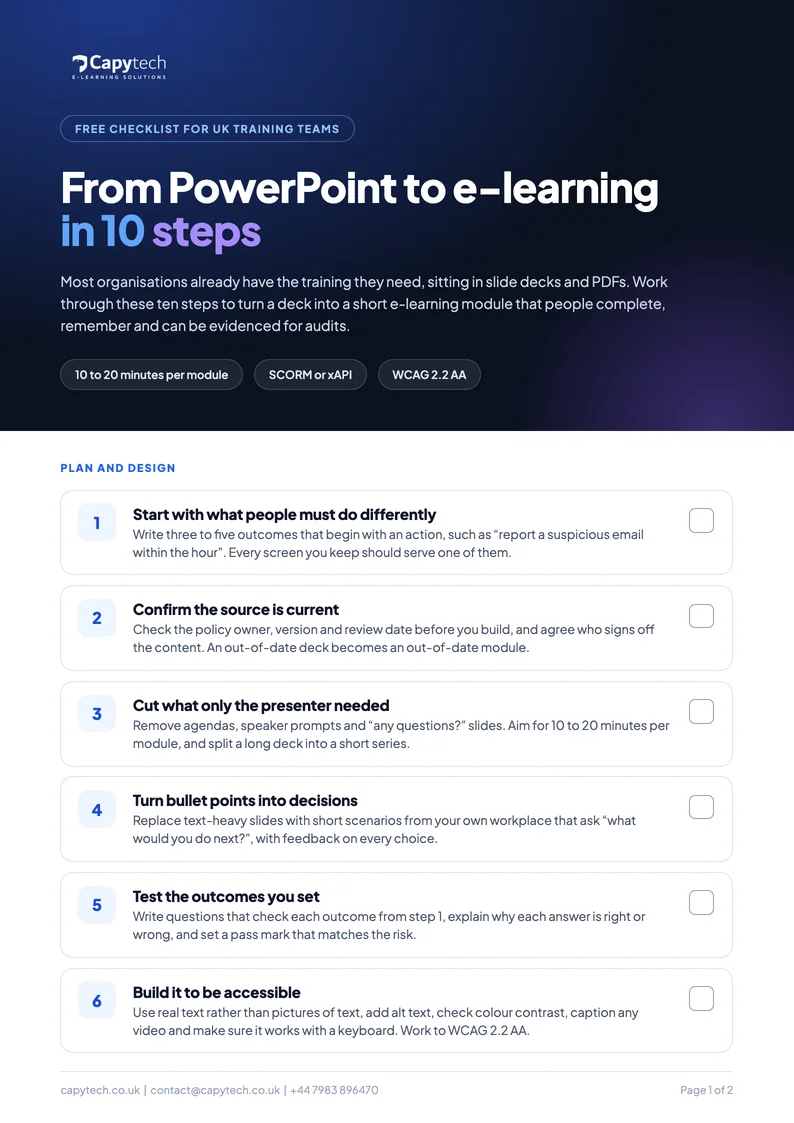
Ten steps from deck to module
Each step has a short explanation and a box to tick, so you can use it as a working checklist on your next project.
- Start with what people must do differently
- Confirm the source is current
- Cut what only the presenter needed
- Turn bullet points into decisions
- Test the outcomes you set
- Build it to be accessible
- Make it look like your organisation
- Publish in a format your LMS tracks
- Test it with real learners
- Plan the next update now
Questions about converting slides
Want the detail? Read our guide to turning PowerPoint and PDF training into SCORM e-learning.
Can you convert PowerPoint to SCORM?
Yes. A PowerPoint deck can be rebuilt as an interactive module and published as SCORM 1.2, SCORM 2004 or xAPI, so your LMS records completions and scores. Saving the slides as a video or PDF is quicker, but it records very little about what people learned.
How long should an e-learning module be?
For most workplace topics, 10 to 20 minutes per module works well. If a deck covers more than that, split it into a short series so people can finish each part in one sitting.
Is the checklist free?
Yes. Enter your name, work email and organisation and you can open the PDF straight away. We also email you a copy and one short follow-up about a free demo module, and you can unsubscribe at any time.
Send us one deck. Get a free demo module.
FastTrack turns your slides, PDFs and policies into interactive SCORM e-learning in days, with unlimited updates within 48 hours and a branded LMS included.